
Play Free Fire Web Lite instantly in your browser — no APK download, no installation required. Drop into Battle Royale or dominate Clash Squad mode directly from Chrome on Android, Safari on iOS, or any desktop browser.
What is Free Fire Web Lite?
Free Fire Web Lite is a browser-based remake of Garena Free Fire built exclusively for FreeFire Nation. It brings the core Free Fire experience — parachute drops, safe zones, looting, gunfights and squad revives — directly to your web browser without requiring any download or account.
Unlike third-party emulators or APK mirrors, Free Fire Web Lite runs natively in your browser using optimized web technology. It is lightweight, mobile-first, and designed to feel exactly like the real Free Fire HUD you already know.
Game Modes Available
Drop from the plane onto a tropical island with up to 20 bot players. Loot weapons, armor, and ammo from buildings and supply drops. Survive the shrinking blue safe zone. Be the last player standing to claim the legendary BOOYAH.
Available weapons in BR mode: SCAR (assault rifle), AWM (sniper), M1887 (shotgun), MP40 (SMG). Bot difficulty: Medium and Hard.
Clash Squad (CS) Mode
Best-of-7 round-based team mode. Fight alongside ally bots against a team of hard enemy bots. Earn coins from kills and objectives. Spend coins in the buy phase before each round to upgrade your loadout. First team to win 4 rounds wins the match.
Revive knocked teammates by holding the revive button. Coordinate with your bot squad to push and defend sites.
How to Play Free Fire Web Lite
Mobile Controls (Android & iOS)
Free Fire Web Lite uses the exact same HUD layout as the real Free Fire mobile app — so if you have played Free Fire before, you are already familiar with the controls.
– Left side joystick — Move your character
– FIRE button (right side) — Shoot
– ADS button — Aim down sights for accuracy
– JUMP button — Jump over obstacles
– CROUCH button — Crouch for cover
– RELOAD button — Reload your weapon
– REVIVE button — Hold to revive a knocked teammate
– SPRINT button — Sprint for faster movement
– Gun Slots (Slot 1 / Slot 2) — Switch between two weapons
– Parachute phase: Tap FIRE to dive faster, tap ADS to glide slower
Desktop Controls (PC & Mac)
– WASD — Move
– Mouse — Aim and look around
– Left Click — Fire
– Right Click — ADS (Aim Down Sights)
– R — Reload
– Space — Jump
– C — Crouch
– F — Pick up item
– ESC — Pause menu
Features of Free Fire Web Lite
✅ No download — runs 100% in browser
✅ Mobile-first touch controls (same layout as real Free Fire)
✅ Two full game modes: Battle Royale + Clash Squad
✅ 4 weapons: SCAR, AWM, M1887, MP40
✅ Live minimap with safe zone indicator
✅ HP bar + Armor bar system
✅ Ammo counter and weapon switching
✅ Kill feed and hit markers
✅ Revive system for knocked players
✅ Buy phase in Clash Squad (coin economy)
✅ Adjustable sensitivity in pause menu
✅ Works on Android Chrome, iOS Safari, and all desktop browsers
✅ Completely free — no account needed
System Requirements
Free Fire Web Lite is designed to run on low-end devices. If your phone can run YouTube at 480p, it can run this game.
– Browser: Chrome 90+, Safari 14+, Firefox 88+, Edge 90+
– RAM: 2GB minimum (3GB+ recommended for smooth performance)
– Internet: 1 Mbps stable connection
– Device: Android 8+, iOS 13+, Windows 7+, macOS 10.14+
– No GPU required — runs on integrated graphics
Frequently Asked Questions
Q: Is Free Fire Web Lite the official Garena Free Fire?
No. Free Fire Web Lite is a fan-made browser game inspired by Garena
Free Fire, created by FreeFire Nation. The official Free Fire app is
available on Google Play Store and Apple App Store. This is a separate,
independent browser game.
Q: Do I need to create an account to play?
No account is required. Open the page, click Play, and the game starts
immediately. If you are logged into FreeFire Nation, your last 10 match
results will be saved to your profile automatically.
Q: Can I play against real players online?
The current version of Free Fire Web Lite features AI bots at medium
and hard difficulty levels. Real player PvP multiplayer is planned for
a future version. The bots are tuned to behave aggressively, so matches
are genuinely challenging.
Q: Why is the game lagging on my phone?
Close all other browser tabs and apps before playing. Make sure you are
on WiFi or a strong 4G connection. In the pause menu, you can lower the
sensitivity which also reduces render load slightly. Chrome on Android
gives the best performance.
Q: Is this game safe to play?
Yes. Free Fire Web Lite runs entirely in your browser. No APK is
downloaded, no permissions are requested, and no personal data is
collected to play the game. It is safe for all ages.
Q: Does it work on iPhone?
Yes. Open this page in Safari on iOS 13 or later. All touch controls
work on iPhone including joystick, fire, ADS, jump, crouch and revive.
For best performance use iPhone 8 or newer.
About This Game Version
Free Fire Web Lite v1 is the first browser game released on FreeFire Nation. It was built to give Free Fire fans a way to experience the game mechanics instantly — without waiting for a download, without storage space, and without region restrictions.
This version will be updated regularly with new weapons, maps, and game modes. Check the FreeFire Nation FF Web Games page for the latest versions as they launch.

Free Fire Colourful Bio – 500+ Copy & Paste Bio Colour Codes
Free Fire Colourful Bio – 500+ Copy & Paste Bio Colour Codes (2026) Your Free Fire profile is…
Free Fire Symbols Copy Paste — 500+ FF Symbols for Name, Bio & Guild
Free Fire Symbols Copy Paste — 500+ FF Symbols for Name, Bio & Guild If you’ve ever tried…
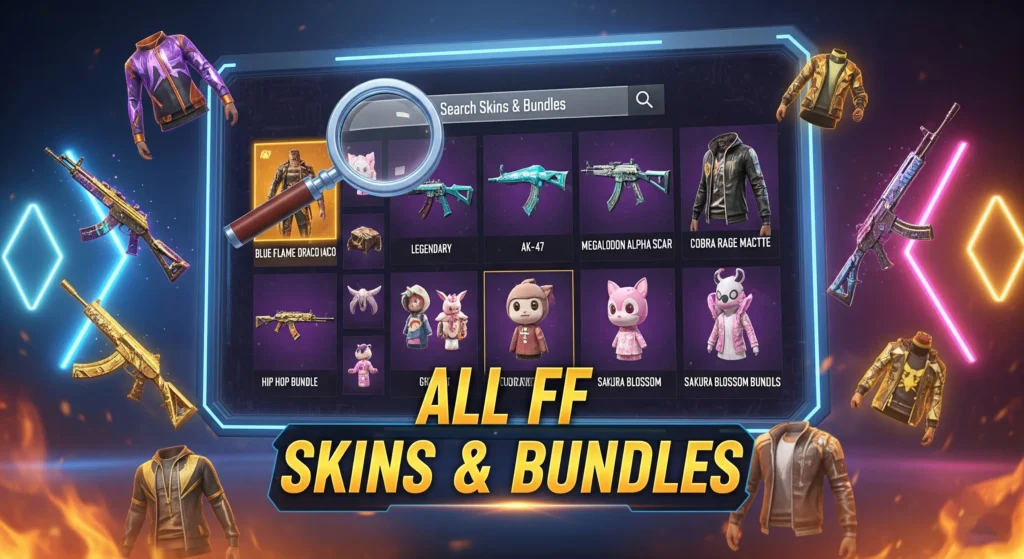
Free Fire All Skins & Items – Find Every FF Skin
You are looking at the biggest Free Fire items list anywhere online. Over 29,000 FF skins and items…
Free Fire Gun Sounds Download
Free Fire Gun Sounds Download (All Weapons MP3) Free Fire gun sounds download is one of the most…
Free Fire Diamond Price Checker
If you’ve ever noticed that your friend in another country pays less for Free Fire diamonds, you’re not…
Free Fire blank space copy
You’ve seen players with a “gap” in their IGN—or even a totally blank-looking name—and then your normal spacebar…

Free Fire Gun Damage Calculator – Body, Headshot
Free Fire Gun Damage Calculator — Find Your Weapon’s True Power OB48 Raw damage numbers on the weapon…
Free Fire Account Price Checker — Diamond Value by UID
Free Fire Account Price Checker — Find Your FF ID Value Instantly Most Free Fire players have no…

Free Fire ID Price Checker & Account Value Estimator
Are you curious about the true market value of your Free Fire account? Whether you are planning to…
Play the Game
TAP ADS to glide
--
--
How to Play
📱 Mobile Controls
💻 Desktop Controls
Game Features
Frequently Asked Questions
Is this the official Garena Free Fire game?
No. This is a fan-made browser game inspired by Garena Free Fire, created by FreeFire Nation. The official game is on Google Play and App Store.
Do I need to download anything to play?
No download required. Click Play Now and the game opens instantly in a new tab in your browser. Works on Chrome for Android, Safari for iOS, and all desktop browsers.
Can I play on my iPhone?
Yes. Open this page in Safari on iOS 13 or newer. All touch controls work — joystick, fire, ADS, jump, crouch, and revive.
Can I play against real players?
Current version is single player vs AI bots on medium and hard difficulty. Multiplayer PvP is planned for a future version.
Why is the game lagging?
Close all other tabs and apps. Use WiFi or strong 4G. Chrome on Android gives the best performance for this game.
Is the game safe to play?
Yes. The game runs entirely in your browser. No APK is downloaded, no permissions requested, no personal data collected.