You must login to report a bug.

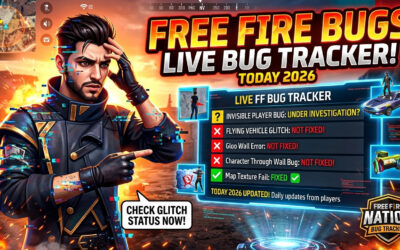
Free Fire bugs pop up after almost every OB update — and right now, on the current OB54 build, players are still running into a handful of them. This page is where FreeFireNation tracks every Free Fire bug our community reports, shows you its live fix status, and tells you exactly how to report one yourself.

Unlike most “Free Fire bugs” articles that just list a few TikTok clips and call it a day, this tracker is built different: real players submit real bugs, our team reviews and verifies them, and every entry gets a status tag — Not Fixed, In Progress, or Fixed — so you always know what’s actually broken right now versus what Garena has already patched.

What Is the Free Fire Bugs Tracker?

Think of this page as a live logbook for every glitch, exploit, and broken mechanic currently floating around in Free Fire. Here’s how it works:

  • Any logged-in player can submit a bug report through the tracker above.
  • Our team checks the submission — is it reproducible, is it actually a bug (not just lag or a skill issue), and does it match what other players are reporting?
  • Once approved, it goes live with a status tag that updates as Garena patches things.
  • You can filter the list by All, Not Fixed, In Progress, or Fixed to see exactly what’s relevant to you.

This matters because most “bug list” articles get stale the moment they’re published. A crowd-reported, status-tracked list stays accurate because it updates every time a player posts something new or Garena ships a fix.

Current Free Fire Bug Situation on OB54

The Free Fire MAX OB54 update went live on June 24, 2026, and — like almost every major OB update — it shipped with a few side-effect bugs alongside the intended changes. Garena addressed several of the bigger ones through server-side hotfixes rather than a full client update, which is worth knowing because it means your game doesn’t always need a fresh download for a bug to disappear.

Here’s a quick look at the kind of issues that showed up after OB54, most of which have since been resolved server-side:

Bug Category What Players Reported Status (as of OB54)
Ground clipping Players getting stuck inside terrain in certain map zones Fixed (server-side)
Multiple safe zones Two safe zone circles appearing at once, confusing rotations Fixed (server-side)
Kalahari river bug Random eliminations when entering river areas on Kalahari Fixed (server-side)
Footstep audio Enemy footsteps playing far louder than intended Fixed (server-side)
Movement-while-shooting Odd character movement speed while firing certain weapons Fixed (server-side)
Airdrop teleport skill bug Using a teleport-skill character to enter an airdrop crate early Not Fixed

Garena hasn’t published a detailed technical breakdown for these fixes — they rarely do — so if you’re still seeing any of the “fixed” issues above on your device, it’s worth reporting it below since your case might be region- or device-specific.

If you want the full patch breakdown instead of just the bug angle, check our complete Free Fire OB54 update guide and the weapon awakening changes for OB54, since a chunk of “my gun feels different” reports are actually intended balance changes, not bugs.

How Bug Status Works on This Tracker

We use three simple tags so you’re never guessing:

  • Not Fixed — Confirmed and reproducible, still present in the current build.
  • In Progress — Garena has acknowledged it (officially or via a known Advance Server ticket) but it hasn’t shipped a fix yet.
  • Fixed — Confirmed resolved, either through a client update or a silent server-side patch.

Here’s the thing — a lot of “bugs” players report are actually just desync from high ping, not an actual game issue. Before you submit, try switching networks once (Wi-Fi vs mobile data) to rule that out. It’ll save you time and keep the tracker clean for genuine reports.

Common Types of Free Fire Bugs You’ll See

After moderating hundreds of community submissions, these are the buckets almost every Free Fire bug falls into:

  1. Movement & map bugs — clipping into terrain, gloo walls not registering, character models getting stuck.
  2. Character skill bugs — a skill triggering an unintended effect (like the airdrop-teleport bug above), or a skill not activating at all.
  3. Weapon & animation bugs — reload animations desyncing, recoil patterns behaving inconsistently. Cross-check with our recoil control guide before assuming it’s a bug — sometimes it’s just an attachment setup issue.
  4. Audio bugs — footstep volume, gunfire sound cutting out, voice lines repeating.
  5. UI & lobby bugs — items not displaying correctly, event pages not loading, lobby freezing.
  6. Connection & login bugs — “Network Connection Error,” stuck loading screens, forced disconnects mid-match.
  7. Payment & item bugs — diamonds not crediting after a top-up, purchased items missing from inventory.

If you’re dealing with #6 or #7 specifically, those are usually account-side issues rather than gameplay bugs, and Garena’s official support flow handles them faster than a community bug report — more on that below.

How to Report a Free Fire Bug (Two Ways)

On this page: Log in and use the “Report a Bug” option above the tracker. Include the device model, the map/mode you were in, and — this is the part most people skip — a screen recording. A bug report with video gets reviewed and approved far faster than a one-line text description.

Directly to Garena: For account-specific issues (payments, negative diamonds, hacker reports, item bugs), Garena’s official Help Center categorizes reports by type — Payment Issue, Game Concerns, Negative Diamonds, Item Bug, and Hacker Report are the main buckets. This is the right channel when diamonds, purchases, or your account are involved, since our tracker is built for gameplay bugs, not account support. Garena’s official site is ff.garena.com, and in-game issues can also be routed through the official Free Fire support channels.

If your issue is actually about your account being restricted rather than a bug, our Free Fire ban checker and unban appeal guide will get you to the right place faster than a bug report will.

Bug Exploiting vs. Bug Reporting — Know the Difference

This is the part most “bugs” articles conveniently leave out: using a bug to your advantage in ranked or competitive matches can get you banned. Garena’s anti-cheat policy explicitly lists “utilizing bugs and glitches to exploit the gaming experience” as a bannable offense — the same category as wall hacks and speed hacks.

That airdrop-teleport bug in the table above? Cool to watch in a video. Actually using it to grab loot early in a ranked match is a different story — you’re gambling your account on a bug Garena already knows about. Report it, don’t farm it. If your account gets flagged for something you genuinely didn’t mean to exploit, our ban appeal guide walks through the recovery process.

Why Do Bugs Spike After Every OB Update?

Free Fire’s OB (Open Beta) updates land roughly every two months and touch core systems — animations, hit registration, map geometry, character skills — all at once. That’s a lot of moving parts shipping together, and it’s exactly why the Advance Server exists: Garena runs a testing phase before the real update, and players who join can report bugs early — sometimes for a Diamond bounty — before they ever reach the live servers.

It’s also why our tracker usually sees the biggest spike in submissions in the first week after any OB update, and why patience (and a server-side hotfix) often clears out half the list without you doing anything.

Common Mistakes Players Make When Reporting Bugs

  • Not recording a video. Text descriptions get misread constantly — a 10-second clip removes all ambiguity.
  • Confusing lag for a bug. High ping can look exactly like a desync bug. Check your connection first.
  • Reporting balance changes as bugs. A nerfed weapon feeling “weaker” after a patch is intended, not broken — check the OB54 patch notes before assuming.
  • Using the bug instead of reporting it. As covered above, this risks a ban for something that was never worth the risk.
  • Reporting account/payment issues here. Those go to Garena’s official support, not a gameplay bug tracker.

What to Do If a Bug Costs You a Match

Beginner tip: Screenshot it immediately, note the exact time and map, and report it on this tracker the same day — memory fades fast, and old reports are harder for us to verify.

Pro tip: If a bug affects ranked points specifically (like a disconnect bug costing you a Heroic push), Garena occasionally compensates rank points during confirmed server-wide issues — but only if enough verified reports come in close together. This is exactly why reporting matters even when it feels like nothing will happen; it’s the volume of matching reports that gets Garena’s attention.

What’s Next — Free Fire OB55

Community update trackers currently point to an OB55 update around early September 2026, though Garena hasn’t confirmed an official date yet. Expect a fresh Advance Server phase first, which is historically when the next wave of bugs gets caught and fixed before they ever reach your device. We’ll update this tracker the moment OB55 goes live with any new issues the community flags.

Key Takeaways

  • Current build: OB54 (live since June 24, 2026). Next expected: OB55, around early September 2026 (unconfirmed).
  • Most post-update bugs get resolved through quiet server-side patches within 1–2 weeks — no reinstall needed.
  • Report bugs with video, not just text, for faster review.
  • Exploiting a known bug in ranked play risks a ban — reporting it doesn’t.
  • Payment, diamond, and account issues go to Garena’s official support, not this tracker.

Frequently Asked Questions

1. What is the Free Fire Bugs Tracker on FreeFireNation? It’s a live, community-driven list of gameplay bugs and glitches, each with a status tag (Not Fixed, In Progress, Fixed) that we update as Garena patches issues or new reports come in.

2. How do I report a bug in Free Fire on this page? Log in to your FreeFireNation account and use the “Report a Bug” button above the tracker. Include your device model, the game mode, and ideally a short screen recording — it speeds up approval significantly.

3. Is it allowed to use a Free Fire bug to my advantage? No. Garena’s anti-cheat policy treats exploiting a known bug the same as using hacks, and it can lead to a permanent suspension. Report it instead of using it, especially in ranked matches.

4. What is the current Free Fire update version right now? As of this update, Free Fire and Free Fire MAX are on OB54, released June 24, 2026. OB55 is expected around early September 2026 but hasn’t been officially confirmed yet.

5. How long does Garena usually take to fix a reported bug? It varies. Minor bugs are often fixed silently through server-side patches within days to two weeks. Bigger issues tied to game mechanics usually wait for the next scheduled update unless they’re severe enough to warrant an emergency hotfix.

6. Can I get banned for a bug I didn’t cause? Simply encountering a bug won’t get you banned. You’re at risk only if you repeatedly and intentionally use the bug for an advantage, especially in ranked or competitive matches.

7. Does Garena reward players for finding bugs? Yes, during Advance Server phases specifically. Garena has run Bug Hunter programs where verified, unique bug reports earn Diamonds, though rewards aren’t guaranteed for every submission.

8. Why do more bugs appear right after an OB update? Because OB updates change core systems — animations, hit detection, character skills, and maps — all at once. More changes shipping together means more chances for something unintended to slip through, which is exactly what Advance Server testing tries to catch beforehand.

9. What’s the difference between reporting a bug here versus to Garena directly? This tracker is for gameplay bugs and glitches. Account-specific issues — failed top-ups, missing diamonds, item purchase problems, hacker reports — should go through Garena’s official Help Center, since those need account-level access we don’t have.

10. Will the Free Fire OB55 update fix all current bugs? Not necessarily all of them, but major and well-documented ones are usually prioritized. Minor or device-specific bugs may need a separate report even after OB55 ships, since Garena prioritizes fixes based on how many players are affected.

11. What should I do if I keep getting disconnected during ranked matches? First rule out your own connection by switching networks. If it persists across multiple matches and you suspect a server-side issue, report it here with timestamps — matching reports from other players help confirm it’s not just your device.

12. Where do I report a hacker instead of a bug? Use our Report a Player page or Garena’s in-game report feature. Hacker reports (wall hacks, aimbots, speed hacks) are handled separately from gameplay bug reports.

• JOIN GROUP • JOIN GROUP •