

What is the Free Fire Advance Server?
The Free Fire Advance Server is an exclusive beta testing environment released by Garena before every major OB (Open Beta) update. Selected players get early access to unreleased features, new characters, upcoming weapons, and map changes — weeks before the global update drops for everyone.
It is not just early access. You actively help Garena improve the game by reporting bugs, and every valid bug report earns you diamonds credited directly to your main Free Fire account.
Important: All progress, skins, and items inside the Advance Server are temporary. Nothing transfers to your main account — except the diamonds you earn from bug reports.
Free Fire OB54 Advance Server — Latest Update (May 2026)
The next major update is OB54, expected to go live globally in June 2026. The OB54 Advance Server registration is expected to open in the second week of May 2026.
What to expect in OB54:
- Dragon Ball Z Collaboration — leaks point to a major DBZ crossover including Goku-themed bundles, a Shenron on-map mechanic (similar to the Nine-Tails Naruto event), and a brand-new AWM Evo Gun skin. This collab is expected to run for 1–1.5 months.
- New characters and weapon balance changes
- New themed game mode
- DBZ-themed lobby UI and loading screens
No official announcement has been made by Garena yet. This page will update as soon as official dates and details are confirmed. Bookmark it and check back.
OB54 Timeline:
- Mid-May 2026 — OB54 Advance Server registration opens (expected)
- June 2026 — OB54 global update and Dragon Ball Z collab launch (expected)
Eligibility Requirements
Not every player can join the Advance Server. Garena has specific criteria. Check all of these before attempting to register:
- Must be 18 years or older
- Free Fire account must be at least 9 months old
- Account must be linked to Facebook or Google
- No history of account bans, cheating, or Terms of Service violations
- Android device only — iOS is not supported
- At least 1 GB free storage for the APK (OB54 APK is approximately 843 MB)
How to Register for the Free Fire Advance Server (Step-by-Step)
Registration opens roughly 2 weeks before each OB update. The window is short — sometimes only 48 to 72 hours. Register the moment it opens.
- Visit the official Advance Server website — Go to ff-advance.ff.garena.com. This is the only official source. Never trust third-party sites claiming to offer registration.
- Log in with your linked account — Sign in with the Facebook or Google account linked to your Free Fire ID. Unlinked accounts cannot register.
- Click the Registration button — Once logged in, a Register button appears on the dashboard. Click it. The 2026 process requires no extra forms in most cases — your account details are pulled automatically.
- Submit and wait for selection — Garena selects players based on account activity, region, and prior feedback history. You will be notified by email or on the dashboard. Not being selected this round does not disqualify you from future cycles.
- Receive your activation code — If selected, your unique activation code appears on the dashboard under your account, or is sent to your registered email. Codes are single-use and account-specific.
Warning: Never pay for activation codes. Garena distributes codes for free to selected players only. Anyone selling Advance Server codes is running a scam.
How to Get a Free Fire Advance Server Activation Code
The activation code is a unique, single-use key tied to your Garena account. You cannot enter the Advance Server without it — even with the APK installed.
Official ways to get an activation code:
- Garena dashboard — the primary source. Register early and check the site daily during the open window.
- Email from Garena — check the email linked to your Free Fire account, including your spam folder.
- Official Garena social media — Garena occasionally drops extra codes during livestreams on Facebook, YouTube, and Instagram.
- Free Fire Nation community — join our community and Telegram groups where Garena-released codes are shared.
Code not working? The most common reasons are: the code has expired (they have a short validity window), you entered a character incorrectly (codes are case-sensitive), the code is for a previous OB version, or the code was already redeemed.
How to Download and Install the Free Fire Advance Server APK
The Advance Server APK is Android-only. The OB54 APK is approximately 843 MB. Use a stable Wi-Fi connection before downloading.
- Download the APK from the official site — After registration approval, a download link appears on your dashboard at ff-advance.ff.garena.com. Only download from here — third-party APK files may contain malware.
- Enable installation from unknown sources — Go to Settings → Security (or Privacy on some Android versions) and enable “Install unknown apps” for your browser or file manager.
- Install the APK — Open your Downloads folder, tap the APK file, and follow the on-screen prompts. The Advance Server installs separately — you do not need to uninstall the main game.
- Launch and enter your activation code — Open the Advance Server app, log in with your Free Fire account, and enter the activation code exactly as provided. It is case-sensitive.
- Start playing and report bugs — Use the in-game bug report button to submit issues. Each accepted report earns diamonds on your main account.
To play on PC, install an Android emulator like BlueStacks or LDPlayer, import the APK using the emulator’s Install APK option, and enter your activation code to log in.
Tips to Increase Your Chances of Getting Selected
- Stay active. Play regularly in the weeks before registration. Inactive accounts are deprioritized by Garena’s selection system.
- Register immediately. Slots fill within hours of registration opening. Being in the first wave significantly improves your odds.
- Submit quality bug reports. Players who submitted detailed, helpful reports in previous cycles are more likely to be selected again.
- Link your account before registration opens. Ensure your Facebook or Google is properly linked to your Free Fire ID.
- Keep your account clean. Any ban history or TOS violation significantly reduces your chances.
- Watch official Garena channels. Extra activation codes are sometimes dropped without warning on Garena’s YouTube and Facebook livestreams.
- Apply every cycle. Selection is not guaranteed in one round. Keep applying each OB cycle — many players get in on their second or third attempt.
Free Fire OB Version History (2025–2026)
Every OB update follows a predictable pattern — the Advance Server opens approximately 2 weeks before the global release. Use this to plan when to register.
| OB Version | Advance Server | Global Release | Collaboration |
|---|---|---|---|
| OB54 | May 2026 (Expected) | June 2026 (Expected) | Dragon Ball Z |
| OB53 | Mar 20 – Apr 2, 2026 | April 8, 2026 | Gintama |
| OB52 | January 2026 | February 2026 | Jujutsu Kaisen |
| OB51 | October 2025 | November 2025 | Naruto Shippuden |
| OB50 | August 2025 | September 2025 | Naruto Shippuden |
Frequently Asked Questions
When does Free Fire OB54 Advance Server registration open?
OB54 Advance Server registration is expected to open in the second week of May 2026, approximately two weeks before the full OB54 global update in June 2026. Bookmark this page — it updates the moment Garena makes an official announcement.
How do I register for the Free Fire Advance Server?
Visit ff-advance.ff.garena.com, log in with your Facebook or Google account linked to your Free Fire ID, and click Register. If Garena selects you, your activation code appears on the dashboard or is sent by email.
How do I get a Free Fire Advance Server activation code?
Register on the official site during the open window. If Garena selects you, your code appears on the dashboard. Codes are also occasionally shared on official Garena social media during livestreams. There is no guaranteed method — selection is based on account activity and region.
Is the Free Fire Advance Server available on iOS?
No. The Advance Server is distributed as an Android APK only. iPhone and iPad users must wait for the official global OB update.
Do Advance Server rewards carry over to my main account?
No. Skins, characters, and progress are temporary and reset when the server closes. Diamonds earned from valid bug reports are the only rewards that carry over to your main account.
Why is my activation code not working?
The most common reasons are: the code has expired, you entered a character incorrectly (codes are case-sensitive), the code is for a previous OB version, or the code was already redeemed. Never use codes from third-party sites.
Can I play the Free Fire Advance Server on PC?
Yes, using an Android emulator like BlueStacks or LDPlayer. Install the emulator, use the Install APK option to add the Advance Server file, and enter your activation code to log in.
What is the OB54 Free Fire update about?
OB54 is expected to feature a major Dragon Ball Z collaboration with Goku-themed bundles, a Shenron on-map mechanic, a new AWM Evo Gun skin, and DBZ-themed lobby UI. New characters and weapon balancing are also expected. No official details have been confirmed by Garena yet.
Free Fire Proxy Server Download 2026 – OB53 Safe Guide
Free Fire Proxy Server Download 2026 — OB53 Complete Guide Last Updated: May 2026 | Covers OB53 Patch | Written…
Top 10 Zonepusher Players in Free Fire World 2026
World Top 10 Zonepusher Players in Free Fire 2026 – Masters of Zone Survival Strategy Last Updated: May 2, 2026…
Free Fire Gun Recoil Control Guide — Spray Patterns Per Weapon
Free Fire Gun Recoil Control Guide — Spray Patterns Per Weapon (OB53) The first time I picked up an AK…
How to Rank Up Fast in Free Fire — Grandmaster Tips & Strategy
How to Rank Up Fast in Free Fire — Grandmaster Tips & Strategy (OB53) I still remember the exact moment…
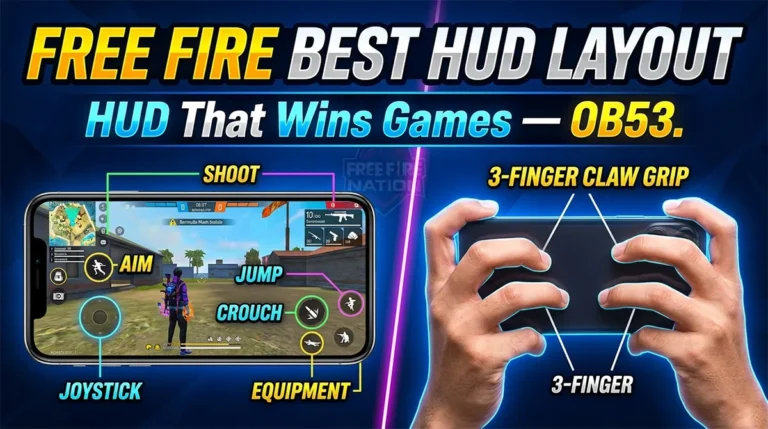
Free Fire Best HUD Layout Guide
Free Fire Best HUD Layout Guide — Button Placement That Actually Wins Games (OB53) Most players tweak their sensitivity endlessly…
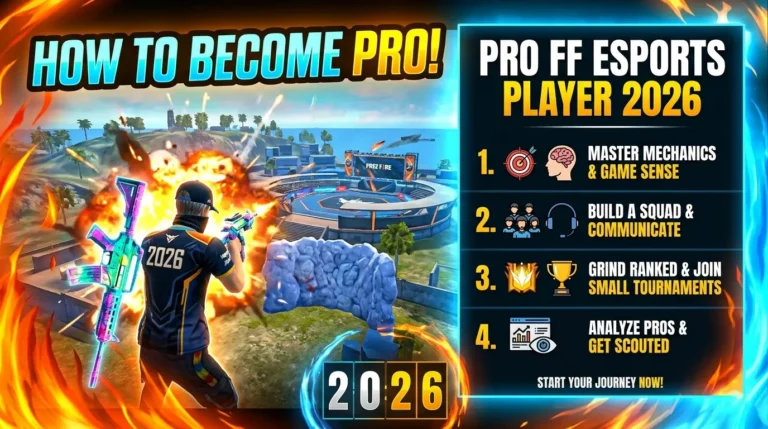
How to Become a Professional Free Fire Esports Player in 2026
How to Become a Professional Free Fire Esports Player in 2026 Most players who ask “how do I go pro…

Written by
Free Fire Nation Team
Free Fire Nation is a dedicated gaming editorial team covering Free Fire news, weapon guides, esports, and redeem codes since 2019. All content is tested in-game and verified against official Garena sources.
1 Discussion