
Free Fire Id Check
3 Discussions
Leave a Reply
Free Fire ID Check: The Ultimate Player Scout & Verification Tool
In the competitive world of Garena Free Fire, data is just as important as your aiming skills. Whether you are a Guild Leader looking for elite recruits, a competitive player scouting your next tournament rivals, or simply curious about a friend’s latest stats, the Free Fire ID Check tool is your digital radar.
While many players rely on the in-game inspection feature, it is often slow and limited. Our dedicated Free Fire ID Check provides a deep dive into any player’s profile across all major servers (India, Bangladesh, Pakistan, and more) without ever needing to open the game.
What is the Free Fire ID Check Tool?
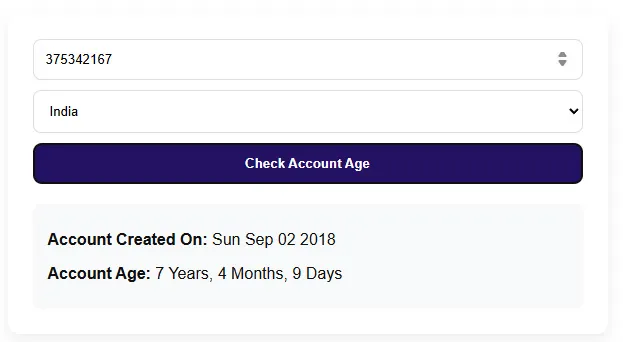
The Free Fire ID Check is a real-time profile lookup utility designed for the Free Fire community. By simply entering a unique 8–12 digit Player ID, you gain access to a comprehensive “Combat Report” of that user.
Unlike the standard Free Fire Player Info Tool, this ID Check system is optimized for verification. It focuses on whether a player is “Legit” or “Suspect,” their historical performance, and their current standing in the seasonal ranks.
Why Should You Use the Free Fire ID Check?
1. High-Level Guild Recruitment
If you are managing a competitive guild, you cannot afford to invite “deadwood.” Before sending an invite, use the ID Check to verify:
-
Lifetime KD Ratio: Does the player actually perform, or was their last Heroic push a fluke?
-
Headshot Percentage: A critical metric for competitive sniping and rushing roles.
-
Win Rate: This tells you if the player is a team player or a solo-only survivor.
2. Identifying “Pro” vs. “Fake” Profiles
With many players using nicknames similar to famous YouTubers like Total Gaming or Nobru, it’s easy to get fooled. By performing an ID Check, you can see the account’s creation date and rare badges to confirm if you are truly standing next to a legend or an imitator.
3. Tournament Scouting
Entering a local tournament? Use the ID check to scan the IDs of your opponents. Knowing that an enemy team has a 60% headshot rate allows you to adjust your strategy—perhaps playing more defensively or utilizing Gloo Wall tricks from our Free Fire Pro Guide.
4. Avoiding Scams
Never trade or interact with an account without checking its history. If an account claims to have “Old Elite Passes” but the ID check shows a low level and recent creation date, you’ve just saved yourself from a potential scam.
How to Use the Free Fire ID Checker (Step-by-Step)
We have designed our interface to be lightning-fast and mobile-friendly. Follow these steps to get a full player report:
-
Locate the Player ID: Copy the 8-12 digit number from the player’s profile in the game.
-
Input the ID: Paste the number into the search box on our Free Fire ID Check page.
-
Select Region: Choose the appropriate server (the tool supports Global, India, BD, and more).
-
Analyze the Data: Click “Search” to generate the report.
Pro Tip: If the tool returns an error, double-check that you haven’t included any spaces or special characters. Our system only requires the numeric digits.
Deep Dive: Understanding the Metrics
When you run an ID Check, you will see several key statistics. Here is how to interpret them like a pro:
The KD Ratio (Kill/Death)
-
Below 1.5: Casual player.
-
2.0 to 4.0: Skilled/Semi-pro.
-
Above 5.0: Elite Tier (or potentially using scripts—check the headshot rate to verify!).
Headshot Rate (HS%)
This is the ultimate “skill check.” A high HS% (above 40%) usually indicates a high-precision player. However, if you see a player with a 90% HS% and a low level, they might be heading toward a ban. If you encounter such players, you should immediately check our Free Fire Account Recovery & Help Centre guide to learn how to report them properly.
Rank History
The tool shows current and peak ranks (Grandmaster, Heroic, Diamond). This helps you see if the player is currently “grinding” or if they have retired from competitive play.
Free Fire ID Check vs. In-Game Inspection
| Feature | In-Game Inspect | Free Fire Nation ID Check |
| Speed | Slow (requires game boot) | Instant (Browser-based) |
| Anonymous | No (Player can see you visited) | Yes (100% Anonymous) |
| Cross-Server | Limited | Worldwide Access |
| Historical Data | Basic | Advanced Analytics |
Technical Security: Is ID Checking Safe?
A common question we receive is: “Will my account get banned for using an ID Check tool?”
The answer is a definitive No. Our tool uses public API data provided by Garena’s servers. We do not ask for your password, your Facebook login, or any sensitive information. The Free Fire ID Check is a “read-only” service, meaning it only looks at data; it cannot modify game files or Diamonds.
For those worried about account security, we always recommend staying updated on the latest security patches in the Free Fire OB Updates section.
Troubleshooting Common ID Search Issues
-
“Player Not Found”: This usually happens if the player has recently changed their region or if the ID was typed incorrectly.
-
“Data Outdated”: Garena’s API sometimes caches data. If a player just finished a match, wait 5 minutes and refresh the ID check.
-
“Server Timeout”: During peak hours (like during a new Redeem Code drop), our servers may experience high traffic. Simply wait a few seconds and try again.
The Role of ID Checking in the Esports Ecosystem
As Free Fire esports continues to grow, “Data Analysts” are becoming a staple in every professional team. They use tools exactly like this one to track player consistency over several months. By using our tool, you are essentially performing the same “Data Scouting” that professional coaches do.
If you are an aspiring esports player, use this tool on yourself! Track your stats weekly to see if your KD is improving after following our Best Free Fire Sensitivity Settings.
Conclusion: Knowledge is Power
The Free Fire ID Check is more than just a stats viewer—it’s a tool for community safety, competitive advantage, and guild growth. In a game where every second and every bullet counts, knowing the strength of your ally and the weakness of your enemy is the key to Booyah!
Don’t forget to bookmark this page! With the meta constantly shifting and new characters being added in every update, checking player stats frequently is the only way to stay ahead of the curve.
Frequently Asked Questions (FAQ)
Q: Can I see a player’s inventory or skins with this tool?
A: Currently, the tool focuses on combat stats and rank. Inventory data is kept private by Garena to protect user privacy.
Q: Does this tool show who viewed my profile?
A: No. Our tool is completely anonymous. The player will never know you searched for their ID.
Q: Can I check an ID from the Free Fire Max version?
A: Yes! Since Free Fire and Free Fire Max share the same servers and IDs, the tool works perfectly for both versions.
Q: Is there a limit to how many IDs I can check?
A: No, you can check as many IDs as you want. It is a completely free resource for the Free Fire Nation community.
I want return in this email that the dagar will hacked my ID that’s why change name
Id band
♡⃛Hamza•ᴗ•