
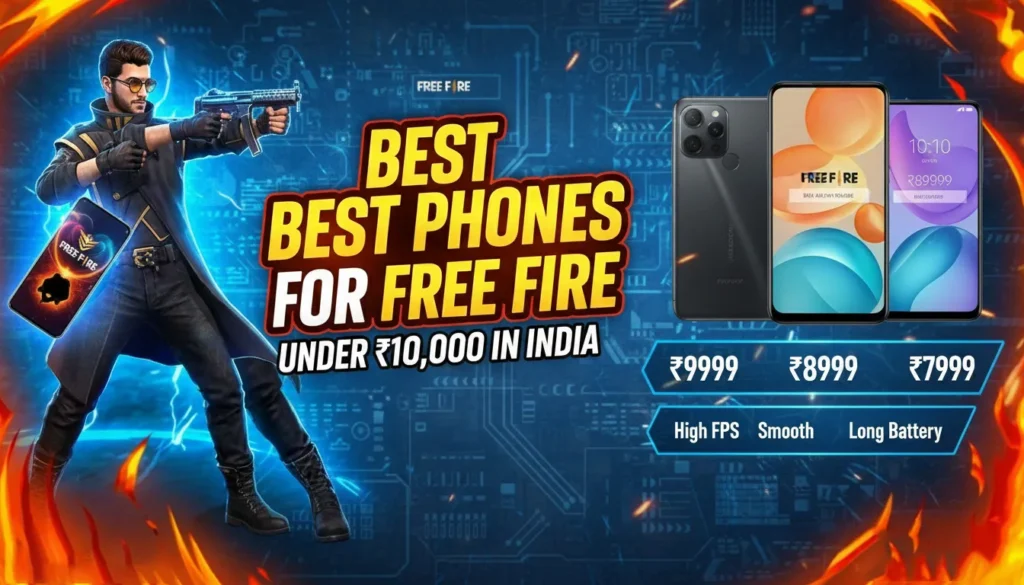
This guide looks at Best Phones for Free Fire Under ₹10000 in India for Free Fire in India, based on how their hardware handles gaming and their typical online pricing around this segment. Specs and performance analysis are based on information available up to late 2024, so you should always check current prices and availability before buying.
What a Good Free Fire Phone Needs (Under ₹10,000)
Free Fire and Free Fire MAX aren’t as heavy as some AAA mobile titles, but to get smooth, competitive gameplay, a budget phone still needs to clear a few minimum bars:
- Processor (SoC) & GPU
- Look for MediaTek Helio G85 / G88, Unisoc T606/T612, or Snapdragon 680‑class chips.
- These can generally deliver smooth gameplay on Medium graphics with High FPS enabled.
- RAM
- Minimum: 4 GB (physical RAM).
- Better: 6 GB if you multitask, stream, or keep many apps in memory.
- Ignore inflated “8 GB (including virtual RAM)” marketing; focus on real RAM.
- Storage
- Free Fire + updates + other apps can easily cross 10–15 GB.
- Aim for at least 64 GB; 128 GB gives room for future updates and other games.
- Display
- 90 Hz refresh rate is a big plus for smoothness.
- HD+ resolution is fine at this budget; FHD+ is rare but welcome.
- Battery & Charging
- Free Fire drains battery fast during rank pushes.
- Look for 5,000 mAh or higher with at least 10–18 W charging.
- Software & Thermals
- A clean interface (less bloatware) and good thermal management help avoid throttling.
- Stock or near-stock Android is typically smoother on low-end hardware.
With that in mind, here are three ranked phones under ₹10,000 that stand out for Free Fire.
Top 3 Best Phones for Free Fire Under ₹10,000 (Ranked)
1. Redmi 13C – Best Overall Balance for Free Fire Under ₹10,000
Check on Amazon
If you want the best all-round package for Free Fire near ₹10,000, the Redmi 13C is a strong first pick. It balances a capable gaming chipset with a smooth display and decent storage options at this price level.
Key gaming-relevant specs (India variant):
- Chipset: MediaTek Helio G85 (octa-core)
- RAM: 4 GB / 6 GB (variants)
- Storage: 128 GB (expandable via microSD)
- Display: 6.74″ LCD, up to 90 Hz refresh rate (HD+)
- Battery: 5,000 mAh
- OS: MIUI based on Android (with custom skin)
Why it’s good for Free Fire
- Helio G85 is tried-and-tested in budget gaming; it can handle Free Fire on Smooth/Standard graphics comfortably.
- 90 Hz display helps with UI and in-game smoothness, making aiming and camera movement feel more responsive.
- 128 GB storage on even the lower RAM variant means you don’t need to constantly delete apps or media to keep updates installed.
- Redmi’s ecosystem generally has good third-party accessory support (cases, screen protectors), nice if you’re a heavy user.
Expected Free Fire experience
- Best settings to target:
- Graphics: Smooth or Standard
- FPS: High
- Shadows: Off or On (depending on comfort with slightly higher heat)
- Style: Classic
- With sensible settings and a cool environment, you can expect relatively stable gameplay with minor frame dips only in crowded situations like intense squad fights or end circles.
Downsides
- MIUI still includes bloatware and occasional ads, which you should clean up and disable where possible to keep memory free.
- The chipset is efficient but not magic – don’t expect ultra graphics or consistent 60 fps like on mid-range gaming phones.
Who should buy it:
Players who want the most balanced option under ₹10,000 for daily use plus regular Free Fire matches, and who value 90 Hz + decent storage over absolute clean software.
2. Moto G13 – Best Software & Thermals for Long Ranked Sessions
If you prefer clean, near-stock Android with better thermal control for long gaming sessions, the Moto G13 is an excellent alternative to Redmi in the same price band.
Key gaming-relevant specs:
- Chipset: MediaTek Helio G85
- RAM: 4 GB (typical base variant under ₹10k)
- Storage: 64 GB / 128 GB (expandable)
- Display: 6.5″ LCD, 90 Hz refresh rate (HD+)
- Battery: 5,000 mAh
- OS: Near-stock Android with My UX tweaks
Why it’s good for Free Fire
- Same Helio G85 core as the Redmi 13C, so raw gaming performance is similar.
- Near-stock Android means:
- Less bloatware out of the box.
- Smoother UI on 4 GB RAM.
- Fewer unnecessary background apps eating RAM and CPU.
- Motorola’s software and thermals are generally well-optimized, making the phone better at sustaining performance over longer matches.
- 90 Hz panel once again helps overall smoothness.
Expected Free Fire experience
- Similar to Redmi 13C:
- Graphics: Smooth/Standard
- FPS: High
- Where the Moto G13 may feel nicer is over longer play sessions (1–2 hours continuous), with:
- Slightly more consistent performance due to fewer background processes.
- Slightly lower chance of aggressive thermal throttling in normal conditions.
Downsides
- The base 4 GB / 64 GB variant can feel tight on storage once you install Free Fire, social apps, and a few other games.
- Camera and overall feature set are more utilitarian; this is not a “wow” phone for photography or design.
- Charging is not particularly fast compared with some aggressive Chinese brands in the segment.
Who should buy it:
Players who want clean software and stable performance rather than maximum specs on paper. If you hate bloatware and want a smoother general Android experience plus regular Free Fire sessions, the Moto G13 is a very strong choice under ₹10,000.
3. Infinix Hot 30i – Best RAM & Storage Combo for Tight Budgets
If your priority is getting as much RAM and storage as possible at the lowest price for gaming, the Infinix Hot 30i is worth a serious look.
Key gaming-relevant specs:
- Chipset: Unisoc T606 (octa-core)
- RAM: 4 GB / 8 GB (with virtual RAM marketing on higher variant)
- Storage: Typically 128 GB (on higher variant), expandable
- Display: 6.6″ LCD, 90 Hz refresh rate (HD+)
- Battery: 5,000 mAh
- OS: XOS (Infinix custom skin on Android)
Why it’s good for Free Fire
- The Unisoc T606 isn’t quite as gaming-oriented as the Helio G85, but it’s still capable of running Free Fire smoothly at modest settings.
- The real advantage is the RAM + storage combo:
- Even the more affordable variants offer good internal storage, typically 128 GB, at a price point where some rivals still offer 64 GB.
- More RAM (even accounting for “virtual” RAM marketing) helps with multitasking and keeping Free Fire in memory.
- 90 Hz refresh rate again enhances perceived smoothness in menus and in-game.
Expected Free Fire experience
- Best settings to target:
- Graphics: Smooth
- FPS: High
- The T606 can handle Free Fire comfortably at Smooth; if you push graphics higher, you’re more likely to see stutters in heavy fights than on Helio G85.
Downsides
- XOS skin has more bloatware and aggressive customizations than stock Android, which you’ll want to clean up.
- GPU is weaker than Helio G85; so if you’re very sensitive to frame drops in late circles or full-squad clashes, the Redmi 13C or Moto G13 will generally feel stronger.
- Software update policy and long-term support are usually not as strong as the bigger brands.
Who should buy it:
Players who want maximum RAM + storage for the money and are okay with using Smooth graphics to ensure consistent gameplay. If you install lots of games or store plenty of media and don’t want to juggle space, the Infinix Hot 30i is a sensible budget pick.
How to Choose Between These Three
To quickly decide:
- Prioritize pure gaming smoothness (under ₹10k)?
→ Redmi 13C or Moto G13 (Helio G85 is better for gaming). - Hate bloatware and prefer clean Android?
→ Moto G13. - Need the most storage/RAM for lots of apps and games?
→ Infinix Hot 30i. - Care about resale and accessory ecosystem?
→ Redmi 13C, thanks to brand reach and ecosystem.
Always confirm current prices on Amazon, Flipkart, Croma, etc., as discounts and bank offers can move a phone in or out of the sub‑₹10,000 bracket.
Final Tips to Maximize Free Fire Performance on Any Budget Phone
Whatever phone you buy, a few tweaks can significantly improve your in-game experience:
- Optimize graphics settings
- Use Smooth or Standard graphics.
- Turn FPS to High.
- Disable extra effects like high shadow/detail if you notice heat or stutters.
- Close background apps before starting Free Fire
- Clear recent apps.
- Avoid streaming music/video in the background on budget devices.
- Use Game Mode / Game Turbo (if available)
- Most brands include a game mode that:
- Prioritizes CPU/GPU for the game.
- Blocks notifications and calls.
- Manages network usage.
- Most brands include a game mode that:
- Keep storage and RAM free
- Maintain at least 20–25% free storage for smooth system operation.
- Uninstall unused apps; disable bloatware where possible.
- Stay cool
- Avoid playing while charging; it increases heat and throttling.
- Don’t block the phone’s back or vents with thick pillows or blankets while playing.
- Use stable internet
- Whenever possible, play on 5 GHz Wi‑Fi (if your router and phone support it) or a stable 4G/5G network with good signal.
- High ping can feel like lag even when your phone’s hardware is fine.
Conclusion
Under ₹10,000 in India, you won’t get a “pro esports” gaming phone, but you can absolutely get a reliable Free Fire machine if you choose wisely:
- Redmi 13C – best all-rounder with strong Helio G85 performance and 90 Hz.
- Moto G13 – cleaner software and steadier long-session performance.
- Infinix Hot 30i – best RAM + storage combo for strict budgets.
Check current prices and availability, pick the one that matches your priorities, apply the optimization tips above, and you’ll have a smooth, competitive Free Fire experience without breaking the ₹10,000 mark.
Free Fire vs Free Fire Max – Full Comparison
Free Fire vs Free Fire Max – Which Battle Royale Should You Download in 2026 If you’re a mobile gamer,…

Free Fire Bermuda Map
Free Fire Bermuda Map: The Ultimate Guide to Dominating the Classic Battleground 2026 If you’ve ever played Free Fire, you’ve…
Free Fire India – Complete Guide, Latest Updates
Free Fire India: The Complete Guide for Indian Players 2026 Free Fire has always held a special place in the…
You actually make it seem really easy with your presentation but I find this topic to be actually one thing that I believe I might
by no means understand. It seems too complicated and very
extensive for me. I am looking forward in your next submit, I will try to get the hang of it!
Do not fret though, it’s a really easy and also detailed procedure.
My webpage … procerin uk (debunkingnase.org)