
How to Unban Free Fire Account — The Complete Step-by-Step Guide 2026
Logging into Free Fire and seeing “Your account has been banned” is one of the worst feelings in gaming. Especially when you’ve spent months grinding rank, unlocking characters, and building your collection — and suddenly, it’s all locked behind a red screen.
The frustrating part? Not every ban is deserved. Garena’s automated systems make mistakes. Innocent players get flagged. And most people have no idea there’s an actual process to get their account back.
This guide walks you through exactly how to unban your Free Fire account — the right way, step by step — including what to write in your appeal, what mistakes to avoid, and what to realistically expect.
Why Does Garena Ban Free Fire Accounts?

Before you appeal, it helps to understand why the ban happened. Garena uses both automated detection systems and manual reports to flag accounts. The most common reasons include:
- Cheating or hacking — using aimbots, wallhacks, or speed hacks
- Third-party software — running game-modifying apps in the background (even innocently)
- Account sharing — logging in from multiple devices or locations can trigger fraud detection
- Unauthorised transactions — chargebacks on diamond purchases or using unofficial top-up sites
- Toxic behaviour — repeated reports for abusive chat or deliberate team-killing
- False reports — mass reporting by other players, which can trigger an automated review
The most important thing to understand: automated systems can be wrong. Garena acknowledges this, which is exactly why the appeal process exists.
Types of Bans in Free Fire
Not all bans are the same. Knowing which type you have changes your approach.
Temporary Ban
This is the most common and the easiest to deal with. Temporary bans usually last 1 to 30 days depending on the violation severity. The game will show you an end date on the ban screen. In this case, your best move is often to simply wait it out — unless you believe it was issued in error.
Permanent Ban
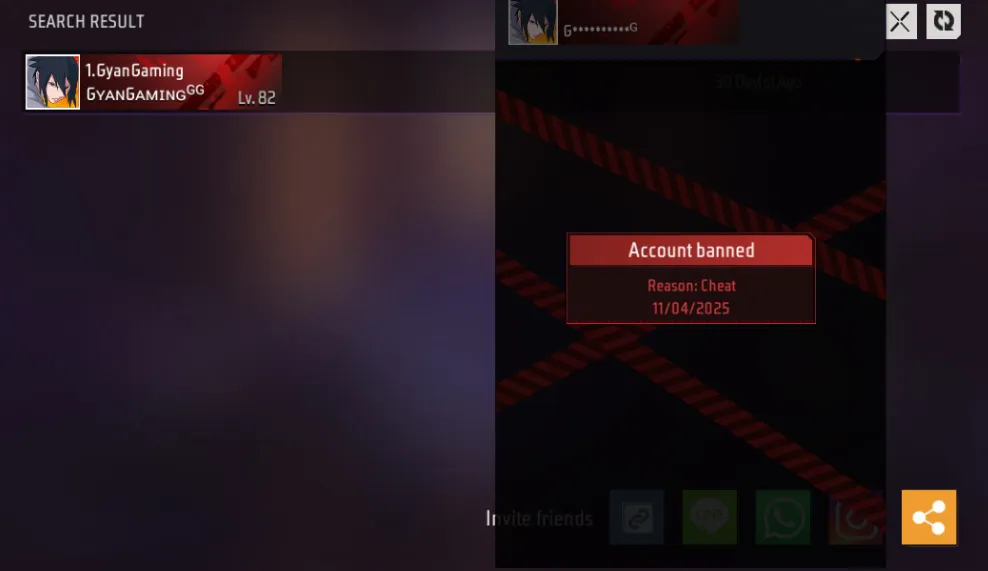
This is the serious one. A permanent ban means Garena has flagged your account for a major violation — usually confirmed cheating, severe fraud, or repeated offences. Permanent bans can be appealed, but the success rate is lower. That said, wrongful permanent bans do get reversed when the evidence supports it.
Device Ban
In some cases, Garena bans the device rather than just the account. This means creating a new account on the same phone won’t work either. Device bans are harder to appeal and are usually reserved for repeat offenders.
Step-by-Step: How to Unban Your Free Fire Account
This is the official process. Skip the YouTube videos telling you to download “unban tools” — those are scams and will make your situation worse.
Step 1 — Gather Your Account Information
Before you contact Garena, collect everything that proves the account is yours:
- Your Free Fire UID (visible on your profile page)
- The email address linked to the account
- Your phone number linked to the account
- Any payment receipts for diamond purchases (strong proof of ownership)
- Your in-game nickname at the time of the ban
- Screenshots of your account level, characters, or items if you have them
The more proof you have, the stronger your appeal.
Step 2 — Visit the Official Garena Help Centre
Go to the official support page: support.garena.com
Do not use any third-party websites, Telegram bots, or Discord servers claiming they can unban your account. These are scams — 100% of the time.
Step 3 — Submit a Ban Appeal
On the Garena Help Centre:
- Click Submit a Request or Contact Us
- Select Free Fire as the game
- Choose Account → Banned Account as the issue category
- Fill in the form completely — UID, email, nickname, and a description of the issue
Step 4 — Write a Strong Appeal Message
This is where most players go wrong. They either write one line (“please unban my account”) or they get angry and aggressive. Neither works.
Write a clear, honest, respectful message. Here’s a template you can adapt:
“Hello Garena Support Team,
My Free Fire account (UID: XXXXXXXXX) was recently banned, and I believe this was done in error. I have been playing Free Fire for [X years/months] and have never used any cheats, hacks, or third-party software.
I understand that your systems work hard to keep the game fair, and I fully support that. However, I would like to kindly request a manual review of my account as I believe the ban may have been triggered incorrectly.
My account details: – UID: XXXXXXXXX – Registered email: youremail@example.com – In-game nickname: YourName
I am happy to provide any additional information needed to verify my identity and ownership of this account. Thank you for your time and support.”
Keep it short, polite, and factual. No begging, no threats, no all-caps.
Step 5 — Wait for a Response
Garena typically responds within 3 to 7 working days. During busy periods it can take up to 14 days. Do not submit multiple tickets for the same issue — it resets your place in the queue and can get your appeal flagged as spam.
Check your email (including spam/junk folders) regularly for their response.
Step 6 — Follow Up If Needed
If you don’t receive a response after 10 working days, send one polite follow-up on the same ticket. Reference your original ticket number and ask for a status update.
If your first appeal is rejected and you genuinely believe the ban was wrong, you can escalate. Try:
- Garena’s official social media pages — Twitter/X (@GarenaFreeFire) and Facebook — with a brief, professional message referencing your ticket number
- Resubmitting with more evidence — if you found payment receipts or screenshots you missed the first time
What NOT to Do When Trying to Unban Your Free Fire Account
Almost as important as what to do is what to avoid. These mistakes can permanently destroy any chance of recovery.
- Never use “unban tools” or APKs — these are either malware or scams. They cannot access Garena’s servers and will likely get your device flagged permanently
- Never pay someone to unban your account — no individual has the power to remove a Garena ban for money. Anyone claiming otherwise is scamming you
- Never use abusive language in your appeal — Garena support agents are humans. Being rude guarantees your ticket gets deprioritised
- Don’t create multiple support tickets — one well-written ticket is far more effective than five rushed ones
- Don’t log into your account on a rooted or jailbroken device — Garena’s anti-cheat system flags modified devices, even if you weren’t cheating yourself
- Don’t use unofficial diamond top-up sites — these often trigger transaction fraud flags that result in bans
What Are the Real Chances of Getting Unbanned?
Let’s be honest, because you deserve a straight answer.
If you were genuinely using cheats, the chances of a successful unban appeal are very low. Garena’s detection data is detailed, and bans issued with confirmed cheat evidence are rarely reversed.
If you were wrongfully banned — flagged by an automated system, banned due to a false mass-report, or caught up in a device-sharing misunderstanding — your chances are actually quite good, especially if your account has a long history, diamond purchase receipts, and a well-written appeal.
Players with years of gameplay, significant spending history, and clean prior records get more benefit of the doubt in manual reviews. This is one reason keeping receipts for your diamond purchases is genuinely useful.
How to Protect Your Free Fire Account From Getting Banned Again
Once your account is back, take these steps to keep it safe:
- Play on official servers only — never connect to private or modified game servers
- Delete any game booster or optimiser apps that touch Free Fire’s files — some trigger false positives
- Enable two-factor authentication on your Garena account — this protects against unauthorised access that could get your account reported
- Only top up diamonds through official channels — the in-game store, Garena’s website, or authorised resellers
- Avoid sharing your account login with friends or siblings — even with good intentions, it can trigger location-based fraud detection
- Report cheaters through the in-game system instead of rage-chatting — it keeps your own account clean and helps the community
Frequently Asked Questions
How long does a Free Fire ban appeal take?
Garena typically responds within 3 to 7 working days. In peak periods it can take up to 14 days. Submit one ticket, then wait patiently.
Can a permanent Free Fire ban be reversed?
Yes, permanent bans can be reversed — but only if there’s genuine evidence the ban was issued incorrectly. If the ban was for confirmed cheating, reversal is extremely unlikely.
Is there any tool or app that can unban a Free Fire account?
No. Any app, website, or person claiming to unban Free Fire accounts is a scam. The only legitimate path is through Garena’s official support at support.garena.com.
What if Garena doesn’t respond to my appeal?
Wait at least 10 working days, then send one polite follow-up on the same ticket. You can also try reaching Garena’s official social media accounts with your ticket number if you continue to receive no response.
Can I make a new account if my Free Fire account is permanently banned?
Technically yes — unless you also have a device ban. However, if Garena detects that a new account is being used to evade a permanent ban, the new account may also be banned. Creating a new account should be a last resort, not a substitute for the appeal process.
Final Thoughts — Don’t Give Up Without Trying the Official Route
Getting your Free Fire account banned feels devastating, especially if you’ve invested real time and money into it. But the official appeal process is real, it works, and innocent players do get their accounts back every day.
Write a calm, detailed appeal. Include your UID, account details, and any purchase receipts. Submit it through the official Garena Help Centre. Then wait.
And while you’re waiting — explore everything else Free Fire Nation has to offer. Generate a new Free Fire bio for your profile, browse our Free Fire name ideas to plan your comeback nickname, or check out our Free Fire characters guide to plan your next loadout. Your account will be back before you know it.