
Free Fire Player Info Tool
3 Discussions
Leave a Reply
Free Fire Player Info Tool – Check Complete Player Stats Using UID
Free Fire is one of the most played battle royale games in India, with millions of active players competing daily across ranked and casual modes. As the competition grows, players increasingly want to understand their in-game performance, compare stats with friends, and verify profiles before joining squads or clans.
The Free Fire Player Info Tool by Free Fire Nation helps you check complete player details instantly using a Free Fire UID. This tool is built for players who want fast, accurate, and reliable access to public Free Fire statistics without opening the game or sharing login credentials.
Whether you are a casual player, competitive grinder, content creator, or clan leader, this tool gives you a clear overview of a player’s profile in seconds.

What Is a Free Fire UID and Why It Matters
Every Free Fire account is assigned a unique numeric identifier known as a UID (User ID). This UID remains constant even if the player changes their in-game nickname.
Using a UID is the most accurate way to:
-
Identify a specific player
-
Avoid confusion caused by similar usernames
-
Fetch correct profile and rank information
Our Free Fire Player Info Tool works entirely using this UID system, ensuring precise results every time.
What Information Can You Check With This Tool?
This tool displays publicly available player information that helps evaluate skill level, experience, and competitive standing.
🔹 Basic Player Profile
-
Player nickname
-
Free Fire UID
-
Account level
-
Total profile likes
These details give a quick overview of how active and experienced a player is.
🔹 Battle Royale (BR) Statistics
Battle Royale mode is the core competitive format in Free Fire. Using this tool, you can view:
-
Current BR rank
-
BR rank points
These stats help determine how consistently a player performs in ranked matches.
🔹 Clash Squad (CS) Statistics
Clash Squad is popular for fast-paced competitive play. The tool allows you to check:
-
Current CS rank
-
CS rank points
CS rank is especially useful for evaluating team coordination and close-combat skills.
🔹 Clan & Server Information
-
Clan name (if the player is part of a clan)
-
Clan membership status
-
Server region (India and supported servers)
Clan leaders often use this information before recruiting new members.
Create Nicknames for Free Fire
Why Use Free Fire Nation’s Player Info Tool?
FF ID Check
There are many Free Fire stat websites available, but most suffer from common issues like outdated data, poor interface, or excessive ads.
This tool is designed with player experience in mind.
✅ Key Benefits
-
No login or account linking required
-
Completely free to use
-
Optimized for Indian players
-
Works smoothly on mobile and desktop
-
Clean interface with instant results
The tool focuses on delivering information quickly without distractions.

Free fire invisible space copy paste (ㅤ)
How to Check Free Fire Player Information Using UID
Using the Free Fire Player Info Tool is simple and beginner-friendly:
-
Enter the Free Fire UID in the input field
-
Select the correct server (India or others, if available)
-
Click on Check Player Info
-
View the player’s profile details instantly
The entire process takes only a few seconds.
Who Should Use This Tool?
This Free Fire player stats checker is useful for a wide range of users:
🎮 Regular Free Fire Players
Track your rank progression, compare stats with friends, and understand your strengths.
👥 Clan Leaders & Managers
Verify player ranks and experience before inviting them to a clan.
📺 Content Creators & YouTubers
Check player profiles for videos, comparisons, and educational content.
🏆 Competitive Players
Analyze opponents and teammates before ranked matches.
Free Fire Fans
Look up stats of popular or high-ranked players out of curiosity.
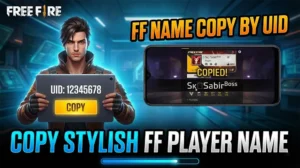
Free Fire Name Copy by UID
Free Fire Name Copy by UID A stylish Free Fire name can make your profile stand out instantly.…
How Accurate Is the Player Data?
The tool fetches publicly available Free Fire data that reflects the latest accessible information at the time of search.
However, keep in mind:
-
Ranks and points can change after every match
-
Likes and clan status may update frequently
-
Data depends on server availability
For official confirmation, always refer to the in-game profile.
Is This Tool Safe to Use?
Yes. The Free Fire Player Info Tool:
-
Does not ask for passwords
-
Does not require login
-
Does not modify game data
-
Does not interact with private account information
It only displays information that is already publicly visible within the game.
Supported Servers
Currently, the tool supports:
-
India server
Additional servers may be added in the future based on availability and demand.
Tips for Best Results
-
Always double-check the UID before searching
-
Make sure the correct server is selected
-
Use updated UIDs for accurate results
If a player recently changed clans or ranks, data updates may take some time to reflect.
Disclaimer
Free Fire Nation is not affiliated with Garena or the official Free Fire development team for FF ID Check
All player information displayed through this tool is:
-
Publicly accessible
-
Used strictly for informational purposes
Free Fire and all related trademarks belong to Garena.
Why This Tool Page Is Useful for the Free Fire Community
As Free Fire continues to grow, tools like this help players:
-
Stay informed
-
Improve gameplay decisions
-
Build better teams and clans
-
Engage more deeply with the community
Free Fire Nation aims to provide reliable tools that genuinely help players, not just generate traffic.
zal299446@gmail.com
hola
naimmonin123@gmail.com