
Free Fire Outfit Checker – The Only Tool You Need to See Any Player’s Full Loadout
Ever spotted a player rocking an insane golden outfit in a match and thought — where did they get that? You’re not alone. Millions of Free Fire players obsess over skins, bundles, and weapon looks every single day. But here’s the thing: until now, there was no easy way to check what another player is actually wearing — unless you were standing right next to them in the lobby.
That’s exactly why we built the Free Fire Outfit Checker. Enter any player’s UID, pick their region, and instantly see every equipped item — character skin, outfit pieces, weapon skins, banner, badge, and more. You can even download each asset image directly to your device.
Whether you’re a content creator building thumbnails, a player scouting inspiration for your next bundle, or just curious about that guy who destroyed your squad — this tool gives you the full picture. Let’s break down exactly how it works and why it’s become a go-to resource for the Free Fire community on Free Fire Nation.
What Is the Free Fire Outfit Checker?
The Free Fire Outfit Checker is a web-based tool that pulls a player’s live profile data directly from the game’s official API. Just enter a UID and select the correct server region — India, Singapore, or Brazil — and the tool fetches everything that player currently has equipped on their profile.
Think of it like opening someone’s in-game profile screen, but without needing to be their friend, be in the same lobby, or even have the game installed. It works on mobile and desktop, takes about 3 seconds, and shows results in a clean visual card that mirrors the actual Free Fire profile layout.
What Data Does It Show?
The outfit checker pulls every item slot the API exposes, organized into clear categories:
- Character skin (the base character model)
- Avatar frame and profile banner
- Head, top, bottom, shoes, and bag outfit pieces
- Weapon skin slots (up to 5 equipped skins)
- Badge, title, and profile pin
Every item shows its name, item ID, and a downloadable image. No data is stored on our servers — it’s a live lookup every time.
How to Use the Free Fire Outfit Checker – Step by Step
Using the tool takes less than a minute. Here’s the exact process:
- Find your UID — Open Free Fire, go to your profile screen. Your UID is the number shown just below your nickname. It typically looks like 1727790095.
- Select your region — Choose India (IND), Singapore (SG), or Brazil (BR) depending on which server your account is on. Getting this wrong is the most common reason for a “player not found” error.
- Hit ‘View Assets’ — The tool fires off the lookup, fetches the player data, then loads every equipped item image in parallel. The whole process takes 2–4 seconds.
- Browse the profile card — You’ll see a dark, in-game style profile card with the character on the left and stats, banner, and accessories on the right — exactly like the in-game profile screen.
- Download what you want — Scroll down to the Download section. Every item has its own card with a Download button. Click it to save the PNG to your device — perfect for thumbnails, wallpapers, or just collecting.
What If the Player Isn’t Found?
This usually means one of two things: either the UID was typed incorrectly, or the wrong region was selected. Each Free Fire server (IND, SG, BR) has completely separate player databases. A UID that exists on the India server simply won’t return results if you search under Singapore.
If you’re checking someone else’s UID, ask them to confirm their server region from their in-game profile settings.
Why This Tool Is Useful for Free Fire Players
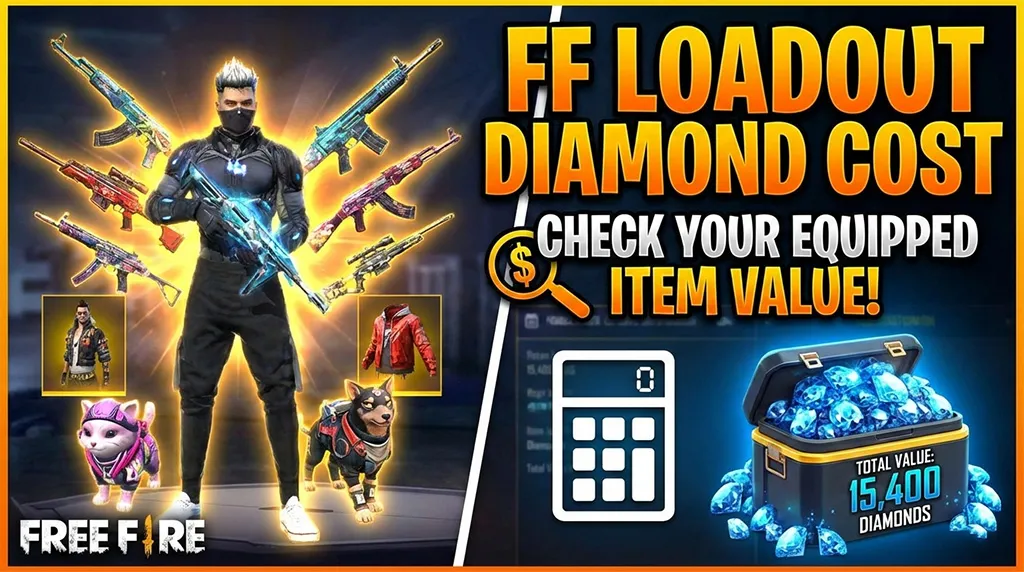
For Regular Players: Find Outfit Inspiration
Scrolling social media for outfit ideas is hit or miss — you often see a cool skin but have no idea what it’s called or how to get it. The Free Fire Outfit Checker solves this directly. Find a player whose style you like (from a YouTube video, a clan member, a streamer), grab their UID, and instantly see every piece they’re wearing with the exact item ID.
That item ID is all you need to search for the skin in the in-game store, check its current availability, or look it up on fan wikis to see how to obtain it.
For Content Creators: Download Assets Instantly
Free Fire YouTubers and thumbnail designers spend hours trying to find high-quality images of specific skins. Official sources are limited, screenshot quality is inconsistent, and stock asset packs go out of date fast.
With the Free Fire Outfit Checker, you enter a UID and every asset loads directly from the official game database — clean PNG icons ready to use. The download button on each card saves the file as ff-[category]-[itemID].png, so files are automatically named and organized. No more hunting through screenshots or random Google searches for that one skin image.
For Competitive Players: Scout Before You Squad
When evaluating potential clan members or checking if a top-ranked player in your region is worth learning from, seeing their full equipped loadout gives you a quick read on how seriously they play. A player with multiple legendary weapon skins and a high-tier character outfit has clearly invested heavily in the game — useful context before you invite them or challenge them.
Understanding the Items the Tool Displays
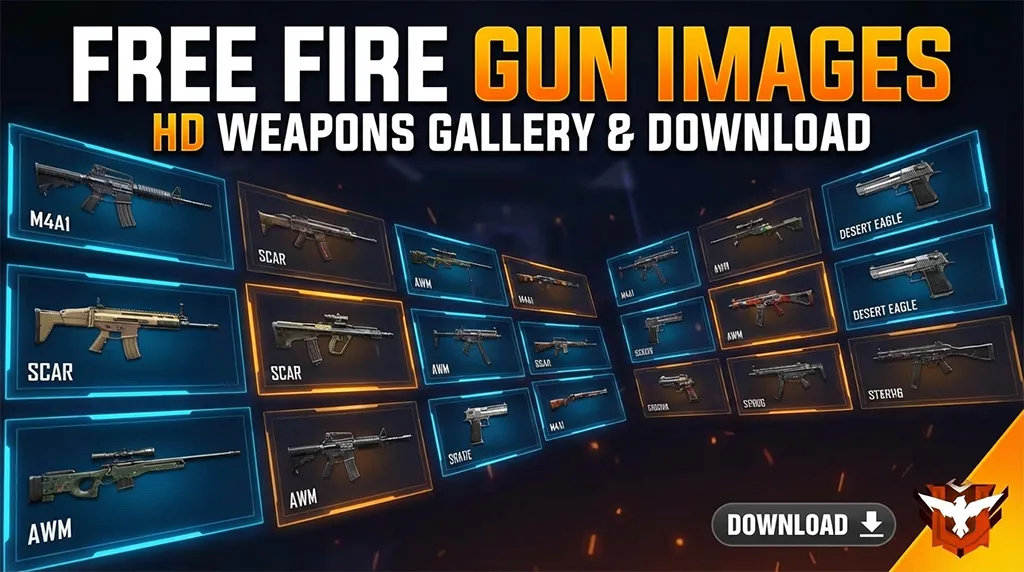
Free Fire’s item system can be confusing for newer players. Here’s a quick breakdown of each category the ff outfit checker shows:
Character Skin
This is the base model your character uses in-game. Free Fire has dozens of characters, each with their own abilities and cosmetic skins. The outfit checker shows the equipped character’s icon image — the same icon shown on your profile card.
Outfit Pieces
Free Fire breaks outfits into 5 separate slots: Head, Top, Bottom, Shoes, and Bag. Each slot can be equipped independently, which means players often mix and match pieces from different bundles to create a unique look. The free fire outfit checker shows each slot separately so you can identify exactly which pieces make up someone’s full style.
Weapon Skins
Players can equip up to 5 weapon skins on their profile to show off. These are purely cosmetic in the lobby view — they don’t affect gameplay. However, some rare weapon skins have special visual effects and animations. The free fire skin checker function in this tool displays each weapon skin icon so you can identify them by ID and look them up in the store.
Banner, Frame, Badge, Title & Pin
These are the smaller decorative items shown around a player’s profile card. The banner is the background image, the frame goes around the avatar, the badge shows rank or achievements, the title is a custom text tag, and the pin is a small decorative icon. Most players overlook these, but serious collectors spend heavily to get rare versions of each.
How the Free Fire Outfit Checker Actually Works
This is worth explaining for the technically curious — and for players who want to understand why the data is accurate and up to date.
The tool is built on top of the official Free Fire Community API, the same data infrastructure used by authorized developers. When you enter a UID and region, here’s what happens behind the scenes:
- Your request is sent securely to our server, which verifies it’s a legitimate request
- Our server calls the Free Fire API with your UID and region — the API key is never exposed to the browser
- The player data comes back including all equipped item IDs for every slot
- Our server then fires parallel image requests for each item ID to the game’s asset database
- All images are returned together — the full profile loads in 2–4 seconds
Results are cached for 30 minutes per UID to keep things fast. If a player changes their outfit and you re-check within that window, you may see their previous loadout. For the freshest data, check again after 30 minutes.
For those interested in the broader Free Fire ecosystem, the Garena Free Fire official site has information on official game updates and events.
Other Free Fire Tools You’ll Find Useful
The Free Fire Outfit Checker is one tool in a growing collection on Free Fire Nation’s tools page. Here are a few others worth bookmarking:
- Free Fire Player Info Tool — Full profile stats, rank, level, clan info, credit score, and last login by UID
- Free Fire Ban Checker — Instantly check if any player’s account has been banned by Garena’s anti-cheat system
- Free Fire Account Age Checker — See exactly how old any account is, down to years, months, and days
Each tool is built the same way — fast, no login required, and pulling directly from official sources. If you’re a serious Free Fire player or content creator, check out the player info tool as your next stop.
Tips for Getting the Most Out of the Outfit Checker
- Always double-check the UID — even one wrong digit returns no results
- Not sure which region? Ask the player to check Settings > Basic in-game — the server region is listed there
- Use the downloaded PNGs directly in Canva, Photoshop, or CapCut — the clean backgrounds make them easy to work with for thumbnails
- Check top-ranked players in your region to see what the most competitive loadouts look like this season
- If an item shows “Not available”, it means that item ID doesn’t have an image in the current asset database — usually very old or unreleased items
Frequently Asked Questions
Q: Is the Free Fire Outfit Checker safe to use? A: Yes, completely. The tool only reads publicly available profile data using an authorized API. It does not ask for your password, email, or any login information. There’s nothing to install and no account required.
Q: Can I check any player’s outfit, or only my own? A: You can check any player’s outfit as long as you have their UID and know their server region. The tool is fully public — no friendship or clan connection is required.
Q: Why do some item images show as “Not available”? A: The image database covers most current and recent items, but some very old items, unreleased skins, or system items may not have images indexed yet. The item ID will still show even when the image isn’t available.
Q: How often is the data updated? A: Each profile lookup pulls fresh data from the game’s live API. However, results are cached for 30 minutes per UID. If a player just changed their outfit, wait 30 minutes and check again for the latest loadout.
Q: Which regions does the outfit checker support? A: Currently India (IND), Singapore (SG), and Brazil (BR). These cover the majority of the global Free Fire player base. Additional regions may be added as the API expands support.
Ready to Check Your First Outfit?
You now know exactly what the Free Fire Outfit Checker does, how it works, and why thousands of players and creators are using it every day. The tool is free, instant, and requires nothing more than a UID.
Whether you’re hunting for your next outfit inspiration, building a YouTube thumbnail, or just curious about that unbeatable player you keep facing in ranked — the answer is one UID away.
→ Enter your UID above and hit ‘View Assets’ to get started.