
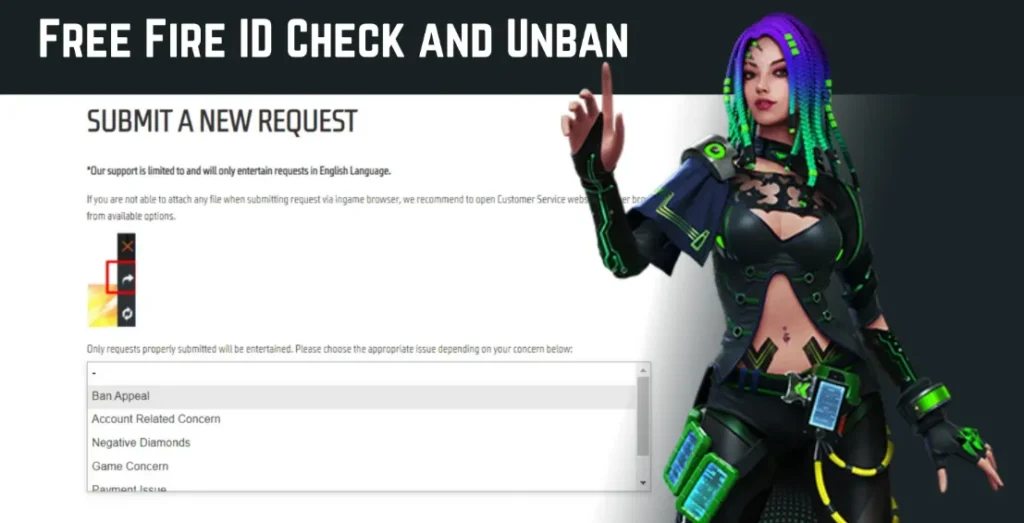
Losing access to your Free Fire account is a nightmare every survivor dreads. Whether you’ve spent hundreds of hours grinding to Heroic rank or invested heavily in rare skins like the Sakura Bundle or Evo Guns, the “Account Login Failed” message can be heart-wrenching.
However, all is not lost. The Free Fire Help Centre is a robust platform designed specifically to handle these crises. In this ultimate guide, we will walk you through the step-by-step process of account recovery, ban appeals, and how to navigate Garena’s support system like a pro.
Understanding the Garena Free Fire Help Centre

The Free Fire Help Centre (often referred to as Garena Support) is the official gateway for players to resolve technical issues, payment discrepancies, and account-related problems. Unlike third-party “hack” tools—which you should never use—the Help Centre is the only legitimate way to recover a compromised ID.
Before diving into recovery, it is essential to understand that Free Fire accounts are usually bound to third-party platforms. Your recovery path depends entirely on how you initially logged in.
Common Issues Handled by the Help Centre:
-
Lost or Hacked Accounts.
-
Ban Appeals (Restricted Accounts).
-
Diamond Purchase Failures (Top-up issues).
-
Reported Bugs and Technical Glitches.
-
Lost Guest Accounts.
How to Recover a Lost Free Fire Account (Step-by-Step)
Account loss usually happens due to forgotten passwords on linked platforms or, unfortunately, account hacking. Here is how to handle each scenario.
1. Recovering Linked Accounts (Facebook, Google, VK, Twitter/X)
If your Free Fire ID is linked to a social media platform, Garena does not actually “own” your login credentials.
-
The Fix: You must use the “Forgot Password” feature of the respective platform (Facebook, Google, or VK). Once you regain access to your social media account, you will automatically be able to log back into Free Fire.
-
Pro Tip: If your Facebook is permanently disabled, you can submit a ticket to Garena to request an Account Migration, though this is only granted in extreme cases with proof of ownership.
2. Recovering a Hacked Account
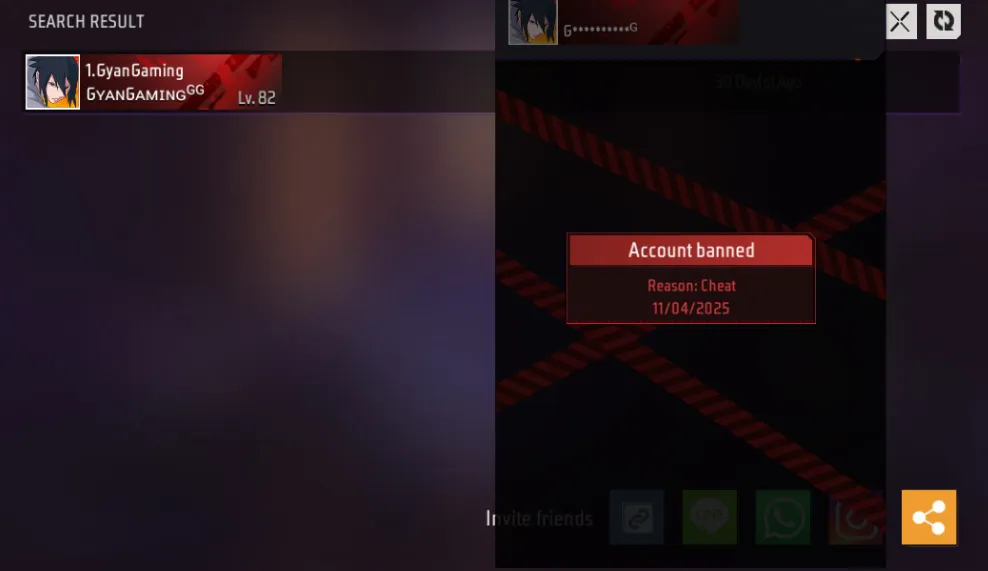
If someone has changed your password or unlinked your social media, you need to act fast.
-
Visit the Official Free Fire Support Website.
-
Click on “Sign In” (use a new or secondary account just to access the dashboard).
-
Select “Submit a Request.”
-
Choose the category: Account Loss.
-
Provide your Player ID, In-game Nickname, and Server (e.g., India, Pakistan, BD).
-
Crucial Evidence: Attach screenshots of your first-ever Diamond top-up receipt. This is the strongest proof that you are the original owner.
3. The Guest Account Dilemma
Guest accounts are stored on your device’s internal memory, not Garena’s servers. If you uninstall the game or format your phone, the guest account data is often gone forever.
-
Can it be recovered? Only if you have the
com.garena.msdkfolder backup from your old file manager. If not, Garena Support rarely recovers guest accounts. This is why we always recommend checking our guide on how to bind your Free Fire account to avoid future losses.
Navigating the Ban Appeal Process

Nothing is more frustrating than seeing the message: “There are abnormal activities with your account. It has been suspended.”
Check below guide (official)
Account Ban official guide
Why was I banned?
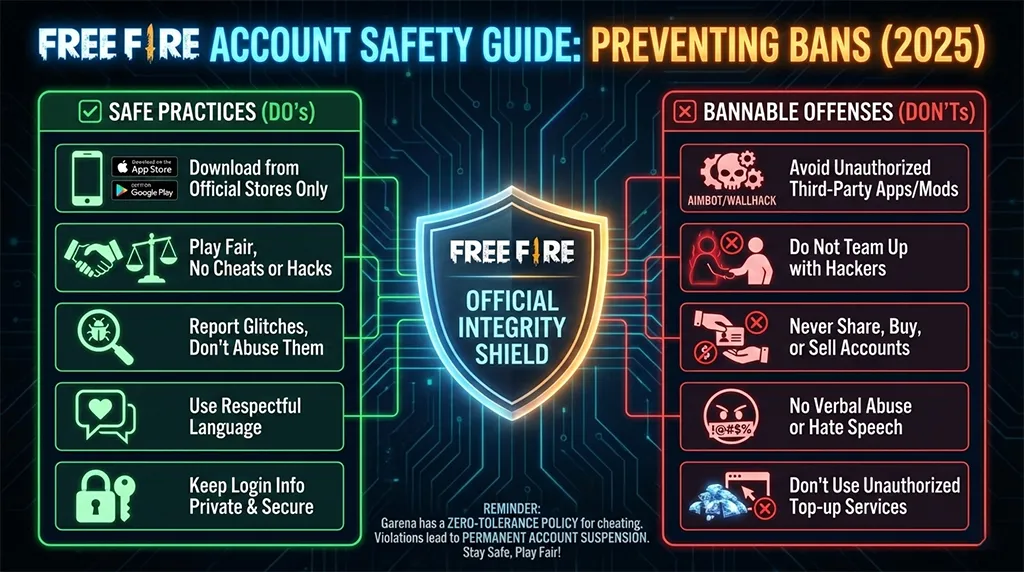
Garena uses an automated Anti-Hack system. Bans usually occur due to:
-
Using APK Mods or scripts.
-
Using “Skin Tools” or GFX tools that modify game files.
-
Teaming up with hackers.
-
Exploiting glitches to gain a competitive advantage.
How to Appeal a Ban
If you believe your account was banned unfairly (a “false positive”), follow these steps:
-
Go to the Help Centre and select “Submit a Request.”
-
Choose “Technical Issue” or “Ban Appeal.”
-
In the description, be honest. If you used a 3rd party tool, admit it—sometimes Garena offers a “second chance” for minor infractions, though permanent bans for “Headshot Hacks” are rarely overturned.
-
While waiting for a response, stay updated with the latest Free Fire News to see if Garena has announced any mass unban waves for bug-related suspensions.
Reporting Diamond and Payment Issues
Sometimes, you pay for Diamonds, but they don’t appear in your vault. This is a “Payment Issue.”
-
Wait Period: Always wait 24 hours before reporting. Sometimes the Google Play Store or Apple App Store takes time to process the transaction.
-
Information Needed: You will need the Transaction ID (starts with GPA for Google) and a screenshot of the receipt.
-
Warning: Do not request a refund directly from the Play Store. This will result in a “Negative Diamond” balance, and your account will be restricted until you pay the debt.
If you are looking for ways to get currency without the hassle, always keep an eye on our daily updated Free Fire Redeem Codes section to claim free rewards legally.
To improve your gameplay and keep your account safe, check out these essential resources from Free Fire Nation:
-
Game Optimization: Struggling with lag while trying to recover your rank? Check out the Best Free Fire Sensitivity Settings for smooth headshots.
-
Stay Updated: Don’t miss out on upcoming features. Read about the latest Free Fire OB Update to see what’s changing in the Bermuda map.
-
Events: Learn how to participate in the latest “Luck Royales” and “Web Events” by following our Event Guide.
Pro Tips to Protect Your Free Fire Account
Prevention is better than recovery. Follow these E-EAT-certified security steps:
-
Enable 2FA: Activate Two-Factor Authentication on your Facebook or Google account.
-
Avoid “Free Diamond” Sites: Any website asking for your password in exchange for Diamonds is a phishing scam.
-
Screenshot your ID: Keep a record of your Player ID and your first payment receipt in a safe place (like Google Drive).
-
Device Binding: Never play on a Guest account for more than a day. Bind it to a secure email immediately.
FAQ: Frequently Asked Questions
Q1: How long does Garena Support take to reply? Typically, you will receive a response within 48 to 72 hours. During major updates or tournament seasons, it might take up to 7 business days.
Q2: Can I recover my account if I forgot my Player ID? Yes, but it is much harder. You can ask a friend to check your ID from their “Friends List” or look for old screenshots where your ID is visible at the bottom of the screen.
Q3: My account was deleted. Can I get it back? If you manually requested “Account Deletion” through the settings, Garena usually provides a 30-day grace period. After that, the data is wiped from the server and cannot be recovered.
Q4: Will I lose my skins if I transfer my account to a new phone? No. As long as your account is linked to Facebook, Google, or VK, you can log in on any device and your progress (skins, characters, and rank) will be synced.
Conclusion
The Free Fire Help Centre is your best ally in keeping your gaming journey smooth. While the recovery process requires patience and proof of ownership, Garena’s support team is generally helpful toward legitimate players.
Remember, your account’s security starts with you. Avoid using unofficial mods and stay informed through trusted sources like Free Fire Nation. If you found this guide helpful, be sure to share it with your guildmates so they can protect their IDs too
Lastly, you offer your services or product as the service to
this issue.
my web-site :: payday loans no credit check (nkuk21.co.uk)