
When you paste the bio and check your own profile, you will see something like [FF0000]☠ Born To Kill [FFD319]★ — it looks broken. Don’t worry. It is NOT broken. Free Fire always shows the raw code to the owner.
Your friend, enemy, or squad member will see colourful, stylish text with all the colours and symbols working perfectly. Free Fire only hides colours from you — everyone else sees the full effect!
Free Fire Bio Generator — Create the Most Stylish FF Bio Code in 2026
Most players spend hours perfecting their aim, grinding ranks, and buying skins. But they forget the one thing every enemy sees before the game even starts — their bio.
A plain, empty Free Fire signature looks like a level 1 account, even if you’re a Grandmaster. The right Free Fire bio generator changes that in under 60 seconds. No coding knowledge. No downloads. Just pick, build, copy, and paste.
This guide covers everything — what a Free Fire bio code actually is, why your profile bio matters more than you think, how to use a bio generator effectively, and which bio styles are trending globally right now in 2026.
What Is a Free Fire Bio Code?
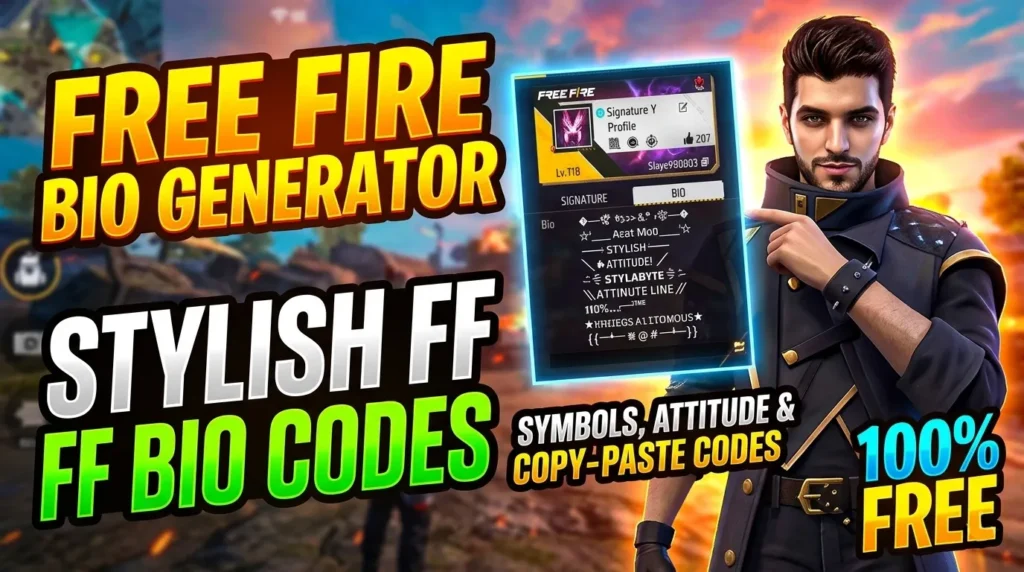
If you’ve ever visited another player’s profile and seen colourful, stylish text in their signature area — that’s a Free Fire bio code at work.
Garena Free Fire lets every player add a short signature to their profile. By default, it’s just plain text. But by using special formatting tags, you can turn that plain text into something that looks genuinely impressive.
Here’s how it works technically:
- Colour codes use a hex format inside square brackets —
[FF0000]gives you red,[FFD319]gives you gold,[00FFFF]gives you cyan - Bold tag —
[b]makes your text bold - Symbols like
☠,★,꧁꧂,亗, and⚡are supported and appear exactly as typed
So a code like [FF0000]☠ [FFFFFF]Born To Kill [FFD319]★ shows up as a multi-coloured, symbol-decorated line on your profile.
The tricky part? The game’s character limit is tight — around 50 to 60 visible characters. And you can’t see your own colours while editing. That’s exactly why a free fire bio generator tool exists — it does the heavy lifting for you.
Your Free Fire Profile Bio Actually Matters
Think about what happens when you add someone to your squad or join a tournament. The first thing they check is your profile. Your rank, your K/D — and your bio.
A well-crafted bio tells people three things instantly:
- You take the game seriously
- You have a personality and identity
- You’re not just another random player
Competitive players and Free Fire streamers understand this. Creators like Badge99, Ankush FF, and other pro players always maintain stylish, recognisable profiles. Their bios match their brand.
Even casual players benefit. A creative bio gets you more squad invites, more friend requests, and makes people actually remember your name after a match.

How to Use the Free Fire Bio Generator on This Page
Our Free Fire bio generator on this page is built to be the most complete tool available. Here’s exactly how to use it:
Step 1 — Choose Your Starting Point
You have two options:
- Templates tab: Browse 500+ ready-made bio codes organised by category — Attitude, Girls, Islamic, Hindi, Pro/Esports, Funny, Romantic, and Dark. Click any template to instantly load it into the builder.
- Builder tab: Start from scratch and create something completely original.
Step 2 — Customise with Colors and Symbols
Inside the Builder tab:
- Click any colour swatch to insert that colour code at your cursor position. The tool includes 18 carefully chosen colours that all work inside Free Fire.
- Click any symbol from the symbols grid to add it to your bio.
- Apply stylish fonts — choose from Script, Outline, Gothic, Bold Serif, Circles, or Small Caps. The font transformer is intelligent: it only changes the text letters, never the colour codes inside brackets. So your formatting is always safe.
- Hit [b] Bold to add the bold tag anywhere you want.
Step 3 — Watch the Character Counter
The character counter at the top of the textarea shows your visible character count in real time. It turns orange when you’re getting close to 48 characters and red if you exceed 60. This stops you wasting time on a bio that gets cut off in-game.
Step 4 — Preview on the FF Profile Card
Switch to the Preview tab to see exactly how your bio looks inside a Free Fire-style profile card. You’ll see the colour codes rendered — red becomes red, gold becomes gold. You can also check your raw code and the cleaned visible text count.
Step 5 — Copy and Paste
Hit Copy Bio Code and paste it directly into your Free Fire profile’s Signature box. Save it, then ask a friend to check your profile — colours only appear when viewed by another player, not when you’re editing.
AI Bio Generator — Let Artificial Intelligence Write Your Bio
For players who want something truly unique, the tool includes an AI bio generator powered by OpenRouter.
Enter your name, choose a mood — Attitude, Islamic, Hindi, Pro, Funny, Romantic, or Dark Gothic — and hit Generate. The AI produces five completely original bio code suggestions in seconds, each formatted with proper hex colour codes and symbols, ready to use.
You’ll need to enter your OpenRouter API key once (stored only in your browser, never on our server). After that, every generation is instant.
500+ Bio Templates by Category — What’s Available
Here’s a breakdown of the template categories and what you’ll find in each:
😈 Attitude Bios (Boys)
Designed to intimidate. Think lines like “Born To Kill”, “Fear Me Or Face Me”, and “No Mercy No Defeat”. Heavy use of red, gold, and dark colour palettes. Popular with competitive players who want to project dominance.
🌸 Girls & Cute Bios
Pink, soft, but still fierce. Templates like “Pretty But Dangerous” and “Soft Outside, Killer Inside” are some of the most copied bios globally. These bios prove that style and skill aren’t mutually exclusive.
☪️ Islamic Bios
Featuring Arabic phrases like بِسْمِ اللَّهِ (Bismillah), الحمد لله (Alhamdulillah), and مَاشَاءَ اللهُ (Masha Allah). Green colour codes are used traditionally to reflect Islamic colour symbolism. These bios are hugely popular across South Asia, the Middle East, and Africa — all major Free Fire regions.
🇮🇳 Hindi Language Bios
Hindi bios are among the most searched in India, which is one of Free Fire’s biggest player bases. Lines like “दुश्मनों का काल हूँ मैं” and “मेरा नाम ही काफी है” mix Devanagari script with colour codes for a uniquely desi flavour.
🏆 Pro / Esports Bios
Show off your rank, win rate, or competitive status. Templates include K/D stats, grandmaster callouts, and esports-style formatting with the V Badge symbol Ⓥ. Great if you’re a serious ranked player or aspiring content creator.
😂 Funny Bios
Self-aware and hilarious. “My Aim Is Bad, My Heart Is Worse” and “Professional Tree Camper” consistently get more laughs than aggression. Sometimes humour builds a profile identity faster than any attitude bio.
💕 Romantic & Dark
Romantic bios for players who wear their heart on their sleeve. Dark bios for the shadow-themed, gothic aesthetic crowd who prefer grey, black, and deep crimson palettes.
Colour Codes That Work in Free Fire — A Quick Reference
Not all hex colours display perfectly in-game. Here are the most reliable ones:
| Colour | Code | Effect |
|---|---|---|
| Red | [FF0000] |
Aggressive, strong |
| Gold | [FFD319] |
VIP, premium look |
| White | [FFFFFF] |
Clean, minimal |
| Cyan | [00FFFF] |
Pro, techy |
| Green | [00FF00] |
Islamic, nature |
| Pink | [FF69B4] |
Cute, girls |
| Purple | [AA00FF] |
Mysterious, dark |
| Orange | [FF4500] |
Energy, Hindi vibes |
Mix two or three colours in one bio — anything more starts looking cluttered rather than stylish.
Common Mistakes to Avoid
Even experienced players get tripped up. Watch out for these:
- Spaces inside brackets —
[ FF0000 ]won’t work. It must be[FF0000]with no spaces. - Going over the character limit — The counter on this tool prevents this, but manual bio editing can easily run over 60 visible characters.
- Using too many colours — More than three colours in one bio usually looks messy, not impressive.
- Expecting to see colours in edit mode — Free Fire doesn’t render colours while you’re typing. Always ask a friend to screenshot your profile to verify.
- Applying stylish fonts before colour codes — Build your colour-coded text first, then apply font styles. The generator handles this automatically.
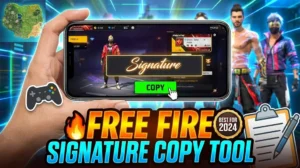
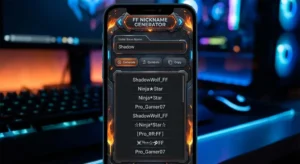
For more Free Fire profile tips, check out our Free Fire Nickname Generator and Free Fire Signature Copy Tool — both work alongside this bio generator to give you a complete, polished profile.
You can also explore the full range of profile and stats tools in our Free Fire tools section.
For official game guidelines and profile policies, refer to the Garena Free Fire official site and the Free Fire Help Centre.
FAQ — Free Fire Bio Generator
Q1. What is the character limit for a Free Fire bio? Free Fire allows approximately 50 to 60 visible characters in the signature/bio box. Colour codes like [FF0000] don’t count toward this limit since they’re formatting tags, not visible text.
Q2. Why can’t I see my bio colours when I’m editing? Free Fire doesn’t render colour codes in the editing view. After you save, the colours will appear when another player views your profile. Ask a friend or squadmate to check it for you.
Q3. Can I use Hindi or Arabic text in my Free Fire bio? Yes. Free Fire supports Unicode characters, so Devanagari (Hindi) and Arabic script both display correctly. Our generator includes dedicated templates for both.
Q4. Does the AI bio generator store my API key? No. Your OpenRouter API key is saved only in your own browser’s local storage. It is never sent to Free Fire Nation’s servers or stored anywhere outside your device.
Q5. My bio code is not working — what should I do? Check that there are no spaces inside the square brackets, the hex code is exactly 6 characters, and your bio doesn’t exceed the visible character limit. Use the character counter on this page before copying.
Q6. Can I use these bio codes in Free Fire MAX? Yes. Free Fire MAX uses the same profile system as Garena Free Fire. All colour codes and symbols in this generator are fully compatible with Free Fire MAX.
Q7. How often are new templates added? We update the template library regularly with trending bio styles. Bookmark this page and check back for seasonal and event-based bio templates.
Your Profile Deserves Better Than a Blank Bio
Your Free Fire bio is 60 characters of prime real estate. Every player who visits your profile reads it. Make it count.
Whether you want to look like a ruthless Grandmaster, a proud Muslim player, a Hindi-speaking desi gamer, or just someone with a genuinely good sense of humour — the Free Fire bio generator on this page has you covered.
Build your bio right now. Pick a template, customise it, preview it on the profile card, and copy it in one click. No fluff, no downloads, no wasted time.
Try it above ↑ and make your Free Fire profile unforgettable.
NICE