

Free Fire Advance Server Download 2026 — The Only Guide You Need (Official & Safe)
You want early access. You want to test the next character before anyone else drops them in ranked. You want those diamond rewards for bug reporting. And you’ve probably already seen dozens of sites offering “Free Fire Advance Server download links” — most of them unofficial, some of them downright dangerous.
Here’s the thing: there is only one legitimate way to download the Free Fire Advance Server APK. It comes directly from Garena’s official website after you’ve registered and received an activation code. That’s it. Any other source is third-party, unverified, and could cost you your account.
This guide walks you through the entire 2026 Advance Server process — registration, download, activation, what’s coming in the next OB update, and how to actually earn diamonds while you’re in there. No fake links. No unofficial APKs. Just the real thing, explained properly.
What Is the Free Fire Advance Server (And Why Does It Matter)?
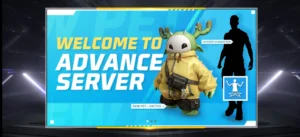
The Free Fire Advance Server is Garena’s official beta testing environment. Before every major OB patch goes live for the full player base, Garena opens a temporary test server for a small group of selected players.
Inside the Advance Server, you get to:
- Play with new characters and skills before their official release
- Test weapon balance changes and new gun types
- Experience map updates and new zones before they’re live
- Report bugs directly to Garena through an in-game form
- Earn real diamonds credited to your main Free Fire account
That last point is what makes this genuinely valuable. The Advance Server isn’t just for streamers and content creators — it’s one of the few legitimate ways to earn meaningful diamond rewards in Free Fire without spending money. Legitimate bugs reported clearly can earn you anywhere from 100 to 3,000 diamonds per cycle, credited straight to your main account once the OB update goes live.
Pro Tip: The Advance Server isn’t a permanent thing you can stay on. It opens for 7–14 days roughly 2–3 weeks before each major OB update, then closes. If you miss the registration window, you wait for the next OB cycle.

The Most Important Thing to Know Before You Download Anything
Search for “Free Fire Advance Server download” and you’ll find hundreds of sites offering APK files — some with download buttons, some with claimed “activation codes,” some with promises of unlimited diamonds just for downloading.
None of these are from Garena. Not a single unofficial site.
The Advance Server APK is only officially distributed through ff-advance.ff.garena.com — Garena’s dedicated Advance Server portal. The APK download link appears in your account on that site after you’ve registered AND been selected. It does not live on any third-party website.
Why does this matter? Because APKs from unofficial sources can:
- Contain malware that accesses your device data
- Steal your Free Fire login credentials and linked Facebook/Google account
- Trigger Garena’s anti-cheat system, flagging your main account
- Install background processes you can’t see or remove easily
There’s also a simpler reason to avoid them: they don’t work properly. The Advance Server APK requires an activation code that’s tied to your registered account. Without that code — issued only by Garena after selection — the app won’t let you in regardless of where you downloaded it from.
Free Fire Advance Server 2026: OB Update Schedule
Here’s how the Advance Server cycle works so you can plan when to register:
Garena releases a major OB update approximately every 2 months. Each cycle follows a predictable pattern:
| Stage | Timing |
|---|---|
| Registration opens | ~3 weeks before OB update |
| Registration closes | ~2 weeks before OB update |
| Advance Server goes live | ~2 weeks before OB update |
| Testing window | 7–14 days |
| Advance Server closes | ~1 week before OB update |
| Main OB update launches globally | Scheduled patch day |
Recent cycle for reference: OB52 Advance Server ran from late December 2025 to early January 2026, with the global OB52 update launching in mid-January 2026. The OB53 cycle is expected to open registration in late February or early March 2026 — exact dates are confirmed only through Garena’s official channels.
To catch registration the moment it opens, follow Garena Free Fire on their official social media channels and check the Advance Server portal directly: ff-advance.ff.garena.com
Who Can Join the Free Fire Advance Server?
Access is limited and not guaranteed — this is the part most guides rush past.
Basic eligibility requirements:
- Active Free Fire account (not a guest account — must be linked to Facebook or Google)
- Android device running Android 5.1 or higher
- At least 1.5GB free storage on your device (the APK is roughly 600–950MB depending on the OB cycle)
- Stable internet connection
- Account must be in good standing — accounts with recent bans or violations are typically excluded
What Garena looks for when selecting players: Garena hasn’t published their exact selection criteria, but from what experienced players and creators have observed across multiple OB cycles, earlier registrations tend to have a higher selection rate. Active accounts with playtime on the main server are prioritized. Accounts that have participated in previous Advance Server cycles and submitted quality bug reports are more likely to be re-invited.
iOS players: The Advance Server has historically been Android-only. There is no iOS version. If you play Free Fire on iPhone or iPad, the Advance Server is not accessible to you.
Indian players note: With the regular Free Fire app restricted in India, Advance Server access for Indian players has been inconsistent across OB cycles. Free Fire MAX users in India can register, but server availability per region is confirmed by Garena each cycle. Check the official portal during registration — it will indicate if your region is supported.

How to Register for the Free Fire Advance Server (Step-by-Step)
This is the only registration process that works. Do not use any third-party registration forms.
Step 1: Go to the Official Advance Server Portal Open your browser and navigate to: 👉 https://ff-advance.ff.garena.com/
This is Garena’s official Advance Server website. Bookmark it — you’ll want to check it regularly around OB update periods.
Step 2: Log In With Your Free Fire Account Click the login button and sign in using the same Facebook or Google account linked to your main Free Fire ID. Do not create a new account for this — it must be your existing account.
Step 3: Fill In Your Registration Details You’ll need to provide:
- A valid, active email address (this is where your activation code will arrive if selected)
- Confirm your Free Fire player details
Double-check your email address before submitting. If Garena selects you and can’t reach your email, you lose your spot.
Step 4: Submit and Wait After submitting, you wait. Garena reviews all registrations and sends activation codes to selected players via email. Check both your inbox and spam folder — the email comes from a Garena domain.
Step 5: Check the Portal Activation codes sometimes also appear directly on the portal when you log in. Check both the email and the portal page.
Common Mistake: Registering with a guest account. Guest accounts cannot access the Advance Server under any circumstances. If you’ve been playing on guest mode, link your account to Facebook or Google first through the in-game settings before attempting registration.
How to Download the Free Fire Advance Server APK (2026)
Once you receive your activation code, here’s how the download and setup works:
Step 1: Return to the Official Portal Go back to ff-advance.ff.garena.com and log in with your registered account.
Step 2: Download the Official APK The download link for the Advance Server APK will now be visible on your account page. Tap it and allow the download to complete. The file is large — expect anywhere between 600MB and 950MB depending on the OB cycle. Download over WiFi, not mobile data.
Step 3: Enable “Install from Unknown Sources” Since this isn’t from the Play Store, your Android device needs permission to install it.
On most Android devices:
- Go to Settings → Security (or Privacy on newer phones)
- Toggle on “Install unknown apps” or “Allow from this source” for your browser or file manager
- The exact path varies slightly by manufacturer (Samsung, Xiaomi, Realme, etc.)
Step 4: Install the APK Open your file manager, find the downloaded APK, and tap to install. The process takes 1–3 minutes.
Step 5: Open the App and Enter Your Activation Code Launch the Advance Server app. Log in with the same Facebook or Google account you registered with. When prompted, enter your activation code exactly as it appears in your email or on the portal.
Step 6: Grant Permissions and Start Testing Accept the permission requests the app asks for. These are standard (storage, network access). Once inside, you’re in the Advance Server — explore everything and start reporting bugs.
Pro Tip: Screenshot or copy your activation code before opening the app. Codes are single-use and account-specific. If you type it incorrectly too many times, contact Garena support through the official portal.
What’s Coming in the Next Free Fire OB Update (2026)
Each Advance Server cycle tests the features of the upcoming OB patch. Based on the OB52 cycle that concluded in early January 2026 and what Garena has communicated through official channels, the OB53 and future 2026 updates are expected to continue the following development directions:
Character Skill Reworks Garena has been actively rebalancing characters whose skill strength had grown disproportionate. Characters like Chrono, Skyler, and K have all seen adjustments in recent cycles. Expect each new OB to experiment with further cooldown tweaks and damage scaling.
Weapon Meta Changes The sniper and DMR category has been getting attention. Recent cycles experimented with adjustments to fire rate and recoil on weapons like the SVD and Woodpecker. Each Advance Server is your chance to understand the incoming meta before the ranked season reflects it.
Map Updates Bermuda continues to receive structural changes — new buildings, altered zone edges, and rotated loot spawns. The Advance Server is where these appear first.
New Collaborations The OB52 cycle featured the Jujutsu Kaisen collaboration content in testing. Garena has established a pattern of testing collaboration content on the Advance Server before global reveal. Future OB cycles in 2026 will almost certainly continue this pattern.
Note: Specific OB53 feature details will be confirmed by Garena when the next registration window opens. This section reflects patterns from recent OB cycles and should be verified against Garena’s official announcements.
How to Earn Diamonds on the Advance Server (The Right Way)

This is what most players are really here for — and it genuinely works, but only if you do it properly.
How the bug reward system works:
- Find a real, reproducible bug in the Advance Server
- Submit it through the in-game feedback form (not email, not social media — the form inside the app itself)
- Garena reviews the submission
- Valid bugs earn diamonds credited to your main account after the OB update launches
Diamond reward tiers (based on recent OB cycles):
- Minor bugs (UI glitches, minor audio issues): 100–200 diamonds
- Moderate bugs (gameplay inconsistencies, skill misfires): 200–500 diamonds
- High-impact bugs (crashes, exploit-level issues): 500–1,000 diamonds
- Top contributor recognition: Up to 3,000 diamonds per cycle
What makes a good bug report:
- Clear title describing what happened
- Step-by-step instructions to reproduce the bug
- Which device and Android version you’re on
- Screenshots or screen recording if possible
- First report gets credit — if someone else already reported the same bug, yours won’t earn diamonds
Common Mistake: Submitting vague reports like “the game lagged” or “this doesn’t feel right.” Garena’s review team needs to reproduce the issue. If they can’t follow your steps and replicate it, the report gets dismissed without reward.
For other legitimate ways to earn free in-game rewards, check our guide on how to get free diamonds in Free Fire — including daily events, tournaments, and active redeem codes.
Advance Server vs Main Server: What’s Actually Different
Players new to the Advance Server often expect a polished experience. It’s not — and that’s the point.
| Feature | Advance Server | Main Server |
|---|---|---|
| Stability | Low — crashes expected | High |
| New content | Early, experimental | Final, balanced |
| Player count | Very limited (small lobbies) | Full global player base |
| Ranked progress | Separate — won’t affect main rank | Your actual rank |
| Diamonds earned | Credited to main account | Credited to main account |
| Availability | 7–14 days per OB cycle | Always |
| iOS support | No | Yes |
| Storage required | 600MB–950MB (separate app) | Existing install |
The Advance Server runs as a completely separate app from your main Free Fire or Free Fire MAX installation. You don’t uninstall anything — both can coexist on the same device. Progress, rank, and items on the Advance Server do NOT transfer to your main account. Only diamond rewards from valid bug reports get credited after the cycle ends.
Why You Should Avoid Third-Party Advance Server APK Sites
This deserves its own section because the misinformation out there is extensive.
Dozens of websites offer what they claim are “Free Fire Advance Server APK downloads” without requiring registration. Some claim to offer activation codes. Some offer both. Here’s what’s actually happening on those sites:
Fake activation codes — Activation codes are generated uniquely per registered account by Garena’s system. A code shown on a random website was either expired (used by someone else), fabricated, or stolen. None of them work on a legitimate app install.
Unofficial APK risks — These files aren’t from Garena. The package name might look similar (com.dts.freefireadv is the real one), but unofficial builds can have modified code injected. Cybersecurity researchers have flagged multiple such APKs for data harvesting behavior.
Account ban exposure — Logging into any version of the Advance Server app with modified credentials or through unauthorized means can flag your account across Garena’s system. Your main Free Fire ID is at risk, not just the test account.
“No activation code needed” claims — False. The real Advance Server app requires a valid, account-specific activation code to proceed past the login screen. Any app that lets you in without one is not the real Advance Server.
Our guide on how to prevent Free Fire account bans covers the full picture of what triggers Garena’s detection systems.

Frequently Asked Questions
When does the next Free Fire Advance Server open in 2026?
Garena opens the Advance Server approximately 2–3 weeks before each major OB update, which happens roughly every 2 months. The OB52 cycle ran in late December 2025 to early January 2026. Based on this schedule, the next registration window is expected around late February to March 2026. Monitor the official portal at ff-advance.ff.garena.com and Garena’s official social channels for exact dates.
Can I download the Advance Server APK without an activation code?
You can download the APK from the official portal after registration — but the app will not let you log in or play without a valid activation code. The code is required at the login screen and is non-transferable, account-specific, and single-use.
Does the Advance Server affect my main Free Fire account?
Your gameplay progress, rank, and in-game items on the Advance Server are completely separate from your main account. Nothing carries over. The only connection between the two is the diamond rewards from bug reports, which are credited to your main account after the OB update launches globally.
Why didn’t I get selected for the Advance Server after registering?
Selection is competitive and limited to a small number of players each cycle. Garena prioritizes early registrations, accounts with good standing, and players who have actively participated in previous cycles. If you weren’t selected this time, register again at the start of the next OB cycle — and register as early as possible once the window opens.
Is the Free Fire Advance Server available on iOS?
No. The Advance Server is Android-only. Garena has not released an iOS version of the Advance Server as of 2026. Free Fire MAX players on Android in supported regions can register normally.
Can I share my activation code with a friend?
No. Activation codes are tied to the specific account that registered and cannot be transferred or shared. Using someone else’s code on your device won’t work — the system checks account authentication alongside the code.
Final Word
The Free Fire Advance Server download process isn’t complicated — Garena has made it straightforward for players who go through the official channel. Register at ff-advance.ff.garena.com, wait for selection, download from the portal, and enter your code. That’s the complete flow.
What makes the difference between players who get access regularly and those who miss every cycle is simple: early registration and an active main account. The players who treat the Advance Server seriously — actually testing features, submitting detailed bug reports — tend to get re-invited. Those who join just to play around and never submit a report are less likely to see another invitation.
If you’re serious about staying ahead of every meta shift in Free Fire, the Advance Server is the single best tool available. It’s early access to the next ranked environment before the season even knows it’s changing.
Stay updated on all Free Fire news, updates, and daily redeem codes at FreeFireNation.com. And if you want to go deeper on how the servers work and how to optimize your connection before jumping into the Advance Server, our Free Fire proxy server guide explains everything.
Last updated: March 2026 | Based on OB52 Advance Server cycle data. OB53 registration dates are not yet confirmed — check Garena’s official channels for announcements. FreeFireNation.com does not host, distribute, or link to unofficial Free Fire Advance Server APK files.