Top 3 Best Phones for Free Fire Under ₹10,000 in India (2026 Buying Guide)
This guide looks at Best Phones for Free Fire Under ₹10000 in India for Free Fire in India, based on how their hardware handles gaming and their typical online pricing around this segment. Specs and performance analysis are based on information available up to late 2024, so you should always check current prices and availability before buying. What a […]
Your Ultimate Destination for All Things Free Fire
This guide looks at Best Phones for Free Fire Under ₹10000 in India for Free Fire in India, based on how their hardware handles gaming and their typical online pricing around this segment. Specs and performance analysis are based on information available…
Free Fire Nation is a dedicated, community-driven platform created to bring everything about Garena Free Fire into one place. We started this website after noticing a big gap in the gaming world – players had to visit multiple sites, scroll endless social media posts, and watch random videos just to find authentic information about redeem codes, events, esports, news, and guides. Our goal is to solve that problem by offering a single, trusted hub where Free Fire players can stay updated with the latest news, official announcements, redeem codes, patch notes, tournaments, and pro-level tips without confusion or clickbait. Whether you’re a casual player who logs in for fun or a competitive grinder pushing rank every season, Free Fire Nation is built to help you stay ahead of every update and every meta change. We focus on clean, clear and regularly updated content so you can quickly find what you need—be it working codes, event details, strategy guides, or esports results—while enjoying a smooth browsing experience. At its core, Free Fire Nation is more than just a website; it’s a growing home for the global Free Fire community, where players can rely on honest information, helpful guides, and complete coverage of the game they love.
Read more About Free Fire NationThis guide looks at Best Phones for Free Fire Under ₹10000 in India for Free Fire in India, based on how their hardware handles gaming and their typical online pricing around this segment. Specs and performance analysis are based on information available up to late 2024, so you should always check current prices and availability before buying.
What a Good Free Fire Phone Needs (Under ₹10,000)
Free Fire and Free Fire MAX aren’t as heavy as some AAA mobile titles, but to get smooth, competitive gameplay, a budget phone still needs to clear a few minimum bars:
- Processor (SoC) & GPU
- Look for MediaTek Helio G85 / G88, Unisoc T606/T612, or Snapdragon 680‑class chips.
- These can generally deliver smooth gameplay on Medium graphics with High FPS enabled.
- RAM
- Minimum: 4 GB (physical RAM).
- Better: 6 GB if you multitask, stream, or keep many apps in memory.
- Ignore inflated “8 GB (including virtual RAM)” marketing; focus on real RAM.
- Storage
- Free Fire + updates + other apps can easily cross 10–15 GB.
- Aim for at least 64 GB; 128 GB gives room for future updates and other games.
- Display
- 90 Hz refresh rate is a big plus for smoothness.
- HD+ resolution is fine at this budget; FHD+ is rare but welcome.
- Battery & Charging
- Free Fire drains battery fast during rank pushes.
- Look for 5,000 mAh or higher with at least 10–18 W charging.
- Software & Thermals
- A clean interface (less bloatware) and good thermal management help avoid throttling.
- Stock or near-stock Android is typically smoother on low-end hardware.
With that in mind, here are three ranked phones under ₹10,000 that stand out for Free Fire.
Top 3 Best Phones for Free Fire Under ₹10,000 (Ranked)
1. Redmi 13C – Best Overall Balance for Free Fire Under ₹10,000
Check on Amazon
If you want the best all-round package for Free Fire near ₹10,000, the Redmi 13C is a strong first pick. It balances a capable gaming chipset with a smooth display and decent storage options at this price level.
Key gaming-relevant specs (India variant):
- Chipset: MediaTek Helio G85 (octa-core)
- RAM: 4 GB / 6 GB (variants)
- Storage: 128 GB (expandable via microSD)
- Display: 6.74″ LCD, up to 90 Hz refresh rate (HD+)
- Battery: 5,000 mAh
- OS: MIUI based on Android (with custom skin)
Why it’s good for Free Fire
- Helio G85 is tried-and-tested in budget gaming; it can handle Free Fire on Smooth/Standard graphics comfortably.
- 90 Hz display helps with UI and in-game smoothness, making aiming and camera movement feel more responsive.
- 128 GB storage on even the lower RAM variant means you don’t need to constantly delete apps or media to keep updates installed.
- Redmi’s ecosystem generally has good third-party accessory support (cases, screen protectors), nice if you’re a heavy user.
Expected Free Fire experience
- Best settings to target:
- Graphics: Smooth or Standard
- FPS: High
- Shadows: Off or On (depending on comfort with slightly higher heat)
- Style: Classic
- With sensible settings and a cool environment, you can expect relatively stable gameplay with minor frame dips only in crowded situations like intense squad fights or end circles.
Downsides
- MIUI still includes bloatware and occasional ads, which you should clean up and disable where possible to keep memory free.
- The chipset is efficient but not magic – don’t expect ultra graphics or consistent 60 fps like on mid-range gaming phones.
Who should buy it:
Players who want the most balanced option under ₹10,000 for daily use plus regular Free Fire matches, and who value 90 Hz + decent storage over absolute clean software.
2. Moto G13 – Best Software & Thermals for Long Ranked Sessions
If you prefer clean, near-stock Android with better thermal control for long gaming sessions, the Moto G13 is an excellent alternative to Redmi in the same price band.
Key gaming-relevant specs:
- Chipset: MediaTek Helio G85
- RAM: 4 GB (typical base variant under ₹10k)
- Storage: 64 GB / 128 GB (expandable)
- Display: 6.5″ LCD, 90 Hz refresh rate (HD+)
- Battery: 5,000 mAh
- OS: Near-stock Android with My UX tweaks
Why it’s good for Free Fire
- Same Helio G85 core as the Redmi 13C, so raw gaming performance is similar.
- Near-stock Android means:
- Less bloatware out of the box.
- Smoother UI on 4 GB RAM.
- Fewer unnecessary background apps eating RAM and CPU.
- Motorola’s software and thermals are generally well-optimized, making the phone better at sustaining performance over longer matches.
- 90 Hz panel once again helps overall smoothness.
Expected Free Fire experience
- Similar to Redmi 13C:
- Graphics: Smooth/Standard
- FPS: High
- Where the Moto G13 may feel nicer is over longer play sessions (1–2 hours continuous), with:
- Slightly more consistent performance due to fewer background processes.
- Slightly lower chance of aggressive thermal throttling in normal conditions.
Downsides
- The base 4 GB / 64 GB variant can feel tight on storage once you install Free Fire, social apps, and a few other games.
- Camera and overall feature set are more utilitarian; this is not a “wow” phone for photography or design.
- Charging is not particularly fast compared with some aggressive Chinese brands in the segment.
Who should buy it:
Players who want clean software and stable performance rather than maximum specs on paper. If you hate bloatware and want a smoother general Android experience plus regular Free Fire sessions, the Moto G13 is a very strong choice under ₹10,000.
3. Infinix Hot 30i – Best RAM & Storage Combo for Tight Budgets
If your priority is getting as much RAM and storage as possible at the lowest price for gaming, the Infinix Hot 30i is worth a serious look.
Key gaming-relevant specs:
- Chipset: Unisoc T606 (octa-core)
- RAM: 4 GB / 8 GB (with virtual RAM marketing on higher variant)
- Storage: Typically 128 GB (on higher variant), expandable
- Display: 6.6″ LCD, 90 Hz refresh rate (HD+)
- Battery: 5,000 mAh
- OS: XOS (Infinix custom skin on Android)
Why it’s good for Free Fire
- The Unisoc T606 isn’t quite as gaming-oriented as the Helio G85, but it’s still capable of running Free Fire smoothly at modest settings.
- The real advantage is the RAM + storage combo:
- Even the more affordable variants offer good internal storage, typically 128 GB, at a price point where some rivals still offer 64 GB.
- More RAM (even accounting for “virtual” RAM marketing) helps with multitasking and keeping Free Fire in memory.
- 90 Hz refresh rate again enhances perceived smoothness in menus and in-game.
Expected Free Fire experience
- Best settings to target:
- Graphics: Smooth
- FPS: High
- The T606 can handle Free Fire comfortably at Smooth; if you push graphics higher, you’re more likely to see stutters in heavy fights than on Helio G85.
Downsides
- XOS skin has more bloatware and aggressive customizations than stock Android, which you’ll want to clean up.
- GPU is weaker than Helio G85; so if you’re very sensitive to frame drops in late circles or full-squad clashes, the Redmi 13C or Moto G13 will generally feel stronger.
- Software update policy and long-term support are usually not as strong as the bigger brands.
Who should buy it:
Players who want maximum RAM + storage for the money and are okay with using Smooth graphics to ensure consistent gameplay. If you install lots of games or store plenty of media and don’t want to juggle space, the Infinix Hot 30i is a sensible budget pick.
How to Choose Between These Three
To quickly decide:
- Prioritize pure gaming smoothness (under ₹10k)?
→ Redmi 13C or Moto G13 (Helio G85 is better for gaming). - Hate bloatware and prefer clean Android?
→ Moto G13. - Need the most storage/RAM for lots of apps and games?
→ Infinix Hot 30i. - Care about resale and accessory ecosystem?
→ Redmi 13C, thanks to brand reach and ecosystem.
Always confirm current prices on Amazon, Flipkart, Croma, etc., as discounts and bank offers can move a phone in or out of the sub‑₹10,000 bracket.
Final Tips to Maximize Free Fire Performance on Any Budget Phone
Whatever phone you buy, a few tweaks can significantly improve your in-game experience:
- Optimize graphics settings
- Use Smooth or Standard graphics.
- Turn FPS to High.
- Disable extra effects like high shadow/detail if you notice heat or stutters.
- Close background apps before starting Free Fire
- Clear recent apps.
- Avoid streaming music/video in the background on budget devices.
- Use Game Mode / Game Turbo (if available)
- Most brands include a game mode that:
- Prioritizes CPU/GPU for the game.
- Blocks notifications and calls.
- Manages network usage.
- Most brands include a game mode that:
- Keep storage and RAM free
- Maintain at least 20–25% free storage for smooth system operation.
- Uninstall unused apps; disable bloatware where possible.
- Stay cool
- Avoid playing while charging; it increases heat and throttling.
- Don’t block the phone’s back or vents with thick pillows or blankets while playing.
- Use stable internet
- Whenever possible, play on 5 GHz Wi‑Fi (if your router and phone support it) or a stable 4G/5G network with good signal.
- High ping can feel like lag even when your phone’s hardware is fine.
Conclusion
Under ₹10,000 in India, you won’t get a “pro esports” gaming phone, but you can absolutely get a reliable Free Fire machine if you choose wisely:
- Redmi 13C – best all-rounder with strong Helio G85 performance and 90 Hz.
- Moto G13 – cleaner software and steadier long-session performance.
- Infinix Hot 30i – best RAM + storage combo for strict budgets.
Check current prices and availability, pick the one that matches your priorities, apply the optimization tips above, and you’ll have a smooth, competitive Free Fire experience without breaking the ₹10,000 mark.
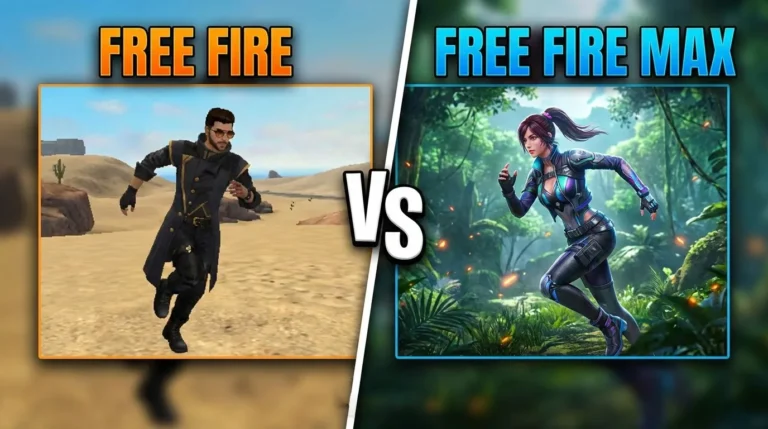
Free Fire vs Free Fire Max – Full Comparison
Free Fire vs Free Fire Max – Which Battle Royale Should You Download in 2026 If you’re a mobile gamer,…
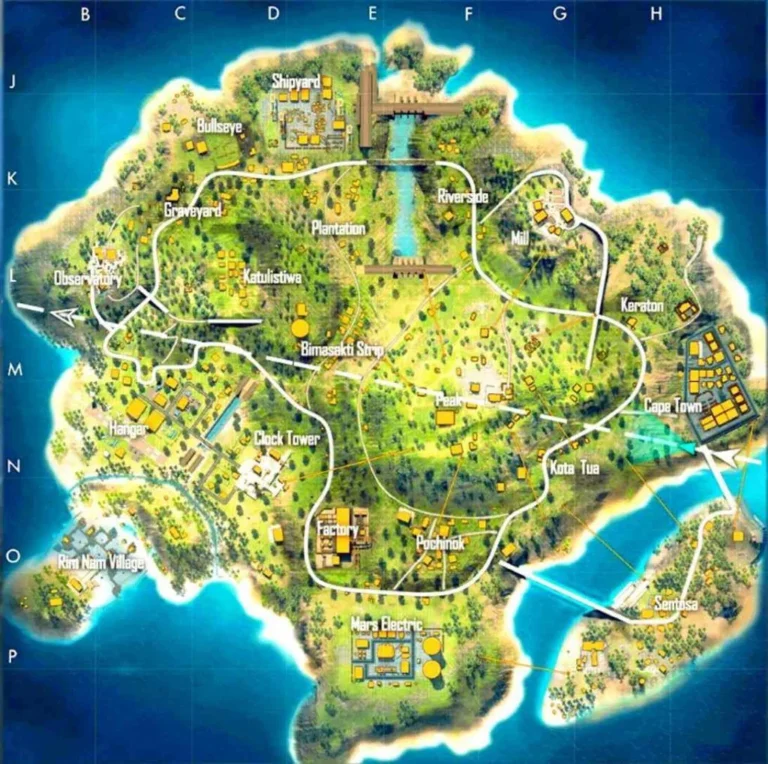
Free Fire Bermuda Map
Free Fire Bermuda Map: The Ultimate Guide to Dominating the Classic Battleground 2026 If you’ve ever played Free Fire, you’ve…
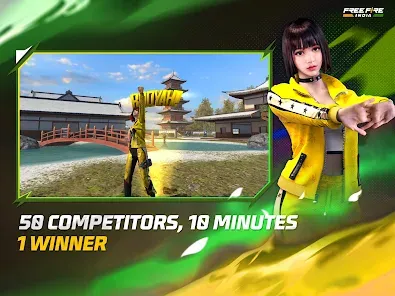
Free Fire India – Complete Guide, Latest Updates
Free Fire India: The Complete Guide for Indian Players 2026 Free Fire has always held a special place in the…
Free Fire vs Free Fire Max – Which Battle Royale Should You Download in 2026

If you’re a mobile gamer, you’ve faced the dilemma: Free Fire or Free Fire Max? Both games dominate the battle royale scene, but they aren’t identical. Choosing the right one can drastically impact your gaming experience, storage space, and even gameplay performance.
At Free Fire Nation, we’ve played hundreds of hours on both versions to bring you this definitive, unbiased comparison. We’ll break down the key differences in graphics, performance, file size, features, and most importantly, which one is the better choice for YOUR device.
The Core Difference: It’s All About The Experience
Think of it this way:
-
Free Fire (OB42 / Original) is the streamlined, massively accessible version designed to run on literally any smartphone, even with lower specs.
-
Free Fire Max is the premium visual upgrade—the same core game but with enhanced graphics, effects, and audio for a more immersive experience.
Both games share the same gameplay mechanics, updates, events, and server. You can play with friends regardless of which version they use. Your account, progress, and purchases are fully synchronized between both apps.
Side-by-Side Comparison: Breaking Down the Details

| Feature | Free Fire (Original) | Free Fire Max |
|---|---|---|
| Primary Focus | Accessibility & Performance | Visual Fidelity & Immersion |
| Graphics Quality | Good, optimized for low-end devices. | Significantly better. HD textures, realistic lighting, smoother shadows, better fire/water effects. |
| Map Detail | Standard detail, longer draw distances. | Enhanced detail. Richer environments, more realistic terrain, superior object clarity. |
| Audio | Standard quality sound effects. | “3D Surround Sound” for precise directional audio (footsteps, gunshots). |
| File Size | Smaller (~750 MB – 1 GB). Easier to install and keep. | Larger (~1.5 GB – 2 GB+). Requires more storage space. |
| Device Compatibility | Extremely High. Runs smoothly on 2GB RAM devices and basic processors. | Moderate to High. Requires a mid-range device (4GB+ RAM recommended) for best experience. |
| Gameplay (FPS) | Generally offers more stable and higher FPS on low-end devices. | May have slightly lower FPS on older devices unless settings are adjusted, but looks stunning on capable hardware. |
| Exclusive Features | Firelink to play with Max users. | “Grandma’s Porch” & “Craftland” exclusive maps (sometimes), exclusive visual kill effects. |
| Best For | Gamers with budget/older phones, priority on competitive smoothness, limited storage. | Gamers with mid/high-end phones, those who value immersive visuals and audio, content creators. |
Deep Dive: Graphics & Performance
Free Fire Max’s biggest selling point is its visual overhaul. Character models are sharper, grass and foliage are denser, and lighting effects—like muzzle flashes and sunset glows—are dramatically more realistic. The “Ultra” HD setting is genuinely comparable to some PC titles.
However, better graphics demand more power. If your phone tends to heat up or lag in graphically intense games, the original Free Fire will provide a smoother, more competitive edge due to its lighter optimization. High Frame Rate (HFR) mode is often more achievable on standard Free Fire for low-end devices.
Free Fire Signature Copy Tool
Free Fire Signature Copy Tool Your Free Fire signature is a small but powerful way to show your…
Free Fire Name Copy by UID
Free Fire Name Copy by UID A stylish Free Fire name can make your profile stand out instantly.…
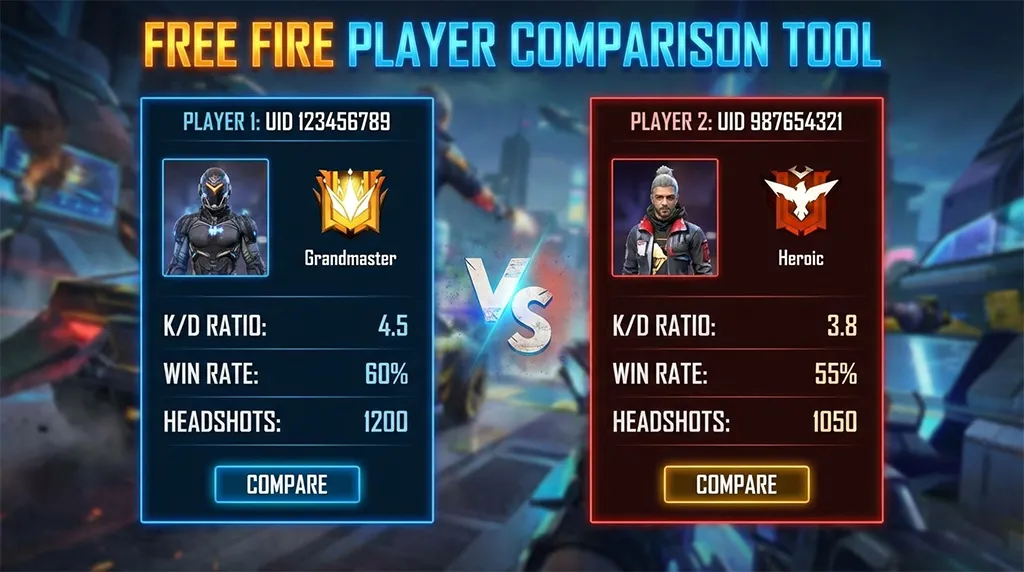
Free Fire Player Comparison Tool
Free Fire Player Comparison Tool – Compare Two UIDs Instantly Free Fire is not just a battle royale…
Downlaod Free Fire Max
Storage & Updates: A Practical Consideration
This is a major deciding factor. Free Fire Max can be almost twice the size of the original. Every major update also tends to be larger. If your phone is constantly battling for free space, the original Free Fire is the pragmatic choice.
The Burning Question: Which One Should YOU Download?
Choose FREE FIRE (Original) if:
-
Your phone has less than 4GB of RAM.
-
You have limited storage space.
-
You experience lag or frame drops in other 3D games.
-
Your primary goal is competitive ranking and you prioritize stable FPS over visuals.
-
You play for long sessions and are concerned about device overheating.
Choose FREE FIRE MAX if:
-
You own a mid-range or flagship phone (with 4GB+ RAM and a decent GPU).
-
You have ample storage space.
-
You value immersive, cinematic gameplay and stunning visuals.
-
You use headphones and want the tactical advantage of 3D surround sound.
-
You create content (YouTube, streaming) and want your gameplay to look its best.
Our Verdict at Free Fire Nation
There is no “objectively better” game—only the better choice for your situation.
-
For the vast majority of players on budget or older devices, the original Free Fire remains the king. It delivers the core, thrilling battle royale experience without compromises.
-
Free Fire Max is a fantastic optional upgrade for those with the hardware to support it. It represents the future of mobile battle royale visuals and is a treat for the senses.
Pro Tip: You can actually install both versions on the same device using the same account. Use Free Fire Max for visual showcases and Free Fire for reliable ranked grinding if needed.
Ready to jump in? Download your chosen version, and head over to our Free Fire Strategies Guide to dominate the battlefield, no matter which one you play!
Have more questions? Drop a comment below or join the conversation on our Community Forum. We at Free Fire Nation are always here to help you get the most out of your game!
FAQs
1. What is the main difference between Free Fire and Free Fire Max?
The main difference is graphics quality. Free Fire Max offers enhanced HD graphics, better lighting, shadows, and visual effects, while standard Free Fire is optimized for low-end devices with smaller file size and smoother performance.
2. Which game is better: Free Fire or Free Fire Max?
Free Fire Max is better for players with mid-range or high-end devices who want superior visuals. Standard Free Fire is better for low-end phones where performance and storage are more important than graphics.
3. Can Free Fire and Free Fire Max players play together?
Yes. Both versions use Firelink technology, allowing players from Free Fire and Free Fire Max to play together in the same matches without any restrictions.
4. Is Free Fire Max heavier than Free Fire?
Yes. Free Fire Max has a larger app size because of high-resolution textures, enhanced animations, and advanced effects. Free Fire is much lighter and consumes less storage.
5. Does Free Fire Max give any gameplay advantage?
No. Free Fire Max does not provide any competitive advantage. Weapons, characters, skills, and damage mechanics remain exactly the same in both versions.
6. Can I use the same account on Free Fire and Free Fire Max?
Yes. You can log in using the same account (Facebook, Google, VK, etc.) on both versions, and all progress, skins, and items will remain synced.
7. Which version is best for low-end Android phones?
Standard Free Fire is best for low-end Android phones as it runs smoothly on devices with 2GB RAM or less and requires less storage space.
8. Should I switch from Free Fire to Free Fire Max?
You should switch to Free Fire Max only if your device supports it and you prefer better graphics and immersive visuals. Otherwise, Free Fire is still an excellent choice.
Free Fire Bermuda Map: The Ultimate Guide to Dominating the Classic Battleground 2026
If you’ve ever played Free Fire, you’ve dropped into Bermuda. It’s the map that started it all — the original battleground where millions of players fought their very first battle royale match. From the chaotic streets of Pochinok to the sniper-friendly rooftops of Bimasakti Strip, Bermuda is more than just a map. It’s where legends are made.
But here’s the truth — most players don’t actually know Bermuda well enough. They land at the same spots, take the same routes, and wonder why they keep getting eliminated in the top 10.
This guide changes that.
I’ve spent thousands of hours on Bermuda across ranked and casual matches. In this guide, I’m breaking down every named location, the best landing spots based on your play style, loot distribution, rotation strategies, vehicle spawns, and advanced tips that most guides don’t cover.
Whether you’re a beginner trying to survive your first match or a ranked grinder pushing for Heroic, this is the only Bermuda guide you’ll ever need.
What Is the Bermuda Map in Free Fire?
Bermuda is the first and most iconic map in Garena Free Fire. Launched with the game itself, it remains the most played map in both casual and ranked modes globally.
Bermuda Quick Facts
| Detail | Information |
|---|---|
| Map Name | Bermuda |
| Map Size | Approximately 2km × 2km (compact) |
| Max Players | 50 players per match |
| Match Duration | ~12–15 minutes average |
| Named Locations | 16+ major locations |
| Terrain Type | Mixed – urban, rural, coastal, mountainous |
| Vehicles Available | Cars, motorcycles, monster trucks |
| Best For | Aggressive players, fast-paced gameplay |
| Variant | Bermuda Remastered (updated version) |
What makes Bermuda special compared to maps like Kalahari, Purgatory, or Alpine is its compact size. The smaller area means:
- Faster engagements – You’ll encounter enemies within the first minute
- Shorter rotations – You don’t need vehicles as desperately
- Intense final circles – End zones are tight and action-packed
- Higher kill potential – Great for players who love aggressive gameplay
<a id=”map-overview”></a>
Bermuda Map Overview & Layout
Bermuda’s terrain is a mix of urban areas, open fields, hillsides, rivers, and coastal zones. Understanding the map’s geography is the first step to mastering it.
Geographic Breakdown
Northern Bermuda:
- Mostly elevated terrain with hills and ridges
- Locations: Katulistiwa, Sentosa, Mars Electric
- Good for: Players who prefer high-ground advantage and mid-game positioning
Central Bermuda:
- The heart of the map — dense urban areas and high player traffic
- Locations: Pochinok, Clock Tower, Bimasakti Strip
- Good for: Aggressive players looking for early fights and high kill counts
Southern Bermuda:
- Mix of coastal areas and open fields
- Locations: Shipyard, Cape Town, Rim Nam Village
- Good for: Players who prefer safer landings with decent loot
Eastern Bermuda:
- Industrial and military zones
- Locations: Hangar, Observatory, Mill
- Good for: Balanced players who want good loot without extreme heat
Western Bermuda:
- Riverside areas and scattered structures
- Locations: Riverside, Peak, Graveyard
- Good for: Strategic players who rotate into the zone from quieter areas
All Named Locations on Bermuda – Detailed Breakdown
Here’s a comprehensive breakdown of every major named location on the Bermuda map, including loot quality, danger level, and what to expect.
1. Pochinok
| Attribute | Rating |
|---|---|
| Loot Quality | ⭐⭐⭐⭐⭐ (Excellent) |
| Danger Level | 🔴 Very High |
| Player Traffic | Extremely High |
| Best For | Aggressive players, hot droppers |
Pochinok is the most popular landing spot on Bermuda. Located in the central part of the map, it’s a dense urban area with multi-story buildings, narrow streets, and rooftops.
Why players love Pochinok:
- Abundant high-tier loot spread across multiple buildings
- Close-quarter combat opportunities everywhere
- Central location means easy rotation to any zone
- Great for racking up kills early
What to watch out for:
- Expect 5–10 squads landing here in ranked matches
- Third-partying is extremely common
- Getting pinched between teams in narrow streets is a real risk
Pro tip: If you land Pochinok, grab the first weapon you see (even a pistol) and secure a building immediately. Clear floor by floor. Don’t loot in the open — you’ll get shot from a rooftop.
2. Clock Tower
| Attribute | Rating |
|---|---|
| Loot Quality | ⭐⭐⭐⭐ (Very Good) |
| Danger Level | 🔴 High |
| Player Traffic | High |
| Best For | Mid-range fighters, duo/squad players |
Clock Tower is another central landmark and one of the most recognizable locations in Free Fire. The tall clock tower structure provides a vantage point, and the surrounding buildings offer solid loot.
Key features:
- The tower itself offers a 360-degree view of the surroundings
- Multiple buildings with loot spread around the tower
- Very close to Pochinok — fights from Pochinok often spill into Clock Tower
Strategy: Use the clock tower for early scouting, but don’t camp there too long. It’s an obvious target, and enemies will throw grenades or push from multiple angles.
3. Bimasakti Strip
| Attribute | Rating |
|---|---|
| Loot Quality | ⭐⭐⭐⭐⭐ (Excellent) |
| Danger Level | 🔴 High |
| Player Traffic | High |
| Best For | Squad play, loot-focused players |
Bimasakti Strip is essentially Bermuda’s commercial district — a long stretch of buildings resembling a shopping area. It’s one of the best loot locations on the entire map.
Why it’s great:
- Dense loot concentration in a linear area
- Buildings on both sides provide cover and loot simultaneously
- Good position for rotating toward central or eastern zones
The risk:
- The linear layout makes it easy to get trapped if enemies hold both ends
- Rooftop snipers can dominate the strip
- Multiple squads often contest this area
Pro tip: When looting Bimasakti, always clear rooftops first. A single enemy with an M82B or Kar98k on the roof can wipe your entire squad.
4. Sentosa
| Attribute | Rating |
|---|---|
| Loot Quality | ⭐⭐⭐⭐ (Very Good) |
| Danger Level | 🟡 Medium |
| Player Traffic | Medium |
| Best For | Balanced players, ranked pushers |
Sentosa sits in the northern part of the map and offers a great balance between loot quality and safety. It doesn’t attract as many players as Pochinok or Bimasakti, making it ideal for players who want to loot up before engaging.
Highlights:
- Spread-out buildings with consistent loot
- Elevated terrain provides natural cover
- Fewer initial fights compared to central locations
- Good vehicle spawns nearby for rotation
Strategy: Land Sentosa, loot efficiently, and rotate toward the zone early. Use the northern hills for positioning advantage in mid-game.
5. Katulistiwa
| Attribute | Rating |
|---|---|
| Loot Quality | ⭐⭐⭐ (Good) |
| Danger Level | 🟢 Low-Medium |
| Player Traffic | Low-Medium |
| Best For | Beginners, safe landers |
Located in the far north, Katulistiwa is one of the quieter named locations. It offers decent loot without the chaos of central locations.
Best for:
- New players learning the game
- Players prioritizing survival over kills in ranked
- Solo players who want uncontested loot
Downside: If the zone pulls south, you’ll need a vehicle for rotation, and you might enter the mid-game at a disadvantage.
6. Hangar
| Attribute | Rating |
|---|---|
| Loot Quality | ⭐⭐⭐⭐ (Very Good) |
| Danger Level | 🟡 Medium-High |
| Player Traffic | Medium |
| Best For | Players who want military-grade loot |
Hangar is an aviation/military-themed location on the eastern side of the map. It features large open structures (hangars) with good loot, including frequent weapon upgrades and vests.
Key advantages:
- High chance of finding Level 3 vests and helmets
- Sniper rifles and ARs spawn frequently
- Open structures mean you can spot enemies early
Risk: The open layout of hangars means limited cover inside. If an enemy gets in while you’re looting, you’re exposed.
7. Shipyard
| Attribute | Rating |
|---|---|
| Loot Quality | ⭐⭐⭐⭐ (Very Good) |
| Danger Level | 🟡 Medium |
| Player Traffic | Medium |
| Best For | Squad players, strategic looters |
Shipyard is a coastal industrial area in the southern part of the map. It features containers, warehouses, and ship structures with high loot density.
Why experienced players love it:
- Container areas create excellent cover for firefights
- Multiple levels of loot (ground level + on top of containers)
- Relatively fewer players compared to its loot quality
- Easy rotation toward Cape Town or central areas
8. Mars Electric
| Attribute | Rating |
|---|---|
| Loot Quality | ⭐⭐⭐ (Good) |
| Danger Level | 🟢 Low |
| Player Traffic | Low |
| Best For | Safe play, solo ranked |
Mars Electric is a small industrial compound in the northern region. It’s often overlooked by most players, making it a hidden gem for those who want to loot peacefully.
Best strategy: Use Mars Electric as a starting point, loot the compound, then move to nearby locations (Sentosa or Katulistiwa) for additional loot before rotating.
9. Cape Town
| Attribute | Rating |
|---|---|
| Loot Quality | ⭐⭐⭐ (Good) |
| Danger Level | 🟢 Low-Medium |
| Player Traffic | Low |
| Best For | Edge-of-map rotators |
Cape Town occupies the southwestern corner of Bermuda. Its remote location means very few players land here, but the loot is sufficient for a solo player or even a duo.
Tip: Cape Town is great for a “loot and rotate” strategy, especially if the zone is pulling west or southwest.
10. Observatory
| Attribute | Rating |
|---|---|
| Loot Quality | ⭐⭐⭐ (Good) |
| Danger Level | 🟡 Medium |
| Player Traffic | Medium |
| Best For | Snipers, high-ground players |
The Observatory sits on elevated terrain in the eastern region. Its height advantage makes it a fantastic position for snipers and players who prefer long-range engagements.
Advantage: Great natural high ground for scouting and picking off rotating enemies during mid-game.
11. Mill
| Attribute | Rating |
|---|---|
| Loot Quality | ⭐⭐⭐ (Good) |
| Danger Level | 🟢 Low |
| Player Traffic | Low |
| Best For | Passive players |
Mill is a smaller location with moderate loot. It’s useful as a secondary loot stop rather than a primary landing spot.
12. Rim Nam Village
| Attribute | Rating |
|---|---|
| Loot Quality | ⭐⭐⭐ (Good) |
| Danger Level | 🟢 Low |
| Player Traffic | Low |
| Best For | Beginners, passive ranked players |
A quiet village area near the southern coast. Rim Nam Village offers scattered loot across small houses. Low risk, low reward — perfect for survival-focused gameplay.
13. Peak
| Attribute | Rating |
|---|---|
| Loot Quality | ⭐⭐⭐ (Good) |
| Danger Level | 🟡 Medium |
| Player Traffic | Low-Medium |
| Best For | Mid-game positioning |
Peak is located in the western hills and provides excellent elevation for mid-game and late-game positioning. Loot is moderate, but the terrain advantage is unmatched.
14. Riverside
| Attribute | Rating |
|---|---|
| Loot Quality | ⭐⭐⭐ (Good) |
| Danger Level | 🟢 Low |
| Player Traffic | Low |
| Best For | Safe rotations |
Riverside runs along the western river and offers scattered loot in small structures. It’s more of a transition zone than a landing spot — useful for picking up extra loot while rotating.
15. Graveyard
| Attribute | Rating |
|---|---|
| Loot Quality | ⭐⭐ (Moderate) |
| Danger Level | 🟢 Low |
| Player Traffic | Very Low |
| Best For | Emergency loot stops |
The Graveyard is a small, eerie location with limited loot. It’s rarely contested and serves as a quick stop during rotations.
16. Plantation
| Attribute | Rating |
|---|---|
| Loot Quality | ⭐⭐ (Moderate) |
| Danger Level | 🟢 Low |
| Player Traffic | Very Low |
| Best For | Passing through during rotations |
An open area with minimal structures. Not recommended as a primary landing spot, but useful for grabbing a weapon or supplies while moving through.
Best Landing Spots on Bermuda (Based on Play Style)
Not every player has the same approach. Here are the best landing spots categorized by how you like to play:
🔥 For Aggressive Players (Hot Drops)
| Rank | Location | Why |
|---|---|---|
| 1 | Pochinok | Highest player concentration, best for early kills |
| 2 | Bimasakti Strip | Dense loot + high combat opportunity |
| 3 | Clock Tower | Central fights, close to other hot zones |
Ideal for: Players pushing for kills, content creators, and those confident in their combat skills.
🛡️ For Balanced Players (Warm Drops)
| Rank | Location | Why |
|---|---|---|
| 1 | Sentosa | Great loot, medium traffic, good rotation options |
| 2 | Hangar | Military-grade loot, manageable fights |
| 3 | Shipyard | High loot density, strategic cover |
Ideal for: Ranked grinders who want good loot and controlled fights.
🧊 For Passive/Survival Players (Cold Drops)
| Rank | Location | Why |
|---|---|---|
| 1 | Katulistiwa | Remote, rarely contested |
| 2 | Cape Town | Edge of map, peaceful looting |
| 3 | Mars Electric | Small but uncontested loot compound |
Ideal for: Beginners, players focused on placement points in ranked, and solo queuers.
<a id=”high-loot”></a>
Top 5 High-Loot Locations on Bermuda
If your priority is getting fully geared as fast as possible, these locations consistently deliver the best loot:
1. Pochinok
- Multiple buildings = massive loot pool
- High chance of ARs, SMGs, shotguns, and utility
- Level 2–3 gear spawns common
2. Bimasakti Strip
- Linear loot path — efficient looting route
- Frequent weapon attachment spawns
- Good for squads — enough loot for all 4 players
3. Hangar
- Military-style loot tables
- Snipers (AWM, Kar98k, M82B) spawn here more often
- Level 3 vests and helmets are common
4. Shipyard
- Dense loot in container area
- Underrated compared to its actual loot quality
- Great for finding medkits and grenades in bulk
5. Sentosa
- Consistent high-quality loot
- Enough buildings to gear up a full squad
- Less contested than Pochinok
<a id=”hidden-spots”></a>
Top 5 Hidden & Underrated Spots on Bermuda
These locations are rarely discussed but can give you a serious advantage:
1. Unnamed Compounds Between Pochinok and Sentosa
There are several unmarked building clusters between major locations that often have untouched loot. While everyone fights in Pochinok, these compounds sit quietly with AR spawns and vests.
2. Hilltop Houses Near Observatory
Small houses on the hills east of Observatory often contain Level 2 gear and scoped weapons. The elevation also gives you a sniping position.
3. Containers Near Shipyard Outskirts
The edges of Shipyard have isolated container groups that most players skip. These can yield shotguns, SMGs, and throwables.
4. Bridge Areas Along the River
The bridges crossing Bermuda’s river have loot spawns underneath and on them. They’re also great ambush points during mid-game rotations.
5. Small Houses South of Clock Tower
These scattered houses are overlooked because players either go to Clock Tower or Pochinok. They offer decent loot with almost zero competition.
Vehicle Spawn Locations on Bermuda official maps
Vehicles are crucial for fast rotations, especially when the zone is far from your landing spot. Here are the most reliable vehicle spawn points:
| Vehicle Type | Common Spawn Locations |
|---|---|
| Sports Car | Roads near Bimasakti Strip, Pochinok outskirts, Sentosa |
| Motorcycle | Near Clock Tower, Observatory, Mill, road intersections |
| Monster Truck | Hangar area, Shipyard, northern roads |
| Amphibious Vehicle | Riverside, near bridges, coastal areas |
Pro tip: If you’re landing at a remote location (Katulistiwa, Cape Town), always have a vehicle exit plan. Identify the nearest vehicle spawn before you land. Being caught in the blue zone without a vehicle on Bermuda can cost you the match.
Zone Rotation Strategy for Bermuda
Rotation — moving from your current position to the safe zone — is where most matches are won or lost. Here’s how to master rotations on Bermuda:
Early Game (First 2 Zones)
- Priority: Loot up, don’t chase fights unless necessary
- Movement: Stay within your landing area
- Watch for: Players rotating through your area from adjacent locations
Mid Game (Zones 3–4)
This is the most dangerous phase. Multiple teams are rotating, and open fields become death traps.
- Use vehicles if the zone is far — running across open areas gets you killed
- Stick to the edges of the zone. Let central teams fight each other
- Use natural cover — hills, ridges, trees, rocks
- Listen for gunfire — third-party weakened teams, but be strategic about it
- Gloo walls are essential — carry 3–4 gloo walls minimum for emergency cover during rotations
Late Game (Zones 5+)
- Position > Loot. Stop looting. Focus on holding the best position
- High ground wins. If there’s a hill or building in the final zone, control it
- Save your utility (grenades, gloo walls, mushrooms) for the final 2–3 circles
- Play with your back to the zone edge — this reduces the angles enemies can attack from
- Don’t move unnecessarily. In tight final circles, every movement reveals your position
Rotation Routes to Remember
| Starting Location | Best Rotation Path |
|---|---|
| Katulistiwa | → Sentosa → Clock Tower area |
| Pochinok | → Clock Tower → wherever the zone pulls |
| Bimasakti Strip | → Pochinok side OR Hangar side (based on zone) |
| Shipyard | → Cape Town side OR Mill → central zone |
| Sentosa | → Pochinok OR Peak (based on zone) |
| Hangar | → Observatory → central zone |
| Cape Town | → Shipyard → northward rotation |
Bermuda Original vs Bermuda Remastered
Garena released Bermuda Remastered as an updated version of the classic map. Here’s how they compare:
| Feature | Bermuda (Original) | Bermuda Remastered |
|---|---|---|
| Layout | Classic design | Updated with new locations and visual upgrades |
| New Locations | N/A | Academy, Nurek Dam, Samurai Garden, Command Post |
| Graphics | Standard Free Fire visuals | Enhanced textures, lighting, and details |
| Removed Areas | N/A | Some original structures modified or replaced |
| Loot Distribution | Classic distribution | Rebalanced across new and old locations |
| Player Reception | Nostalgic favorite | Mixed — loved by some, missed by purists |
| Availability | Rotated in/out of playlists | Rotated in/out of playlists |
Notable New Locations in Bermuda Remastered
Academy:
- A large compound with a campus-like layout
- Excellent loot quality — comparable to Pochinok
- Multi-floor buildings with rooftop access
- High player traffic in ranked matches
Nurek Dam:
- A dam structure with surrounding buildings
- Great loot including snipers and ARs
- Elevated position with water features
- Medium player traffic
Samurai Garden:
- Japanese-themed aesthetic area
- Cultural structures with unique layouts
- Good loot, medium-low traffic
- Fun to explore and fight in
Command Post:
- Military-themed location
- Replaces/modifies parts of the original map
- High loot quality with tactical cover options
Which Version Should You Play?
| If You Prefer… | Play… |
|---|---|
| Nostalgia and familiarity | Bermuda Original |
| Fresh experience with new locations | Bermuda Remastered |
| Competitive ranked play | Whichever is in current rotation |
| Learning the game | Either — core layout is similar |
Pro Tips to Win on Bermuda
These tips come from hundreds of ranked matches and competitive experience. Apply them consistently, and you’ll see results:
1. Always Land With a Plan
Before the plane takes off, decide your landing spot based on the flight path. If the plane flies directly over Pochinok, expect maximum chaos there. Consider landing at a location slightly off the flight path for less competition.
2. Master the Drop
Fast dropping is a skill. Here’s how to land faster than your opponents:
- Open the map and mark your target location
- Jump from the plane when you’re at a 45-degree angle from the target
- Dive straight down (point your joystick forward and down) to maximize speed
- Pull up slightly just before reaching ground level to glide to your exact building
Landing 2–3 seconds faster than an opponent at the same location can mean the difference between getting a gun or getting eliminated.
3. Loot Efficiently
Don’t loot aimlessly. Follow a system:
- First priority: Any weapon (even a pistol)
- Second priority: Better weapon (AR or SMG) + ammo
- Third priority: Vest and helmet
- Fourth priority: Medkits, grenades, gloo walls
- Fifth priority: Weapon attachments, secondary weapon, mushrooms
Spend no more than 2–3 minutes on initial looting. After that, you should be combat-ready.
4. Use Bermuda’s Terrain
- Hills and ridges are your best friends. Always fight from high ground when possible
- Use buildings as cover, not as camping spots. Stay mobile within buildings
- Bridges are kill zones — cross them quickly or avoid them entirely
- Open fields are the most dangerous terrain. Use gloo walls or vehicles to cross them
5. Sound Is Your Radar
On Bermuda’s compact map, audio awareness is critical:
- Footsteps tell you exactly where enemies are approaching from
- Gunfire reveals ongoing fights you can third-party
- Vehicle engines alert you to incoming rotations
- Gloo wall placement sounds indicate a nearby enemy preparing for combat
Always play with headphones. The directional audio in Free Fire is surprisingly good.
6. Third-Party Intelligently
Bermuda’s small size means you’ll hear fights constantly. The temptation to rush every fight is real, but be strategic:
- Wait for the fight to end or for both teams to be visibly weakened
- Approach from a direction neither team expects
- Have your full squad ready before engaging — don’t trickle in one by one
- Grab loot from eliminated players quickly and reposition. Don’t loot in the open.
7. Gloo Wall Mastery
Gloo walls are arguably the most important utility item on Bermuda. On a map this compact with frequent engagements, gloo walls:
- Provide instant cover in open areas
- Enable aggressive pushes by blocking enemy sight lines
- Can be used as elevation (jump on top of them for height advantage)
- Block doorways and choke points to control enemy movement
Carry at least 3–5 gloo walls at all times. Practice placing them instantly during firefights.
8. Know When to Fight and When to Run
Not every engagement is worth taking. Ask yourself:
- Do I have enough HP and supplies to fight?
- Is the zone moving? Can I afford to spend time on this fight?
- Are there other teams nearby who might third-party me?
- Does my team have the positional advantage?
If the answer to any of these is unfavorable, disengage and reposition. Surviving is more important than one extra kill.
Common Mistakes to Avoid on Bermuda
❌ Landing Without Checking the Flight Path
The flight path determines where most players will land. Ignoring it leads to unexpected competition at your drop spot.
❌ Over-Looting
Spending 5+ minutes looting when you already have a full loadout. You’re wasting time and letting the zone shrink around you.
❌ Ignoring the Zone
Bermuda’s zone shrinks fast. Getting caught outside the zone — especially in later circles — is a common cause of death that’s 100% avoidable.
❌ Running Through Open Fields
On a compact map like Bermuda, someone is always watching. Use cover, vehicles, or gloo walls to cross open areas.
❌ Camping in One Building All Game
While holding a building can work in some situations, staying in one spot too long on Bermuda makes you predictable. Good players will nade you or push from multiple angles.
❌ Not Carrying Enough Gloo Walls
If you’re entering the top 10 without gloo walls, you’re putting yourself at a massive disadvantage. Always prioritize gloo walls in your inventory.
❌ Engaging Every Fight
Just because you hear gunfire doesn’t mean you should rush. Pick your fights wisely, especially in ranked.
Frequently Asked Questions (FAQ)
What is the best landing spot on the Bermuda map in Free Fire?
It depends on your play style. Pochinok is the best for aggressive players who want early kills. Sentosa is ideal for balanced players. Katulistiwa or Cape Town are best for players prioritizing survival.
How big is the Bermuda map?
Bermuda is approximately 2km × 2km, making it the most compact standard map in Free Fire. This small size leads to faster engagements and more action-packed matches.
What’s the difference between Bermuda and Bermuda Remastered?
Bermuda Remastered is an updated version featuring new locations (Academy, Nurek Dam, Samurai Garden), improved graphics, and rebalanced loot distribution while maintaining the core layout of the original map.
Where can I find the best loot on Bermuda?
The top loot locations are Pochinok, Bimasakti Strip, Hangar, Shipyard, and Sentosa. These locations consistently spawn high-tier weapons, Level 3 gear, and utility items.
Where do vehicles spawn on Bermuda?
Vehicles commonly spawn along main roads, near Bimasakti Strip, Pochinok outskirts, Sentosa, Hangar, and Shipyard. Motorcycles are found at smaller road intersections, while cars and trucks appear on larger roads.
Is Bermuda good for ranked matches?
Yes. Bermuda is one of the most popular ranked maps due to its compact size and fast-paced gameplay. For ranked play, we recommend landing at medium-traffic locations like Sentosa or Hangar, looting efficiently, and playing for zone positioning.
How many players play on the Bermuda map?
Each Bermuda match supports up to 50 players (compared to some maps that support more). This, combined with the small map size, creates a high-density, action-heavy experience.
What weapons are best for Bermuda?
Due to the map’s compact size and frequent close-to-mid range fights, the best weapon loadout for Bermuda is:
- Primary: AR (M4A1, AK, Woodpecker) or SMG (MP40, UMP)
- Secondary: Shotgun (M1887, M1014) for close range OR Sniper (Kar98k, AWM) for end-game
How do I rotate safely on Bermuda?
Stick to the zone edges, use vehicles for long rotations, carry gloo walls for emergency cover, avoid open fields, and use natural terrain (hills, buildings, ridges) as cover while moving.
Bermuda Map Cheat Sheet (Quick Reference)
| Category | Best Options |
|---|---|
| Best Hot Drop | Pochinok |
| Best Loot Spot | Bimasakti Strip |
| Safest Landing | Katulistiwa / Cape Town |
| Best for Snipers | Observatory / Peak |
| Best for Squads | Sentosa / Shipyard |
| Best Mid-Game Position | Clock Tower area / Hills near Peak |
| Best Late-Game Position | Any high ground inside the zone |
| Must-Carry Item | Gloo Walls (3–5 minimum) |
| Best Weapon Combo | AR + Shotgun or AR + Sniper |
Conclusion: Master Bermuda, Master Free Fire
Bermuda isn’t just a map — it’s the foundation of Free Fire’s identity. Every player who’s ever achieved Heroic rank, every content creator who’s gone viral with a clutch play, and every esports pro who’s lifted a trophy has spent countless hours mastering this 2×2 km battleground.
The difference between dying in the first minute and earning a Booyah isn’t luck — it’s knowledge, strategy, and practice. Now you have the knowledge. The strategy is laid out above. All that’s left is practice.
Drop into Bermuda. Apply what you’ve learned. And claim your Booyah.
Related Articles on FreeFireNation
Free Fire India: The Complete Guide for Indian Players 2026
Free Fire has always held a special place in the hearts of millions of Indian gamers. From dominating mobile gaming charts to building one of the most passionate esports communities in the country, the game’s journey in India has been nothing short of extraordinary.
This page serves as your definitive resource for everything related to Free Fire India — from its history and current status to download information, exclusive features, and what lies ahead for the Indian gaming community.
What Is Free Fire India?

Free Fire India refers to the India-specific version of Garena Free Fire, the globally acclaimed battle royale game developed by 111 Dots Studio and published by Garena. This version was designed exclusively for the Indian market, featuring localized content, India-centric characters, cultural references, and gameplay elements tailored to Indian players’ preferences.
Unlike the global version, Free Fire India was built to comply with Indian regulations while offering an experience that resonated deeply with the country’s diverse gaming audience.
Key Facts at a Glance
| Detail | Information |
|---|---|
| Game | Garena Free Fire / Free Fire MAX |
| Developer | 111 Dots Studio |
| Publisher | Garena International |
| Genre | Battle Royale, Action |
| Platform | Android, iOS |
| India-Specific Version | Free Fire India |
| Player Base in India | 100M+ registered users (historically) |
The History of Free Fire in India
Rise to Popularity (2018–2021)
Free Fire entered the Indian market around 2018 and rapidly became one of the most downloaded mobile games in the country. Its lightweight design — requiring minimal device specifications — made it accessible to a massive audience that couldn’t run heavier titles like PUBG Mobile or Call of Duty Mobile.
Several factors contributed to its explosive growth:
- Low device requirements – Ran smoothly on budget smartphones with 1–2 GB RAM
- Fast-paced matches – 10-minute average game sessions appealed to casual gamers
- Hindi and regional language support – Made the game accessible to non-English-speaking users
- Content creators & streamers – Indian YouTubers like Total Gaming, Desi Gamers, and Ajjubhai popularized the game
- Esports tournaments – Free Fire Continental Series and regional tournaments drove competitive interest
By 2021, Free Fire had become the most downloaded mobile game globally, with India being one of its largest markets.
The Ban (February 2022)
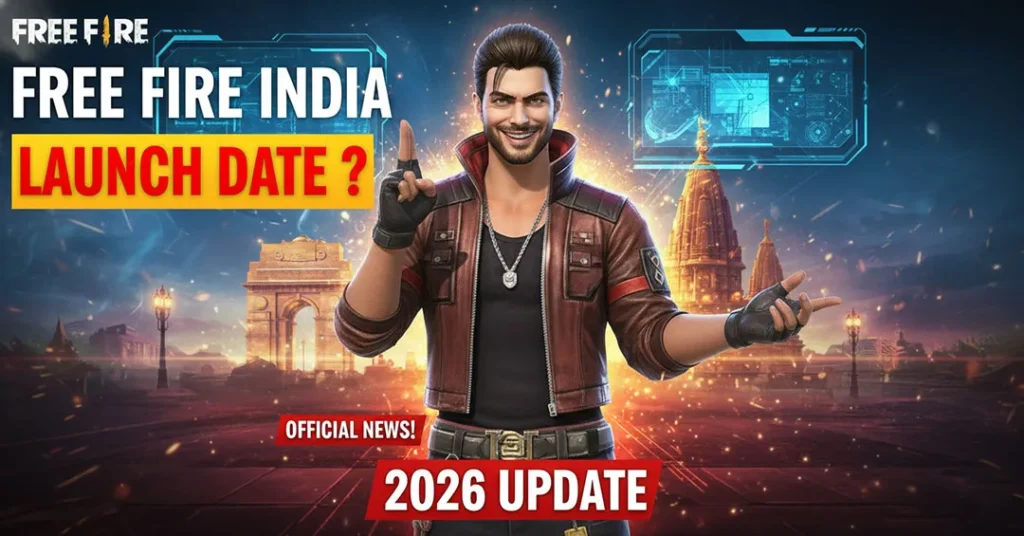
On February 14, 2022, the Government of India banned Free Fire along with 53 other Chinese-linked apps under Section 69A of the Information Technology Act. The ban was part of a broader crackdown on apps with ties to Chinese companies, citing concerns over national security and data privacy.
Garena, headquartered in Singapore but backed by Sea Limited (which has Chinese investment ties through Tencent), found its flagship game caught in this regulatory action.
Key points about the ban:
- Free Fire was removed from the Google Play Store and Apple App Store in India
- Free Fire MAX, a graphically enhanced version, initially remained available
- Existing players could still access the game through previously installed versions for some time
- The ban affected millions of players, content creators, and esports professionals
Free Fire MAX – The Bridge
After the ban, Free Fire MAX served as an alternative for Indian players. Since it was listed as a separate app on the stores, it was not immediately included in the ban. This allowed a significant portion of the player base to continue playing.
However, the long-term status of Free Fire MAX also faced uncertainty, and players awaited clarity on whether a dedicated Indian version would eventually launch.
Free Fire India Announcement
Garena officially announced the development of a dedicated Free Fire India version, specifically designed to meet Indian regulatory requirements. This version promised:
- Data storage on Indian servers (local data compliance)
- India-specific content and characters
- Enhanced safety and parental control features
- Playtime management tools
- Age-verification systems
The announcement generated massive excitement across the Indian gaming community, with hashtags like #FreeFireIndia trending on social media platforms.
Free Fire India – Current Status in 2026

As of 2026, the situation around Free Fire India continues to evolve. Here’s what Indian players need to know:
Is Free Fire Available in India Right Now?
The availability of Free Fire and its variants in India has gone through multiple phases. Players are advised to check the Google Play Store and Apple App Store directly for the most current download availability.
⚠️ Important: Always download games from official sources only. Avoid third-party APK sites that may distribute modified or malicious versions of the game.
Free Fire MAX Status
Free Fire MAX has served the Indian community as the primary way to experience Free Fire gameplay. Its status on Indian app stores should be verified directly, as regulatory decisions can change.
Official Channels for Updates
For the most accurate and up-to-date information, follow these official sources:
- Garena Free Fire Official Website – https://ff.garena.com
- Free Fire Official Social Media – Instagram, Facebook, YouTube, and X (Twitter)
- Google Play Store & Apple App Store – Check for app availability
- FreeFireNation.com – We publish verified updates as they happen
Features Expected in Free Fire India
Based on official announcements and credible reports, the India-specific version of Free Fire is expected to include several unique features:
1. India-Themed Content
- Characters inspired by Indian culture and mythology
- Festive events tied to Diwali, Holi, Republic Day, and other Indian celebrations
- Map elements featuring Indian landmarks and aesthetics
- In-game music and sound effects with Indian cultural influences
2. Data Localization
To comply with Indian data protection regulations:
- Player data stored on servers located within India
- Compliance with the Digital Personal Data Protection Act (DPDPA)
- Transparent data handling and privacy policies specific to Indian users
3. Safety & Wellbeing Features
- Mandatory age verification during registration
- Playtime reminders and limits for younger players
- Parental control dashboard allowing guardians to manage gameplay duration
- Health reminders encouraging breaks during extended sessions
- Spending limits on in-app purchases for minors
4. Login & Identity Systems
- Login through Indian platforms and services
- Aadhaar-based or OTP-based age verification (reported but not confirmed)
- Guest login restrictions to ensure accountability
5. Localized Language Support
- Full support for Hindi, Tamil, Telugu, Bengali, Marathi, Kannada, and other regional languages
- Localized in-game announcements, patch notes, and customer support
How to Download Free Fire India
For Android Users
- Open the Google Play Store on your device
- Search for “Free Fire” or “Free Fire India”
- If the app is available, tap “Install”
- Wait for the download and installation to complete
- Open the game and complete the registration process
For iOS Users
- Open the Apple App Store
- Search for “Free Fire” or “Free Fire India”
- If available, tap “Get” to download
- Complete installation and launch the game
System Requirements
| Requirement | Android | iOS |
|---|---|---|
| OS Version | Android 5.0+ | iOS 11.0+ |
| RAM | 1 GB (minimum), 2 GB+ (recommended) | 2 GB+ |
| Storage | 1.5 GB+ free space | 2 GB+ free space |
| Processor | Quad-core 1.2 GHz+ | A9 chip or later |
| Internet | Stable Wi-Fi or 4G/5G | Stable Wi-Fi or 4G/5G |
🔒 Safety Note: Never download Free Fire from unofficial websites or third-party APK stores. These versions may contain malware, spyware, or cheating software that can compromise your device and personal data. Only use official app stores.
Free Fire India Esports Scene
India has been one of the most vibrant Free Fire esports markets in the world. Despite the challenges posed by the ban, the competitive community has shown remarkable resilience.
Major Tournaments (Historical & Ongoing)
- Free Fire Pro League (FFPL) India – The premier domestic league
- Free Fire India Championship (FFIC) – National-level competition
- Free Fire Continental Series (FFCS) – Regional international tournament
- Free Fire World Series (FFWS) – Global championship
- Community tournaments – Grassroots-level competitions organized by creators and orgs
Indian Esports Organizations in Free Fire
Several prominent Indian esports organizations have fielded Free Fire rosters:
- Total Gaming Esports
- Galaxy Racer India
- Team Elite
- Aura Esports
- 4 Unknown
- TSG Army
Impact on Content Creators
Free Fire created a massive content creation ecosystem in India. Some of the country’s biggest gaming YouTubers built their channels around Free Fire:
| Creator | YouTube Subscribers (Approx.) |
|---|---|
| Total Gaming (Ajjubhai) | 40M+ |
| Desi Gamers | 15M+ |
| Lokesh Gamer | 18M+ |
| A_S Gaming | 25M+ |
| Gyan Gaming | 18M+ |
These creators significantly contributed to Free Fire’s popularity and continue to be influential voices in the Indian gaming community.
Tips for Indian Free Fire Players
Whether you’re a returning veteran or a new player, here are practical tips to enhance your gameplay:
Beginner Tips
- Start with Clash Squad – This 4v4 mode helps you practice combat without the pressure of a full battle royale match
- Master one weapon class first – Focus on ARs (Assault Rifles) like the M4A1 or AK before branching out
- Learn the map – Knowing loot locations, vehicle spawns, and safe zones gives you a strategic edge
- Use headphones – Sound design in Free Fire is crucial. Footsteps and gunshots reveal enemy positions
- Customize your HUD – Adjust button layouts to match your hand size and play style
Advanced Strategies
- Gloo wall placement – Mastering gloo wall timing and positioning separates average players from skilled ones
- Character ability combos – Combine character skills strategically (e.g., DJ Alok’s healing field with aggressive rush plays)
- Zone rotation – Plan your movement based on the shrinking safe zone. Arrive early at the next zone
- Peek and fire – Use the lean/peek mechanic to expose minimal body while engaging enemies
- Sensitivity settings – Fine-tune your sensitivity for faster aim adjustments without sacrificing accuracy
Device Optimization for Indian Players
Many Indian players use budget to mid-range smartphones. Here’s how to optimize performance:
- Close background apps before launching the game
- Set graphics to “Smooth” and frame rate to “High” for better performance
- Clear cache regularly to free up memory
- Use a stable internet connection – 4G/5G or Wi-Fi with less than 60ms ping
- Enable game mode (available on most Android phones) to prioritize resources
- Keep your device cool – Avoid playing while charging or in direct sunlight
Frequently Asked Questions (FAQ)
Is Free Fire banned in India?
Free Fire was banned in India in February 2022 under Section 69A of the IT Act. Garena has been working on a dedicated India version that complies with Indian regulations. Check the official app stores for current availability.
Can I still play Free Fire MAX in India?
Free Fire MAX’s availability has varied over time. Visit the Google Play Store or Apple App Store to check if it is currently available for download in India.
When will Free Fire India officially launch?
An official launch date for the dedicated Free Fire India version has not been permanently confirmed as of 2026. Follow official Garena channels and FreeFireNation.com for the latest updates.
Will my old Free Fire account data be available?
Garena has indicated that players should be able to access their existing accounts and progress when the Indian version becomes fully available. However, specific details about data migration should be confirmed through official announcements.
Is it safe to download Free Fire APK from third-party websites?
No. Downloading APK files from unofficial sources poses significant security risks, including malware, data theft, and account bans. Always use the Google Play Store or Apple App Store.
What makes Free Fire India different from the global version?
The India version features localized content, data stored on Indian servers, enhanced parental controls, playtime management tools, and cultural elements specific to the Indian audience.
Can I play Free Fire on PC?
While Free Fire is a mobile game, players have used official emulators to play on PC. However, emulator players are typically matched with other emulator users to maintain fair play.
How can I report issues or contact support for Free Fire India?
Players can reach out through:
- In-game customer support
- Garena’s official website
- Official social media channels
- Email support provided within the app
Why Free Fire Matters to Indian Gaming
Free Fire’s impact on India’s gaming landscape cannot be overstated. It democratized mobile gaming by making a high-quality battle royale experience accessible on affordable devices that millions of Indians use daily.
Cultural Impact
- Created careers – Thousands of Indians became full-time content creators, streamers, and esports professionals through Free Fire
- Community building – In-game guilds and clans formed tight-knit communities across states and languages
- Language inclusivity – One of the first major games to offer extensive regional language support in India
- Aspiration – For many young Indians in tier-2 and tier-3 cities, Free Fire represented a pathway to recognition and income through gaming
Economic Impact
- Significant in-app purchase revenue generated from the Indian market
- Growth of gaming merchandise, fan content, and third-party ecosystems
- Employment in esports organizations, event management, and content production
- Contribution to India’s growing gaming industry projected to reach $8.6 billion by 2027
Stay Updated with FreeFireNation
At FreeFireNation.com, we are committed to bringing you the most accurate, timely, and helpful Free Fire content. Our team of dedicated gamers and writers researches every update, verifies information through official sources, and presents it in a way that genuinely helps players.
What You’ll Find on Our Site:
✅ Latest News – Patch notes, events, and announcements
✅ Guides & Tutorials – Weapon guides, character breakdowns, and strategy tips
✅ Redeem Codes – Daily updated Free Fire redeem codes
✅ Esports Coverage – Tournament results, team updates, and player profiles
✅ Download & Technical Help – Installation guides and troubleshooting
Bookmark this page and check back regularly for the latest Free Fire India updates. You can also follow us on our social media channels to never miss an important announcement.
Create Nicknames for Free Fire
Free Fire Nickname Generator – with this tool you can Create Nicknames for Free Fire In the fast-paced…
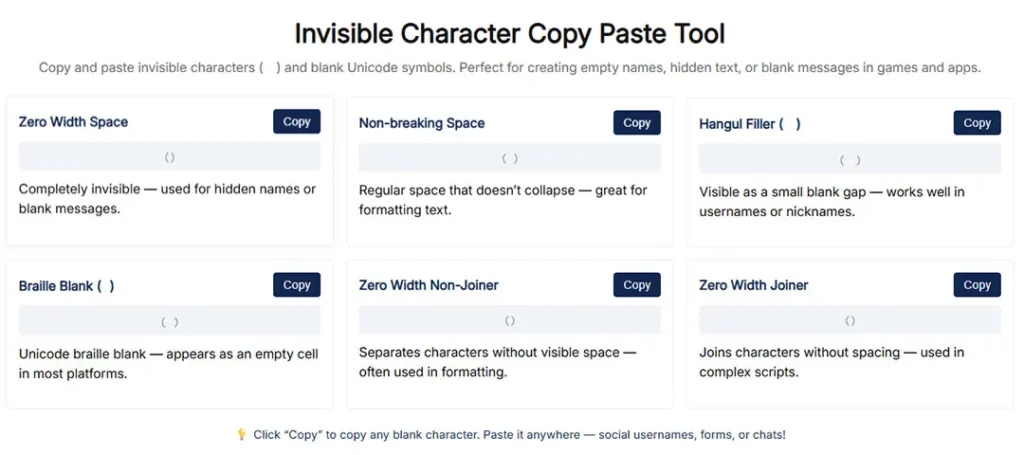
Free fire invisible space copy paste (ㅤ)
Free Fire Invisible Space Generator (2026 Updated) – Get Blank Names That Work What is Free Fire Invisible…
Free Fire Account Age Checker
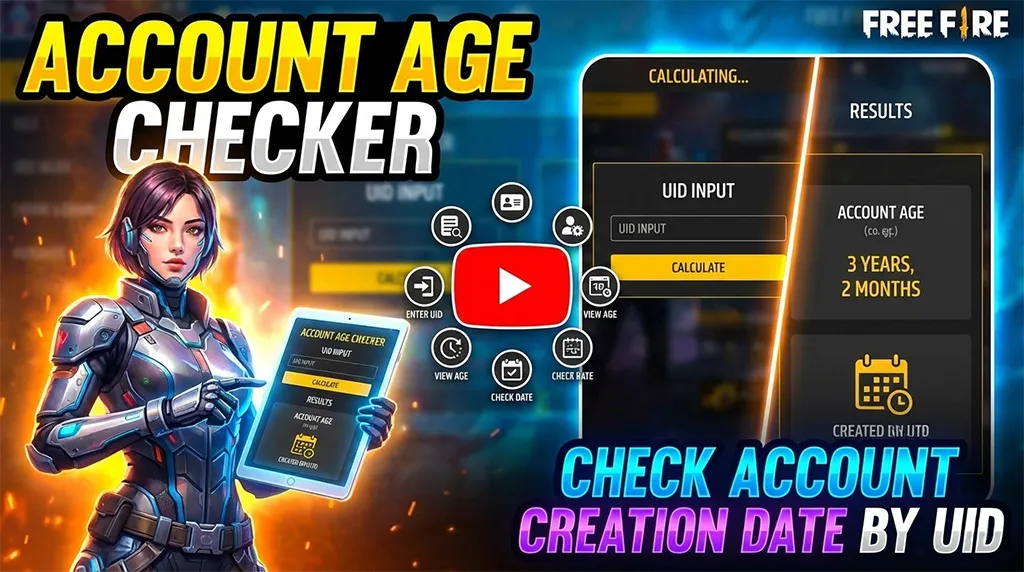
Free Fire Account Age Checker Free Fire is one of the most popular battle royale games in the…

Final Thoughts
The story of Free Fire in India is one of passion, community, and resilience. Millions of Indian players continue to wait eagerly for the game’s full return, and the enthusiasm surrounding Free Fire India shows no signs of fading.
Whether you’re a veteran player who remembers the early days of Bermuda drops, a content creator who built your audience around Free Fire, or a new player curious about what all the excitement is about — the Free Fire India community is here, and it’s stronger than ever.
We’ll continue updating this page as new developments emerge. Stay tuned, stay safe, and keep gaming.
Category: Game Guides / Tips & Tricks
Reading Time: 10 Minutes
Every Free Fire survivor knows the feeling. You’re in the lobby, and your squad is flexing their Evo Guns, flashy bundles, and that brand-new Gloo Wall skin. Meanwhile, you’re rocking the default outfit. We’ve all been there.
Diamonds are the premium currency in Garena Free Fire, and let’s be honest—they are the key to unlocking the coolest aesthetics and the Elite Pass (or Booyah Pass). But not everyone has the budget to swipe a credit card every time a new Top-Up event drops.
If you are scouring the internet for “how to get free diamonds in Free Fire,” you need to be careful. The web is full of scams, fake generators, and phishing sites that promise millions of diamonds but steal your account instead.
At FreeFireNation, we keep it real. We’ve done the research, tested the apps, and scoured YouTube to bring you the definitive guide on getting free diamonds safely and legally. No bans, no hacks—just hustle.
Let’s drop in.
Stop! Read This Before You Start
Before we dive into the methods, we need to address the elephant in the room: Diamond Generators.
If you see a website claiming to add “99,999 Diamonds” to your account just by entering your ID and downloading two apps—RUN.
- They do not work. Since Free Fire is a server-sided game, currency data is stored on Garena’s secure servers, not your phone. It is impossible to change that value with a website tool.
- You will get banned. Garena has a zero-tolerance policy for third-party scripts.
- You will lose your account. Most of these sites are phishing scams designed to steal your login credentials.
The methods listed below are 100% legal, approved by the community, and safe to use.
Method 1: Google Opinion Rewards (The Holy Grail)
If you watch any top Free Fire YouTuber, this is the method they always recommend first. Why? Because it is owned by Google. It is the most reliable way to get free Google Play balance, which you can then use to buy diamonds.
How it Works
Google Opinion Rewards sends you short surveys based on your location, search history, or YouTube activity. In exchange for answering 2-3 questions, you get real credits.
Step-by-Step Guide:
- Download the App: Go to the Google Play Store (or App Store for iOS) and download “Google Opinion Rewards.”
- Profile Setup: Sign in with the same Google account you use for Free Fire. Be honest about your age and gender.
- Turn on Location: This is the secret sauce. You get more surveys if you visit places like supermarkets, malls, or gas stations. Google wants to know if you went there and if you have a receipt.
- Answer Surveys: When a notification pops up, answer it honestly. It takes less than 20 seconds.
- Redeem: Once you hit enough balance (e.g., $0.99 or your local currency equivalent), open Free Fire, go to the diamond shop or wait for a Special Airdrop, and pay using your Google Play Balance.
Pro Tip: Special Airdrops are your best friend here. Sometimes Free Fire offers 100-300 diamonds for a massively discounted price (as low as $0.29). Google Opinion Rewards can easily cover this cost within a week or two of surveys.
Method 2: The Booyah! App (Official Garena Events)
Many players sleep on this, but the Booyah! App is developed by Garena specifically for gaming content. They regularly host “Watch to Win” events where diamonds are part of the prize pool.
Why It’s Legit
Since the app is linked directly to your Free Fire account, the rewards are sent straight to your in-game vault. No codes required.
How to maximize your earnings:
- Install Booyah!: Download it from your app store.
- Link Your Account: Go to Profile > Connected Accounts > Link Free Fire. This is crucial. If you don’t link, you don’t get the loot.
- Check the Task Center: Look for “Limited Time Missions.” These usually involve watching a streamer for 30, 60, or 90 minutes.
- participate in Clips contests: If you have sick gameplay, upload your clips. Booyah! often runs creator contests where top clips win massive diamond jackpots (sometimes up to 10,000 diamonds).
The Reality Check: You won’t win diamonds every time. Often, the drops include gun crates or incubators vouchers. But considering it’s free and you can just leave the stream running while you do homework, it’s worth the effort.
Method 3: GPT (Get-Paid-To) Apps and Websites
If you have extra time and want to grind for a larger amount of diamonds, GPT websites are the way to go. These third-party companies pay you for completing offers, downloading apps, or watching ads.
Note: Always read the terms of service for these apps.
Top Trusted Apps in 2026:
1. Poll Pay
This app is famous for its clean interface and reliable payouts.
- The Hustle: You complete detailed surveys.
- The Reward: You can cash out via PayPal or, in some regions, direct Google Play Gift Cards.
- Strategy: Check the app early in the morning when new surveys are refreshed.
2. Easy Rewards / Current Music
There are apps that pay you to listen to music or play other mobile games.
- The Hustle: Download a recommended game, play it for 5 minutes, and earn coins.
- The Reward: Exchange coins for Google Play Gift Cards.
SEO Warning: Do not use VPNs with these apps. They have strict fraud detection and will ban you if you try to spoof your location to get high-paying US surveys.
Method 4: Redeem Codes (The Speed Run)

This is the method for players who want rewards instantly without doing work. Garena releases 12-character alphanumeric codes during esports tournaments (like the Free Fire World Series) or on their official social media pages.
Where to find real codes:
- Official Livestreams: During peak viewership milestones.
- Instagram/Facebook: Follow the official Free Fire handles for your region (e.g., Free Fire India, Free Fire Brazil).
- FreeFireNation Updates: Bookmark our news section; we post codes as soon as they drop!
How to Redeem:
- Visit the official Rewards Redemption Site (reward.ff.garena.com).
- Log in using your linked platform (Facebook, VK, Google, Huawei ID, Apple ID, or Twitter).
- Copy and paste the code.
- Open the game. The diamonds or items will appear in your in-game mail within 24 hours.
The Catch: These codes are often region-locked or have a usage limit (e.g., only the first 10,000 players). You have to be fast.
Method 5: Google Play Points (The Passive Earner)
Did you know Google gives you cashback just for downloading free apps?
How to Activate:
- Open Play Store.
- Tap your profile icon.
- Click Play Points.
- Join for free.
Earning Mechanics:
- Weekly Prizes: Once you reach Silver level, you get a weekly prize claim that gives free points.
- Special Multipliers: sometimes they offer “Install this app for 5 points.”
- Redemption: You can trade these points directly for Free Fire Diamond Coupons (e.g., a $2 coupon for 100 points) or Google Play Credit.
It’s a slow burn, but it is completely passive. If you are going to download apps anyway, you might as well get paid for it.
Method 6: Report Bugs in Advance Server
This is for the hardcore fans. The Free Fire Advance Server is a testing ground for new features before they hit the global version.
Garena runs a “Bug Hunter” program. If you find a glitch or a bug in the Advance Server and report it to the developers, you can be rewarded with real diamonds in your main account.
The Rewards:
- Main Bug Hunter: 3,000 Diamonds (for unknown/major bugs).
- Regular Reports: 100 to 1,000 Diamonds depending on severity.
How to Join: You need to register for the Advance Server on the official Garena website when registration opens (usually a few weeks before a major “OB” patch update). It requires an Activation Code, which is limited, so stay tuned to FreeFireNation for registration dates!
Method 7: Custom Rooms & Discord Tournaments
If you trust your aim more than your patience for surveys, this is your route. The Free Fire community is massive, and thousands of “Custom Room” tournaments happen daily.
Where to look:
- Discord Servers: Join servers of popular FF YouTubers or community organizations. They often host daily scrims with diamond prizes for the “Booyah” winner or the player with the most kills.
- YouTube Livestreams: Search for “Free Fire Custom Room Giveaway.” Streamers host these to engage their audience.
- App-Based Tournaments: Apps like Game.tv often facilitate community tournaments with prize pools.
Warning: Verify the organizer. Stick to reputable streamers or Discord servers with a history of actually paying out the winners.
Smart Spending: Making Your Free Diamonds Last
Getting the diamonds is half the battle. Spending them wisely is the other half. If you managed to grind $5 worth of credit using the methods above, don’t just buy a random crate.
Maximize your value with these tips:
- The Level Up Pass: If you haven’t bought this yet, it offers roughly 800 diamonds for a very low price (usually around $1 or less depending on region). It gives the highest Return on Investment (ROI) in the game.
- Wait for “Mystery Shop”: Every few months, the Mystery Shop drops, offering Elite Passes and bundles for up to 90% off. Your 100 earned diamonds can buy you stuff worth 1000.
- Daily Special Airdrops: As mentioned earlier, the $0.29 crates are the best value. Never buy diamonds directly from the top-up store unless there is a “100% Bonus Top-Up” event running.
Frequently Asked Questions (FAQ)
Q: Can I get banned for using Google Opinion Rewards?
A: Absolutely not. That is an official Google app. It is the safest method available.
Q: Are there any working diamond generator websites in 2026?
A: No. Any site claiming to generate diamonds is a scam. Do not enter your password.
Q: How do I get diamonds for free without apps?
A: The only way without external apps is through Redeem Codes or by participating in Custom Room tournaments hosted by others.
Q: Does Free Fire give diamonds on birthdays?
A: No, Free Fire does not currently have a birthday reward system for diamonds.
Q: Why didn’t I get my diamonds from Booyah! app?
A: Ensure your Free Fire account is properly linked in the Booyah! settings. Also, check your in-game mail; sometimes rewards must be claimed manually there.
Conclusion
Getting free diamonds in Free Fire takes time and effort, but it is definitely possible. Whether you are answering surveys on the bus, watching streams on Booyah!, or sweating it out in competitive custom rooms, the opportunity is there for players who are willing to grind.
At FreeFireNation, we believe in fair play. Stay away from hacks, keep your account safe, and use these legitimate methods to build up your inventory.
Ready to start earning? Download Google Opinion Rewards today and keep an eye on our website for the latest Redeem Codes!
Did we miss a method that works for you? Let us know in the comments below!
While skills and practice matter tremendously, having the right mobile settings can dramatically improve your headshot accuracy and overall gameplay performance for Free Fire Mobile Settings for Headshot.
After analyzing countless YouTube tutorials from top Free Fire content creators, studying pro player configurations, and testing various sensitivity combinations, we’ve compiled this definitive guide to help you optimize your mobile settings for maximum headshot potential.
Whether you’re playing on Android or iOS, this comprehensive guide covers everything from sensitivity settings to HUD layouts, device-specific optimizations, and pro player configurations that dominate the battlefield.
Why Settings Matter for Headshots in Free Fire
Before diving into specific configurations, it’s essential to understand why proper settings significantly impact your headshot accuracy.
Free Fire’s combat system rewards precision. Headshots deal approximately 200% more damage than body shots, often resulting in instant eliminations regardless of enemy armor. However, achieving consistent headshots requires:
- Precise crosshair control: Smooth sensitivity allows accurate aim adjustments
- Quick target acquisition: Responsive controls help you snap to enemy heads
- Stable aim during combat: Balanced settings prevent over-aiming or under-aiming
- Optimal visual clarity: Proper graphics settings help identify enemy positions
Your device settings create the foundation for developing muscle memory. Once optimized, your brain learns exactly how much finger movement translates to crosshair displacement, enabling instinctive headshot targeting.
For weapon-specific strategies to complement these settings, check out our weapon tier list guide.
Best Sensitivity Settings for Headshots
Sensitivity settings form the core of your headshot configuration. These values determine how quickly your camera moves relative to finger movement on your screen.
Understanding Sensitivity Categories
Free Fire divides sensitivity into multiple categories:
| Sensitivity Type | Purpose | Headshot Impact |
|---|---|---|
| General | Overall camera movement | High – affects all situations |
| Red Dot | Aiming with red dot sights | Very High – close/mid-range headshots |
| 2x Scope | Medium-range engagement | High – versatile combat scenarios |
| 4x Scope | Long-range targeting | Medium – sniper headshots |
| AWM Scope | Bolt-action sniper rifles | Medium – one-shot potential |
| Free Look | Scouting without movement | Low – situational awareness |
Recommended Sensitivity Settings for Headshots
Based on extensive research from YouTube content creators including Raistar, B2K (Born2Kill), Ruok FF, and Vincenzo, here are optimized sensitivity ranges for headshot accuracy:
Low Sensitivity Configuration (Precision Focus)
Best for players who prefer controlled, accurate movements:
- General: 90-95
- Red Dot: 85-90
- 2x Scope: 80-85
- 4x Scope: 75-80
- AWM Scope: 60-65
- Free Look: 70-75
This configuration suits players who take their time aiming, prefer tap-firing, and prioritize single-shot accuracy over spray control.
Medium Sensitivity Configuration (Balanced)
Ideal for versatile players who engage in various combat scenarios:
- General: 95-100
- Red Dot: 90-95
- 2x Scope: 85-90
- 4x Scope: 80-85
- AWM Scope: 65-70
- Free Look: 75-80
Most YouTube professionals recommend starting with medium sensitivity and adjusting based on personal preference.
High Sensitivity Configuration (Aggressive Playstyle)
Designed for rush players and close-quarter combat specialists:
- General: 100
- Red Dot: 95-100
- 2x Scope: 90-95
- 4x Scope: 85-90
- AWM Scope: 70-75
- Free Look: 80-85
High sensitivity enables quick 180-degree turns and rapid target switching but requires exceptional control.
Pro Player Sensitivity Settings from YouTube
Many players search for exact settings used by famous Free Fire YouTubers. Here are verified configurations from popular content creators:
Raistar’s Sensitivity Settings
Known for lightning-fast reflexes and incredible headshot accuracy:
- General: 100
- Red Dot: 100
- 2x Scope: 95
- 4x Scope: 90
- AWM Scope: 75
- Free Look: 82
B2K (Born2Kill) Sensitivity Settings
Famous for one-tap headshots and aggressive gameplay:
- General: 100
- Red Dot: 100
- 2x Scope: 100
- 4x Scope: 95
- AWM Scope: 80
- Free Look: 85
Ruok FF Sensitivity Settings
Renowned Thai player known for incredible drag headshots:
- General: 100
- Red Dot: 100
- 2x Scope: 100
- 4x Scope: 100
- AWM Scope: 85
- Free Look: 90
Vincenzo Sensitivity Settings
Popular for smooth gameplay and consistent accuracy:
- General: 100
- Red Dot: 95
- 2x Scope: 90
- 4x Scope: 85
- AWM Scope: 70
- Free Look: 80
Important Note: Pro player settings work for them due to extensive practice and muscle memory. Copy their settings as a starting point, then adjust according to your comfort level.
Android-Specific Settings for Headshots
Android devices vary significantly in specifications, requiring tailored optimization approaches. Here’s how to maximize headshot potential on Android:
Graphics Settings for Android
Proper graphics configuration ensures smooth gameplay, directly affecting aim consistency:
High-End Android Devices (8GB+ RAM, Snapdragon 870+)
- Graphics: Ultra
- Frame Rate: High (60 FPS) or Very High
- Shadow: On
- Auto-adjust graphics: Off
Mid-Range Android Devices (4-6GB RAM, Snapdragon 700 series)
- Graphics: Standard or High
- Frame Rate: High (60 FPS)
- Shadow: Off
- Auto-adjust graphics: Off
Low-End Android Devices (3-4GB RAM, Budget processors)
- Graphics: Smooth
- Frame Rate: Normal or High
- Shadow: Off
- Auto-adjust graphics: Off
Pro Tip: Many professional players, including AS Gaming and UnGraduate Gamer, recommend using “Smooth” graphics even on high-end devices. Lower graphics reduce visual clutter, making enemy heads easier to spot.
Android System Optimizations
Beyond in-game settings, optimize your Android device:
Enable Game Mode/Gaming Mode
Most Android phones include gaming optimizations:
- Samsung: Game Launcher and Game Booster
- OnePlus: Fnatic Mode or Pro Gaming Mode
- Xiaomi: Game Turbo
- Realme: Game Space
- POCO: Game Turbo
These modes:
- Block notifications during gameplay
- Allocate maximum RAM to Free Fire
- Disable background processes
- Enhance touch response
Developer Options Tweaks
For advanced users:
- Enable Developer Options (tap Build Number 7 times)
- Set Background Process Limit to 2-3
- Enable Force 4x MSAA for smoother graphics
- Disable HW overlays to reduce GPU load
- Set Animator duration scale to 0.5x for snappier UI
Touch Sampling Rate
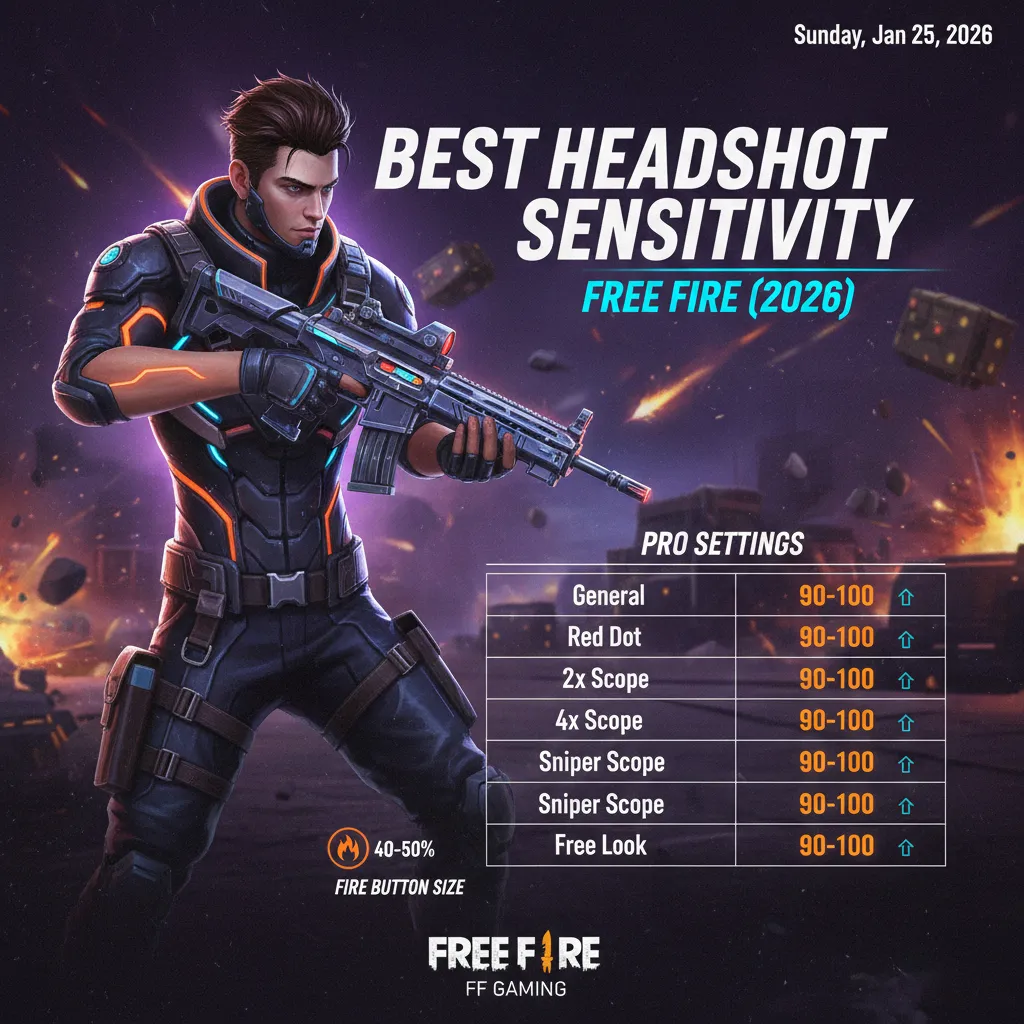
Newer Android phones offer high touch sampling rates (240Hz-720Hz). Enable maximum touch sampling in settings for more responsive controls.
Recommended Android Devices for Headshots
Based on YouTube gaming community preferences:
| Budget Range | Recommended Devices |
|---|---|
| Premium | iPhone 15 Pro Max, Samsung S24 Ultra, OnePlus 12 |
| Mid-Premium | iPhone 13, Samsung S23, OnePlus 11 |
| Mid-Range | Poco F5, Samsung A54, Realme GT Neo 5 |
| Budget | Poco X5, Redmi Note 12 Pro, Realme 11 Pro |
iOS-Specific Settings for Headshots
iOS devices, particularly iPhones, offer consistent performance due to hardware-software optimization. Here’s how to maximize headshot potential on iOS:
Graphics Settings for iOS
iPhone 15 Pro/Pro Max, iPhone 14 Pro Series
- Graphics: Ultra
- Frame Rate: Very High (90 FPS supported)
- Shadow: Optional (Off for competitive advantage)
- Auto-adjust graphics: Off
iPhone 13/14, iPhone 12 Series
- Graphics: High or Ultra
- Frame Rate: High (60 FPS)
- Shadow: Off
- Auto-adjust graphics: Off
iPhone 11 and Older Models
- Graphics: Standard or High
- Frame Rate: High (60 FPS)
- Shadow: Off
- Auto-adjust graphics: Off
iPad Pro and iPad Air
Tablets offer larger screens for better target visibility:
- Graphics: Ultra
- Frame Rate: Very High
- Shadow: Optional
- Auto-adjust graphics: Off
iOS System Optimizations
Apple’s ecosystem requires different optimization approaches:
Enable Gaming Focus Mode
- Open Settings > Focus
- Create a new Focus called “Gaming”
- Silence all notifications
- Allow only essential contacts
- Enable automatically when opening Free Fire
Disable Background App Refresh
- Navigate to Settings > General > Background App Refresh
- Turn off for all apps or selectively keep essential ones
- This frees RAM for smoother gameplay
Reduce Motion and Transparency
- Go to Settings > Accessibility > Motion
- Enable Reduce Motion
- Navigate to Accessibility > Display & Text Size
- Enable Reduce Transparency
These settings minimize system animations, improving touch responsiveness.
Enable Guided Access
For uninterrupted gaming sessions:
- Open Settings > Accessibility > Guided Access
- Enable Guided Access
- Triple-click side button to activate when gaming
- Prevents accidental exits and notification interruptions
iOS Touch Sensitivity
Unlike Android, iOS doesn’t offer touch sensitivity customization. However, ensure:
- 3D Touch/Haptic Touch: Disabled or set to “Fast” for quicker response
- Screen Protector: Use gaming-specific protectors that maintain touch accuracy
- Clean Screen: Oils and debris affect touch registration
HUD Layout and Control Settings for Headshots
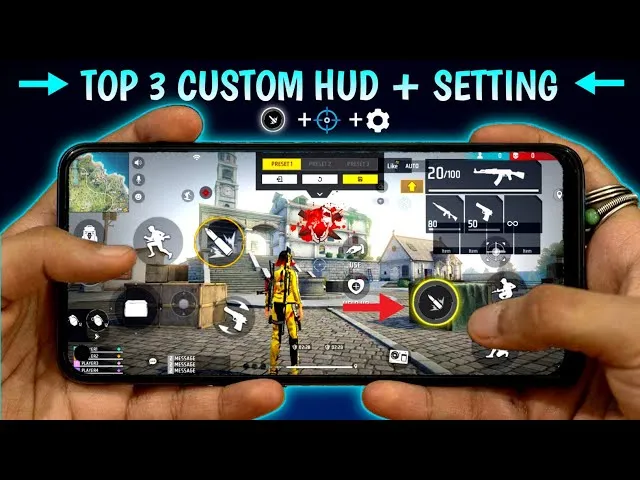
Your button layout significantly impacts headshot capability. Proper HUD configuration allows simultaneous movement, aiming, and shooting.
Recommended HUD Layout Principles
Based on analysis from YouTubers like Badge 99, Desi Gamers, and SK Sabir Boss:
Two-Thumb Layout
For casual players using both thumbs:
- Left side: Movement joystick, crouch button
- Right side: Fire button, scope button, jump
- Top corners: Map, health items, grenades
Three-Finger Claw Layout
Intermediate configuration for improved headshots:
- Left thumb: Movement joystick
- Left index finger: Fire button (top left)
- Right thumb: Camera control, scope, jump
Four-Finger Claw Layout
Advanced configuration used by most pro players:
- Left thumb: Movement
- Left index: Fire button, scope
- Right thumb: Camera control
- Right index: Second fire button, jump
Six-Finger Layout (Tablet/Large Phones)
Maximum control for tablet users:
- Adds dedicated buttons for crouch, prone, and weapon switching
- Popular among competitive players like Ajjubhai (Total Gaming) and Gyan Gaming
Essential HUD Adjustments
Fire Button Configuration
- Size: 80-100% (larger buttons are easier to tap while aiming)
- Position: Comfortable reach without stretching
- Transparency: 40-60% (visible but not obstructing view)
Aim Assist Settings
Free Fire offers aim assist options:
- Aim Precision: On (helps with initial target acquisition)
- Aim Assist: On for beginners, Off for advanced players
Many YouTubers like White444 and Amitbhai recommend keeping aim assist on initially, then gradually reducing reliance as skills improve.
For more control customization tips, visit our tips and tricks section.
Advanced Settings for Headshot Mastery
Beyond basic sensitivity and graphics, these advanced settings enhance headshot consistency:
Crosshair Placement
While Free Fire doesn’t offer crosshair customization like PC shooters, develop these habits:
- Keep crosshair at head level when moving
- Pre-aim common peek angles
- Anticipate enemy positions
Gyroscope Settings
Gyroscope uses device motion for aiming—powerful for headshots when mastered:
Gyroscope Sensitivity Recommendations
- General: 250-300
- Red Dot: 280-320
- 2x Scope: 260-300
- 4x Scope: 240-280
- AWM Scope: 200-250
When to Enable Gyroscope:
- Always On: Full gyro players tilt device for all aiming
- Scope On: Gyro activates only when aiming down sights
- Off: Traditional touch-only controls
YouTubers like Ruok FF and Vincenzo use gyroscope extensively for micro-adjustments during firefights.
Custom Button Placement
Experiment with these placements:
| Button | Recommended Position | Reason |
|---|---|---|
| Primary Fire | Upper right corner | Easy index finger access |
| Secondary Fire | Lower right area | Thumb access while aiming |
| Scope | Near fire button | Quick ADS transition |
| Crouch | Left side | Crouch-shooting while maintaining aim |
| Prone | Near crouch | Quick position changes |
Checkout headshot setting for free fire max
Device-Specific Performance Tips
Managing Heat and Throttling
Extended gaming sessions cause device heating, reducing performance:
- Use cooling fans or phone cooling cases
- Remove phone cases during gaming
- Play in air-conditioned environments
- Take breaks every 45-60 minutes
Internet Connection Optimization
Lag destroys headshot consistency:
- Use 5GHz WiFi over 2.4GHz when possible
- Close background apps consuming bandwidth
- Consider gaming VPNs if experiencing routing issues
- Prefer stable WiFi over mobile data for ranked matches
Storage Management
Check out this youtube video
Maintain at least 2-3GB free storage for:
- Smooth game operation
- Update downloads
- Cache management
Practice Routines for Headshot Improvement
Having optimal settings means nothing without practice. Implement these training routines:
Training Mode Practice
- Spend 15-20 minutes daily in training mode
- Practice drag shots on moving targets
- Focus on one-tap headshots with various weapons
- Test new sensitivity settings here before ranked
Custom Room Practice
- Join 1v1 custom rooms for real player practice
- Challenge friends to headshot-only matches
- Focus on specific weapons (M1887, Desert Eagle)
Gradual Sensitivity Adjustment
- Change sensitivity in small increments (5-10 points)
- Play 10-15 matches before evaluating changes
- Document what works and what doesn’t
- Build muscle memory over 2-3 weeks
For more training strategies, explore our Download Free Fire character to learn ability combinations that complement aggressive headshot playstyles.
Common Mistakes to Avoid
Many players sabotage their headshot potential with these errors:
Copying Pro Settings Exactly
Pro players have thousands of hours of practice. Their high sensitivity settings may feel uncontrollable for beginners. Start lower and gradually increase.
Changing Settings Too Frequently
Constant changes prevent muscle memory development. Commit to settings for at least one week before adjusting.
Ignoring Device Limitations
High graphics on low-end devices cause frame drops, ruining aim consistency. Prioritize smooth performance over visual quality.
Neglecting Regular Practice
Settings optimization means nothing without consistent practice. Dedicate daily time to training mode and custom matches.
Frequently Asked Questions
What is the best sensitivity for one-tap headshots?
For one-tap headshots, most pro players recommend 95-100 general sensitivity with red dot sensitivity between 90-100. However, beginners should start at 80-85 and gradually increase as muscle memory develops.
Should I use gyroscope for headshots?
Gyroscope significantly improves headshot accuracy once mastered. It allows micro-adjustments impossible with touch alone. Start with “Scope On” mode and gradually transition to “Always On” if comfortable.
Why do my settings feel different after updates?
Free Fire updates occasionally reset or alter sensitivity behavior. After major updates, test your settings in training mode and readjust if necessary.
Does phone quality affect headshots?
Absolutely. Higher refresh rate displays (90Hz-120Hz), faster processors, and better touch sampling rates all contribute to smoother aiming and quicker response times.
What’s the difference between Android and iOS for Free Fire?
iOS typically offers more consistent performance due to optimized hardware-software integration. Android provides more customization options but requires proper device optimization. Both platforms can achieve excellent headshot performance with correct settings.
How long does it take to master new sensitivity settings?
Most players require 1-2 weeks of consistent practice to develop muscle memory for new sensitivity settings. Avoid changing settings during this adaptation period.
Conclusion
Optimizing your Free Fire mobile settings for headshots involves balancing sensitivity configurations, graphics performance, HUD layout, and device-specific tweaks. While this guide provides comprehensive recommendations based on pro player configurations and YouTube research, remember that personal comfort ultimately determines your ideal settings.
Start with the medium sensitivity recommendations, practice consistently in training mode, and make gradual adjustments based on your performance. Whether you’re playing on Android or iOS, the principles remain the same—smooth performance, responsive controls, and dedicated practice create headshot legends.
Implement these settings today, commit to regular practice, and watch your headshot percentage climb. See you on the battlefield, booyah!
Want more Free Fire optimization guides? Explore our events calendar for current in-game events, and don’t forget to check our redeem codes section for free rewards to customize your newly optimized loadout.
Last Updated: February 2026
Disclaimer: Settings recommendations are based on community research, YouTube content analysis, and testing. Individual results may vary based on device specifications, personal preferences, and playstyle.
Looking for working Garena Free Fire redeem codes? You’ve come to the right place. Every day, millions of players search for these special alphanumeric codes to unlock free diamonds, exclusive skins, character bundles, and premium in-game items without spending real money.
At Free Fire Nation, we understand how valuable these codes are to the gaming community. Whether you’re a seasoned veteran or just starting your battle royale journey, this comprehensive guide will walk you through everything you need to know about Free Fire redeem codes, including where to find them, how to use them, and troubleshooting common issues.
What Are Garena Free Fire Redeem Codes?
Free Fire redeem codes are unique 12 or 16-character alphanumeric codes released by Garena, the game’s developer. These codes serve as promotional tools to reward players with free in-game items, celebrate special events, and engage the community.
Each redeem code typically consists of capital letters and numbers, structured in a specific pattern like FFXV-BCTS-QRGH or BT2C-XZWF-K4PL. When successfully redeemed, these codes grant players various rewards directly to their game accounts.
Key characteristics of Free Fire redeem codes:
- Limited validity period: Most codes expire within 12-24 hours of release
- Usage limits: Each code has a maximum redemption count (usually 500-5000 uses)
- Region restrictions: Some codes work only in specific server regions
- Single-use policy: One code can only be used once per account
- Guest account restrictions: Codes cannot be redeemed on guest accounts
Today’s Active Free Fire Redeem Codes
Note: Redeem codes are updated regularly. These codes may have expired by the time you read this. Bookmark this page and check back daily for the latest working codes.
| Redeem Code | Rewards | Status |
|---|---|---|
| FFXV2CZ8BQGH | Winterlands Weapon Loot Crate | Active |
| Y6ACLK7KUD1N | Free Fire Diamonds Voucher | Active |
| SARG886AV5GR | Egg Hunter Loot Box | Active |
| FFICJGW9NKYT | Justice Fighter Weapon Loot | Active |
| FU9CGS4Q9P4E | Outlaw Loot Crate | Active |
| FFCMCPSGC9XZ | Diamond Royale Voucher | Active |
| MCPW2D1WSNP7 | 2x Scorching Sands Weapon | Active |
| EYH2W3XK8UPG | Parafal Crate, Scar Megalodon | Active |
| HNC95435FAGJ | 2x Loaded Golden Ascension | Active |
Pro Tip: Always redeem codes immediately after they’re released. Popular codes often reach their usage limits within minutes during peak hours.
How to Redeem Free Fire Codes: Step-by-Step Guide

Redeeming Free Fire codes is a straightforward process, but you must do it through the official Garena rewards redemption website—not within the game itself. Here’s exactly how to claim your free rewards:
Step 1: Visit the Official Redemption Website
Open your preferred web browser and navigate to the official Free Fire rewards redemption site at https://reward.ff.garena.com. Make sure you’re on the official Garena website to avoid phishing scams.
Step 2: Log In to Your Account
You’ll need to sign in using the same platform linked to your Free Fire account. Available login options include:
- Apple ID
- Twitter (X)
- VK
- Huawei ID
Important: Guest accounts cannot redeem codes. If you’re playing as a guest, you must first link your account to one of these platforms.
Step 3: Enter the Redeem Code
Once logged in, you’ll see a text field where you can input the 12 or 16-character redeem code. Type or paste the code exactly as shown, including any hyphens if applicable. The system is case-sensitive, so uppercase letters matter.
Step 4: Confirm Redemption
Click the “Confirm” button to submit your code. If the code is valid and hasn’t expired or reached its usage limit, you’ll receive a success message.
Step 5: Collect Your Rewards
After successful redemption, open Free Fire on your device. Navigate to your in-game mail section and look for messages from Garena. Your rewards will be attached to these messages—simply click to collect them.
Rewards typically appear in your mailbox within 24 hours, though most arrive within 30 minutes of redemption.
Types of Rewards from Free Fire Redeem Codes
Garena releases various types of redeem codes throughout the year, each offering different categories of rewards. Understanding these helps you prioritize which codes to redeem first.
Premium Currency Rewards
- Diamonds: The premium currency in Free Fire, used to purchase exclusive items
- Gold coins: In-game currency for regular purchases
- Diamond vouchers: Discount coupons for diamond purchases
Character Items
- Character bundles: Complete outfit sets for your avatar
- Emotes: Unique animations and expressions
- Character unlock cards: Cards to unlock new playable characters
For more information about character abilities and tier rankings, check out our character downlaod section.
Weapon Skins and Accessories
- Gun skins: Custom appearances for various weapons
- Weapon loot crates: Randomized boxes containing weapon skins
- Upgradable weapon skins: Skins that can be evolved for better stats
If you want to learn more about the best weapons to pair with these skins, visit our weapon tier list.

Other Rewards
- Pet skins: Custom appearances for in-game pets
- Backpack skins: Stylish backpack designs
- Surfboard skins: Custom hover boards
- Parachute skins: Unique parachute designs for dramatic entries
- Room cards: Cards to create custom game rooms
- Incubator vouchers: Tickets for the incubator spinning system
Where to Find New Free Fire Redeem Codes
Garena releases new codes through multiple channels. To maximize your chances of grabbing working codes before they expire, monitor these sources regularly:
Official Garena Social Media
Garena frequently posts redeem codes on their official social media accounts:
- Free Fire Official Facebook Page: Often hosts giveaways and posts codes during live streams
- Free Fire Instagram: Shares codes during community events
- Free Fire Twitter/X: Quick announcements of time-limited codes
- Free Fire YouTube: Codes appear during live broadcasts and video descriptions
In-Game Events and Livestreams
Special events within Free Fire often include exclusive redeem codes:
- Anniversary celebrations: Major yearly events with valuable codes
- Collaboration events: Crossover events with other franchises
- Esports tournaments: Codes shared during competitive matches
- Update announcements: New patch releases often come with bonus codes
Stay updated with our Free Fire Top Lists to never miss these opportunities.
Gaming Communities and Forums
Active community spaces often share newly discovered codes:
- Reddit Free Fire communities: Players frequently share working codes
- Discord servers: Real-time code sharing among players
- Gaming forums: Dedicated threads for code compilation
Trusted Gaming Websites
Reputable gaming websites like Free Fire Nation regularly update their code lists. We verify each code before publishing to ensure you don’t waste time on expired or fake codes.
Understanding Region-Specific Codes
One of the most common frustrations players face is discovering that a code doesn’t work for their region. Free Fire operates separate servers for different geographical areas, and many codes are region-locked.
Major Free Fire Regions
| Region | Countries Included |
|---|---|
| India | India, Nepal, Bangladesh |
| Indonesia | Indonesia |
| Singapore | Singapore, Malaysia, Philippines |
| Brazil | Brazil and Latin America |
| Europe | European countries |
| Middle East | MENA region countries |
| CIS | Russia and neighboring states |
| North America | USA, Canada |
| Thailand | Thailand |
| Vietnam | Vietnam |
How to Identify Region-Specific Codes
Some codes work globally, while others are restricted. Here’s how to determine a code’s region:
- Check the source: Official regional Facebook pages often post region-specific codes
- Look at the code structure: Some regions have distinct code patterns
- Read the terms: Promotional posts usually specify eligible regions
- Trial and error: If a code fails, it might be meant for another region
When redeeming, the system automatically checks your account’s server region against the code’s eligibility.
Common Redeem Code Errors and Solutions
Encountering errors during redemption is frustrating but often solvable. Here are the most common issues and how to fix them:
“Code is Invalid or Expired”
Causes:
- The code has passed its expiration date
- You’ve mistyped the code
- The code never existed (fake code)
Solutions:
- Double-check for typos, especially similar characters (0 vs O, 1 vs I)
- Verify the code from the original source
- Try a different, verified code
“Code Has Been Redeemed”
Causes:
- You’ve already used this code on your account
- The code’s maximum usage limit has been reached
Solutions:
- Each code works only once per account—there’s no workaround
- If others claimed it all, wait for new codes to be released
“This Code Cannot Be Used in Your Region”
Causes:
- The code is exclusively for a different server region
Solutions:
- Look for codes specifically released for your region
- Check region-specific Garena social media pages
- Follow your regional Free Fire community
“Failed to Redeem. Please Try Again”
Causes:
- Server overload during high-traffic periods
- Temporary connectivity issues
- Account verification problems
Solutions:
- Wait a few minutes and retry
- Ensure stable internet connection
- Try logging out and logging back in
- Clear browser cache and cookies
“Account Does Not Exist”
Causes:
- Logging in with wrong platform credentials
- Guest account attempting redemption
- Account suspension or ban
Solutions:
- Verify you’re using the correct login method
- Link your guest account to a platform first
- Contact Garena support if you believe your account is wrongly flagged
Tips for Maximizing Your Redeem Code Success
Want to improve your chances of successfully redeeming codes and getting the best rewards? Follow these strategies:
Speed Is Essential
Codes, especially those with valuable rewards, get exhausted quickly. Set up notifications for:
- Garena’s official social media accounts
- Trusted gaming websites like Free Fire Nation
- Community Discord servers with code alert systems
Verify Before Redeeming
Fake codes waste time and create frustration. Always:
- Cross-reference codes with multiple trusted sources
- Check the code’s age—codes older than 24 hours are usually expired
- Look for official confirmation from Garena
Organize Your Approach
- Keep the redemption website bookmarked for quick access
- Use a password manager to log in quickly
- Have your account properly linked before codes drop
Engage with the Community
Active community participation often leads to exclusive rewards:
- Participate in official livestreams
- Engage with social media posts for giveaway eligibility
- Join regional Discord servers for local codes
For more tips on improving your Free Fire experience, check out our tips and tricks section.
Free Fire Redeem Codes vs. Other Free Reward Methods
While redeem codes are popular, they’re not the only way to earn free items in Free Fire. Consider these alternatives:
Daily Login Rewards
Consistent daily logins grant incrementally better rewards throughout each month.
In-Game Events
Regular events offer free items through gameplay challenges without needing codes.
Watching Advertisements
Booyah ads and in-game video offers grant small rewards consistently.
Referral Programs
Inviting friends to play Free Fire unlocks exclusive bonuses for both parties.
Google Play/App Store Promotions
Platform-specific offers sometimes include Free Fire bonuses.
For strategies on earning free diamonds, visit our comprehensive
Safety Warning: Avoiding Free Fire Scams
The popularity of redeem codes has spawned numerous scams. Protect yourself by following these guidelines:
Red Flags to Watch For
- Websites asking for passwords: The official redemption site never requires your password
- “Unlimited diamond generators”: These don’t exist and are always scams
- APK downloads for “code generators”: These contain malware
- Codes requiring personal information: Legitimate codes don’t need your phone number or address
- Payment for codes: Official codes are always free
Safe Practices
- Only use the official Garena redemption website
- Never share your login credentials
- Enable two-factor authentication on your account
- Report suspicious websites to Garena
- Stick to verified sources for codes
Frequently Asked Questions
How often are new Free Fire redeem codes released?
Garena typically releases new codes daily, with more frequent releases during special events, updates, and collaborations. During major celebrations like anniversaries or New Year events, multiple codes may drop within hours of each other.
Can I use the same redeem code on multiple accounts?
Yes, a single redeem code can be used on different Free Fire accounts, as long as each account redeems it only once and the code hasn’t reached its global usage limit.
Why do codes expire so quickly?
Limited-time codes create urgency and excitement within the community. They also prevent abuse and ensure fair distribution of rewards to active players who engage with official channels.
Do redeem codes give real diamonds?
Some codes do provide actual diamonds, though diamond vouchers and loot crates are more common. Direct diamond rewards are typically reserved for major events or special promotions.
Can I redeem codes on the Free Fire MAX app?
Yes! Free Fire and Free Fire MAX share the same account system, so codes work across both versions. Rewards redeemed through the website will appear in either app.
What’s the best time to find new codes?
Garena often releases codes during:
- Major update rollouts
- Esports tournament broadcasts
- Social media milestones
- Seasonal events and holidays
- Collaboration announcements
Conclusion
Garena Free Fire redeem codes remain one of the most exciting ways to earn premium rewards without spending money. By understanding how these codes work, where to find them, and how to redeem them correctly, you can build an impressive collection of skins, characters, and items.
Remember that timing is crucial—bookmark this page and check back regularly for updated codes. Follow Garena’s official channels, stay active in the community, and always prioritize your account security when redeeming codes.
Ready to dominate the battlefield with your new rewards? Head to the official redemption site, grab today’s working codes, and enjoy your free loot!
Disclaimer: Free Fire Nation is not affiliated with Garena. All codes are sourced from official Garena channels and verified community reports. Redeem codes are subject to availability and may expire without notice.
FF: The Complete Guide for Free Fire Players in 2026
Mobile battle royale games have transformed online gaming, and ff stands out as one of the most popular titles among action lovers. With fast-paced matches, unique characters, and constant updates, the game continues to attract millions of players worldwide. This guide explains everything you need to know, whether you are a beginner or an experienced survivor looking to improve your gameplay.
What Is FF and Why Is It So Popular?
ff is the commonly used name for Garena Free Fire, a mobile battle royale game designed for smooth performance even on low-end devices. Unlike long battle royale matches seen in other games, Free Fire offers short and intense rounds, making it ideal for mobile users.
The game’s popularity comes from its accessibility, character-based abilities, and frequent events. Players can jump into a match anytime, enjoy action-packed gameplay, and still compete at a high level without needing expensive hardware. Learn more basics here: freefirenation.com
Core Gameplay Experience
In ff, 50 players land on an island and fight until only one player or team survives. The map is compact, which means encounters happen quickly. Players must loot weapons, armor, and utilities while staying inside the safe zone.
Key gameplay elements include:
-
Fast looting system
-
Quick combat encounters
-
Tactical use of skills
-
Smart positioning and movement
The short match duration keeps gameplay exciting and addictive.
Characters and Special Abilities
One of the biggest reasons ff feels unique is its character system. Each character comes with a special ability that can improve survival, damage, healing, or movement.
Examples of popular abilities:
-
Healing after eliminations
-
Increased movement speed
-
Reduced damage while aiming
-
Faster skill cooldowns
Choosing the right character combination is essential for ranked matches.
Character ability updates are regularly covered here: freefirenation.com/characters/
Weapons and Loadout Strategy
Weapons in ff are designed to be easy to use but hard to master. From SMGs for close combat to sniper rifles for long-range fights, every weapon has a specific role.
Weapon categories include:
-
Assault rifles for balanced combat
-
Shotguns for close-range dominance
-
Snipers for long-distance control
-
SMGs for aggressive rushing
Upgrading weapons with attachments can significantly improve accuracy and damage.
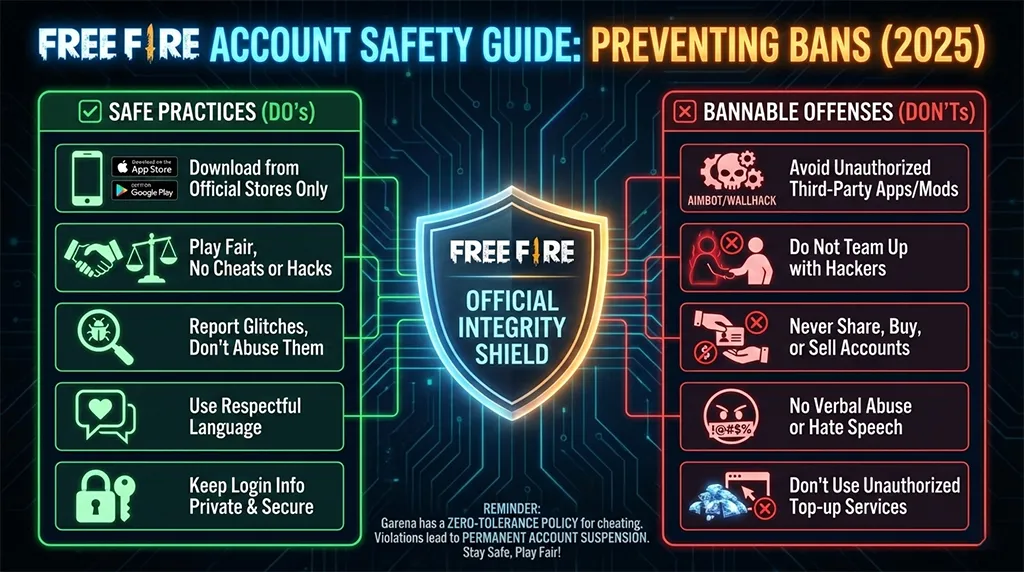
Game Modes That Keep Players Engaged
ff offers multiple modes beyond the classic battle royale format. These modes allow players to practice skills or enjoy casual gameplay with friends.
Popular modes include:
-
Ranked Mode for competitive play
-
Clash Squad for fast team fights
-
Custom Rooms for practice
-
Limited-time event modes
Each mode requires a different strategy, keeping the experience fresh.
Tips to Improve Your Gameplay
If you want to climb ranks faster in ff, strategy matters more than raw shooting skill. Smart decisions often decide the winner.
Useful tips:
-
Always land in medium-loot areas
-
Avoid unnecessary early fights
-
Use cover during gunfights
-
Master one weapon type
-
Communicate with teammates
Consistent practice and awareness are key to improvement.
Competitive Scene and Esports Growth
The competitive side of ff has grown massively in recent years. Regional and international tournaments offer prize pools and recognition for skilled players.
Professional teams focus on:
-
Team coordination
-
Zone control
-
Utility management
-
High-level game sense
Many players start by streaming or uploading gameplay to YouTube before entering tournaments.
Official esports and updates:
https://www.youtube.com/@FreeFire
Regular Updates and New Features
Garena frequently introduces updates to keep ff exciting. These updates may include new characters, balance changes, maps, and seasonal events.
Staying updated helps players:
-
Understand meta changes
-
Use newly buffed weapons
-
Prepare for ranked resets
Latest updates explained here: https://freefirenation.com/free-fire-updates/

Community and Player Support
The ff community is one of the most active mobile gaming communities. Players share tips, gameplay clips, and strategies across social platforms.
Community benefits include:
-
Faster learning through shared knowledge
-
Event participation rewards
-
Feedback-based improvements
Official information is always released by Garena on their website: ff.garena.com
Account Safety and Fair Play
Playing ff safely is just as important as playing well. Using unfair methods can result in permanent bans and loss of progress.
Best practices:
-
Avoid third-party apps
-
Never share login details
-
Enable account security options
-
Trust only official sources
Fair play ensures a better experience for everyone.
Why FF Still Dominates Mobile Gaming
Even after years of competition, ff continues to dominate because it understands mobile players. Lightweight size, smooth gameplay, and frequent engagement keep it relevant.
Whether you play casually or competitively, the game offers something for everyone.
Final Thoughts
Free Fire isn’t just a game — it’s a growing digital community. Whether you’re chasing Booyahs, unlocking characters, or building your esports dream, success comes from learning, practice, and staying updated.
Free Fire Telegram Groups: Best Active Communities Where You Can Chat & Connect (2026)
Author: Virender Kohli | Updated: 2026
Discover the best Free Fire Telegram groups where you can actually send messages, find teammates, share gameplay, and connect with active communities.
Finding a good Free Fire Telegram group in 2026 feels like searching for a needle in a haystack. You join group after group hoping to connect with fellow players, but what happens? The admin has disabled messaging. You can only read posts. No chatting. No interaction. No real community feeling.
Frustrating, right?
You are not alone in this struggle. Thousands of Free Fire players face the same problem daily. They want active communities where they can share their clutch moments, find squad members for ranked matches, discuss new updates, and actually have conversations. Instead, they end up in silent broadcast channels disguised as groups.
Today, we solve this problem for good.
This guide shares the best Free Fire Telegram groups where messaging is actually enabled. Real communities with real interactions where your voice matters. Plus, we explain how to identify chat-enabled groups, what to look for, and how to get maximum value from these communities.
Let us find your new Free Fire family.
https://t.me/+dfyEFUkHrgoyZWQ1
https://t.me/freefirelover1000
https://t.me/FREEFIRE_ID_SELLER
https://t.me/free_fire_TopupShop
https://t.me/free_fire_india_server
Why Telegram for Free Fire Communities?
Before diving into our group list, let us understand why Telegram has become the go-to platform for Free Fire communities worldwide.
Massive Group Capacity
Telegram groups can hold up to 200,000 members. This scale allows large Free Fire communities to thrive under one roof. Compare this to WhatsApp’s 1,024 member limit, and you understand why serious gaming communities choose Telegram.
Feature-Rich Platform
Telegram offers features perfect for gaming communities:
- File sharing up to 2GB – Share gameplay videos without compression
- Polls and quizzes – Organize community votes and fun activities
- Pinned messages – Important announcements stay visible
- Admin controls – Manage large groups effectively
- Bots integration – Automate welcome messages, moderation, and more
- No phone number exposure – Privacy through usernames
Cross-Platform Access
Whether you use Android, iOS, Windows, Mac, or web browser, Telegram works seamlessly everywhere. Switch between devices without missing community conversations.
Free and Ad-Free
Unlike many platforms, Telegram remains completely free with no advertisements interrupting your experience. This keeps communities focused on what matters: gaming and connection.
The Messaging Problem: Why Most Groups Restrict Chat
Before we share our recommended groups, let us address why so many Free Fire Telegram groups disable member messaging.
Spam Control
Large groups attract spammers promoting hacks, fake diamond generators, and scam websites. Some admins disable messaging entirely rather than dealing with constant moderation.
Self-Promotion Overload
Without restrictions, members flood groups with their YouTube channel links, Instagram pages, and stream promotions. This drowns genuine conversations and annoys other members.
Toxic Behavior
Gaming communities sometimes attract toxic individuals who harass others, use offensive language, or create conflicts. Disabling chat eliminates this problem but also kills community spirit.
Easier Management
Managing a chat-enabled group with thousands of members requires dedicated moderators and constant attention. Many admins lack time or resources for this level of commitment.
Broadcast Focus
Some groups exist purely to broadcast codes, news, and updates. Admins prefer one-way communication for this purpose.
The Result? Players join “groups” that function as silent channels. They receive information but cannot participate, ask questions, or build connections.
What Makes a Good Free Fire Telegram Group?
Not all chat-enabled groups are worth joining. Here is what separates excellent communities from mediocre ones:
Active Messaging Enabled
The most important factor. Members should be able to send messages, share content, and have conversations. Without this, it is a channel, not a community.
Active Moderation
Good groups have moderators who remove spam, handle conflicts, and maintain healthy discussion. Unmoderated groups quickly become chaotic.
Regular Activity
Check if members actually chat regularly. A group with 10,000 members but no recent messages indicates a dead community.
Clear Rules
Quality groups have pinned rules about acceptable behavior, spam policies, and content guidelines. This creates a respectful environment.
Genuine Members
Look for groups with real players having real conversations, not just bots and promoters flooding links.
Relevant Content
The best groups focus on Free Fire content: gameplay discussions, team finding, tips sharing, update news, and community events.
Best Free Fire Telegram Groups With Chat Enabled (2026)
Here is our curated list of active Free Fire Telegram groups where you can actually send messages and participate in conversations.
OPP ESPORTS | Official Community
Link: t.me/OPPAYUSHGAMING
Members: Growing community
Chat Enabled: ✅ Yes
Language: Hindi / English
One of the most active Free Fire communities run by content creator OPP AYUSH. This group stands out because messaging is fully enabled for members. You can:
- Chat with fellow Free Fire players
- Find teammates for ranked matches
- Share your gameplay clips and achievements
- Discuss strategies and tips
- Get updates on live streams and events
- Connect with the OPP ESPORTS team
The community maintains a friendly atmosphere with active moderation. Whether you are a beginner seeking guidance or a veteran looking for skilled squadmates, this group welcomes everyone.
Best For: Indian players, finding teammates, community interaction, stream updates
OPP AYUSH Gaming Channel
Link: t.me/OPPAYUSHGAMING00
Members: Active subscriber base
Type: Announcement Channel + Community
Language: Hindi / English
The official announcement channel from OPP AYUSH that keeps you updated on:
- Live stream schedules
- Redeem codes when available
- Community events and giveaways
- Free Fire news and updates
- Esports tournament information
This channel complements the main community group. Subscribe here for updates, then join the main group for conversations.
Best For: Stream notifications, Free Fire news, staying updated
Free Fire India Community
Link: [Search “Free Fire India” on Telegram]
Members: 50,000+
Chat Enabled: ✅ Yes (Slow mode may be active)
Language: Hindi / English
One of the largest Indian Free Fire communities on Telegram. With slow mode enabled to control spam, members can still send messages and participate in discussions. The group features:
- Daily gameplay discussions
- Tournament announcements
- Team recruitment posts
- Tips and tricks sharing
- Update discussions
Best For: Indian players, large community experience, diverse discussions
🌍 Free Fire Global Players
Link: [Search “Free Fire Global” on Telegram]
Members: 30,000+
Chat Enabled: ✅ Yes
Language: English
An international Free Fire community connecting players from different regions. English-only chat makes it accessible worldwide. Active discussions about:
- Cross-server gameplay
- International tournaments
- Character and weapon meta
- Update comparisons across regions
Best For: International players, English speakers, global perspective
🏆 Free Fire Esports Hub
Link: [Search “FF Esports Hub” on Telegram]
Members: 25,000+
Chat Enabled: ✅ Yes
Language: English / Mixed
Focused on competitive Free Fire, this group attracts players interested in esports. Discussions center around:
- Tournament registrations
- Team formations for competitive play
- Pro player strategies
- Match analysis and predictions
- Esports news and updates
Best For: Competitive players, aspiring esports athletes, tournament seekers
🇧🇷 Free Fire Brasil Comunidade
Link:
Members: 100,000+
Chat Enabled: ✅ Yes
Language: Portuguese
The Brazilian Free Fire community is massive, and this group represents one of the most active Portuguese-speaking communities. Features include:
- Active 24/7 conversations
- Brazilian tournament information
- Local content creator updates
- Regional gameplay discussions
Best For: Brazilian players, Portuguese speakers, BR server community
🇮🇩 Free Fire Indonesia Group
Link:
Members: 80,000+
Chat Enabled: ✅ Yes
Language: Indonesian
Indonesia has one of the largest Free Fire player bases globally. This community reflects that passion with:
- Extremely active member participation
- Local tournament information
- Indonesian content creator updates
- Server-specific discussions
Best For: Indonesian players, SEA region community
Free Fire Squad Finder
Link: [Search “FF Squad Finder” on Telegram]
Members: 15,000+
Chat Enabled: ✅ Yes
Language: English / Mixed
Specifically designed for finding teammates. Members post their:
- Player ID and stats
- Preferred playing time
- Rank and goals
- Play style (aggressive/passive)
- Language preferences
This solves the common problem of playing with random teammates who do not communicate or coordinate.
Best For: Finding permanent squadmates, team building, ranked pushing
Free Fire Tips & Tricks Community
Link: [Search “FF Tips Tricks” on Telegram]
Members: 20,000+
Chat Enabled: ✅ Yes
Language: English
Educational community focused on improving gameplay. Discussions include:
- Weapon guides and best loadouts
- Character ability combinations
- Landing spot strategies
- Movement and combat techniques
- Settings optimization
Members actively share and discuss strategies rather than just consuming content.
Best For: Players wanting to improve, learning strategies, gameplay discussions
Free Fire Redeem Codes Group
Link:
Members: 50,000+
Chat Enabled: ✅ Varies by group
Language: Mixed
Multiple groups exist for sharing redeem codes. Look for ones with chat enabled where members:
- Share newly discovered codes quickly
- Confirm whether codes work
- Discuss code validity and regions
- Alert others about expiring codes
Warning: Many code groups are broadcast-only. Search specifically for chat-enabled versions.
Best For: Hunting redeem codes, quick code alerts
How to Find Chat-Enabled Telegram Groups
Beyond our recommendations, here is how to discover more active Free Fire groups with messaging enabled:
Method 1: Telegram Search
- Open Telegram app
- Tap the search icon
- Search terms like:
- “Free Fire chat”
- “Free Fire community”
- “FF squad”
- “Free Fire [your country]”
- Browse results and check group descriptions
Method 2: Check Before Joining
Before joining any group:
- Look at the member count vs. message activity ratio
- Read the group description for chat policies
- Check recent messages preview if visible
- Look for “slow mode” indication (means chat is enabled but rate-limited)
Method 3: Ask in Active Communities
Once you join one good group like OPP ESPORTS, ask members for recommendations. Active community members often know other quality groups.
Method 4: Content Creator Communities
Follow Free Fire YouTubers and streamers. Many maintain Telegram groups for their communities with active chat features.
Method 5: Reddit and Forums
Gaming forums and subreddits often share Telegram group links. Search for recent recommendations as groups change over time.
How to Identify Broadcast Channels vs. Real Groups
Do not waste time joining channels thinking they are groups. Here is how to tell the difference:
| Feature | Broadcast Channel | Chat-Enabled Group |
|---|---|---|
| Member messaging | ❌ No | ✅ Yes |
| Shows “subscribers” | ✅ Yes | ❌ No (shows “members”) |
| Reply option | ❌ No | ✅ Yes |
| Member list visible | ❌ Limited | ✅ Yes |
| Feel like conversation | ❌ No | ✅ Yes |
Quick Test: If you see “Subscribe” button instead of “Join,” it is a channel, not a group.
Telegram Group Etiquette: How to Be a Good Member
Joining quality groups comes with responsibility. Follow these guidelines to remain a valued member:
Do’s
- Introduce yourself when joining new groups
- Stay on topic with Free Fire related discussions
- Help others who ask questions you can answer
- Share quality content like helpful tips or interesting clips
- Respect moderators and follow group rules
- Report spam instead of engaging with it
- Be patient with slow mode restrictions
Don’ts
- Don’t spam your YouTube channel or social media repeatedly
- Don’t share hacks or cheating tools (gets you banned everywhere)
- Don’t be toxic or harass other members
- Don’t share fake codes or scam links
- Don’t flood chat with stickers or meaningless messages
- Don’t share personal information of yourself or others
- Don’t argue with moderators publicly
Following these guidelines keeps you in good standing and makes communities better for everyone.
Benefits of Joining Active Free Fire Telegram Groups
Still wondering if joining these communities is worth it? Here is what you gain:
Find Reliable Teammates
Stop suffering with random squads who drop solo and die immediately. Find players who communicate, coordinate, and actually want to win together.
Learn and Improve
Discussions with experienced players expose you to strategies and techniques you might never discover alone. Ask questions and get real answers.
Stay Updated
Active communities share news about updates, events, and changes faster than official channels sometimes. Never miss important information.
Get Redeem Codes Faster
When codes drop, community members share them instantly. This speed advantage helps you redeem before codes expire.
Make Gaming Friends
Free Fire becomes more enjoyable with friends. These communities help you build genuine connections with players who share your passion.
Discover Content Creators
Find new YouTubers, streamers, and content creators through community recommendations. Expand your Free Fire entertainment sources.
Frequently Asked Questions
Why can’t I send messages in most Telegram groups?
Many admins disable messaging to prevent spam and reduce moderation workload. Look specifically for groups that advertise chat features or join our recommended communities above.
Are these Telegram groups safe to join?
Groups in our list are legitimate communities. However, never click suspicious links, share personal information, or download files from unknown sources within any group.
Can I promote my YouTube channel in these groups?
Most groups have specific rules about self-promotion. Some allow it in designated threads or days, others prohibit it entirely. Always read group rules first.
How do I find groups for my specific region?
Search Telegram using “Free Fire” plus your country or language name. Regional communities often have the most relevant content for your server.
What if I get banned from a group?
If banned unfairly, contact admins politely explaining the situation. If banned for rule violations, learn from the experience and follow rules in future communities.
Can I create my own Free Fire Telegram group?
Absolutely! Anyone can create a group. Just be prepared for the moderation commitment required to maintain a healthy community.
Join the OPP ESPORTS Community Today
Looking for an active Free Fire community where your voice matters? Join the OPP ESPORTS family on Telegram where messaging is always enabled and every member is valued.
Main Community: t.me/OPPAYUSHGAMING
Updates Channel: t.me/OPPAYUSHGAMING00
Connect with fellow players, find teammates, share your gameplay, and become part of a growing community that actually feels like a community.
We will see you inside!
Final Thoughts
The Free Fire Telegram landscape is filled with silent channels disguised as groups. But genuine communities where you can chat, connect, and collaborate do exist. Now you know where to find them.
Start with our recommended groups, especially the OPP ESPORTS community for an authentic experience. Then use our tips to discover more communities matching your preferences.
Gaming is better together. Find your tribe and enjoy Free Fire the way it was meant to be played.
Good luck, and see you in the chat!
Related Articles:
- Free Fire Guild Complete Guide 2026
- Best Guild Names in Free Fire 2026
- Free Fire Redeem Codes Guide
- OPP AYUSH Creator Spotlight
Free Fire Guild: The Ultimate Guide to Joining, Creating & Dominating in 2026
Author: Virender Kohli | Updated: 2026
So you have been grinding solo matches, racking up kills, and climbing the ranks. But something feels missing, right? That sense of brotherhood, those coordinated attacks, and exclusive rewards that solo players never get to experience. Welcome to the world of Free Fire Guilds, where legends are not born alone but built together.
Whether you are a complete newbie wondering what guilds even are or a seasoned warrior looking to start your own squad empire, this guide covers everything you need to know. By the time you finish reading, you will understand exactly how guilds work, why they matter, and how to use them to level up your entire Free Fire experience.
Let us dive straight into the battlefield.
What Exactly is a Free Fire Guild?
Think of a guild as your permanent squad, your gaming family, your ride-or-die crew in the Free Fire universe. Unlike random teammates who disappear after one match, guild members stick together through every update, every season, and every intense battle royale showdown.
A guild is essentially a community of players who unite under one banner, share a common identity, and work together toward collective goals. Every guild has a unique name, a customizable logo, and a dedicated space where members can communicate, strategize, and grow together.
But guilds are not just about having friends to play with. They unlock exclusive features, special rewards, and competitive opportunities that regular players simply cannot access. Garena designed the guild system to reward teamwork and loyalty, making it one of the most valuable features in Free Fire today.
Currently, guilds can hold up to 55 members including the guild leader and officers. This limit ensures that guilds remain tight-knit communities rather than overcrowded chaos. Quality over quantity, as they say.
Why Should You Join a Guild? The Benefits Nobody Tells You About
Many players ignore guilds thinking they are just a social feature. Big mistake. Here is what you are missing out on if you are still flying solo.
Exclusive Guild Rewards
Guilds unlock reward systems that solo players cannot access. From special tokens to exclusive cosmetics, being part of an active guild means your inventory grows faster. Guild activities generate rewards that get distributed among members, so the more active your guild, the better loot everyone receives.
Guild Tokens and the Guild Store
Active guild participation earns you Guild Tokens, a special currency that works only in the Guild Store. This store contains exclusive items, weapon skins, and cosmetics that you cannot purchase anywhere else. Some of the rarest items in Free Fire are locked behind this system, giving guild members a serious advantage in style and sometimes performance.
Coordinated Gameplay
Random squads are unpredictable. One match you get legends, next match you get players who drop solo and die instantly. Guild members learn each other’s playstyles, develop strategies together, and communicate effectively. This coordination translates directly into more victories and higher rank pushes.
Guild Competitions and Events
Garena regularly hosts guild-specific events and competitions. These range from friendly challenges to intense guild wars where crews battle for supremacy and exclusive prizes. Without a guild, you are automatically excluded from these exciting opportunities.
Social Connection and Community
Free Fire becomes infinitely more enjoyable when you have consistent teammates who share your passion. Guilds create friendships that extend beyond the game, with many players forming genuine bonds with their guildmates across the globe.
How to Join a Guild in Free Fire: Step-by-Step Walkthrough
Ready to find your tribe? Joining a guild takes just a few taps. Here is exactly how to do it.
Step 1: Open Free Fire and navigate to the main lobby.
Step 2: Look for the guild icon on your screen. It usually appears on the right side menu and looks like a shield or banner symbol.
Step 3: Tap the guild icon to open the guild interface.
Step 4: You will see options to search for existing guilds. Use the search function to find guilds by name or browse through recommended guilds.
Step 5: Once you find a guild that interests you, check its requirements. Some guilds are open for anyone to join, while others require approval from the leader or officers.
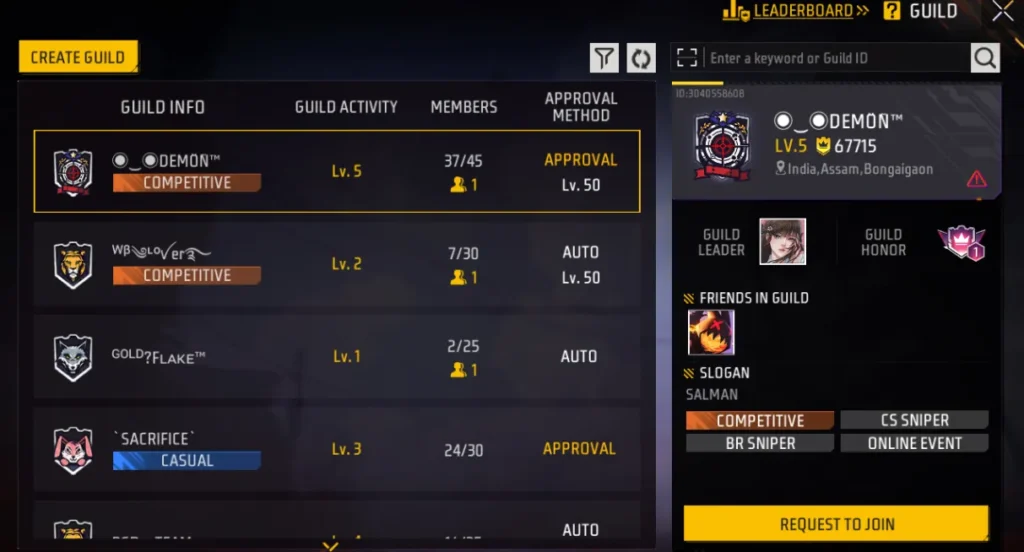
Step 6: Tap the join button and either wait for approval or get accepted instantly depending on the guild settings.
Pro Tip: Before joining randomly, check the guild’s level, member count, and activity status. A high-level guild with active members will benefit you far more than a dead guild with inactive players.
How to Create Your Own Guild in Free Fire
Maybe you want to be the boss. Perhaps you have a crew ready to roll and just need to make it official. Creating your own guild puts you in command, but it comes with responsibilities too.
Requirements for Guild Creation
Creating a guild is not free. You need either diamonds or gold to establish your crew. The exact cost may vary based on updates, but expect to invest some in-game currency. Additionally, you must meet the minimum level requirement set by Garena.
Guild Creation Process
Step 1: Access the guild menu from the main lobby.
Step 2: Instead of searching for guilds, look for the create guild option.
Step 3: Choose your guild name carefully. This name represents your entire crew and cannot be changed easily. Make it memorable, intimidating, or meaningful. Need inspiration? We have compiled hundreds of options in our Best Guild Names in Free Fire 2026 guide with stylish, cool, and pro names ready for your squad.
Step 4: Design your guild logo by selecting icons and colors that represent your crew’s identity.
Step 5: Set your guild description, rules, and joining requirements.
Step 6: Pay the creation fee and congratulations, you are now a guild leader.
Understanding Guild Hierarchy and Roles
Every guild operates with a clear structure. Understanding these roles helps you navigate guild politics and responsibilities.
Guild Leader
The ultimate authority. Guild leaders have complete control over the guild including accepting members, promoting officers, removing players, and managing guild settings. With great power comes great responsibility, so leaders must stay active and engaged.
Officers
These are trusted members promoted by the leader. Officers can accept or reject join requests, helping manage the guild when the leader is offline. Good officers are the backbone of successful guilds.
Elite Members
Some guilds designate elite members who have proven their loyalty and skill. While they may not have management powers, they hold respected positions within the crew.
Regular Members
The foundation of every guild. Regular members participate in activities, contribute to guild growth, and enjoy all the benefits of membership.
How to Level Up Your Guild Fast
Guild levels matter. Higher-level guilds attract better players, unlock more features, and earn greater rewards. Here is how to accelerate your guild’s growth.
Stay Active Daily
Guild experience comes from member activity. Encourage everyone to log in daily, complete matches, and participate in events. Even small contributions add up over time.
Complete Guild Missions
Garena provides specific guild missions that reward experience points upon completion. Coordinate with members to tackle these missions systematically.
Participate in Guild Events
Special events offer bonus experience and rewards. Never miss these opportunities because they can boost your guild level significantly in short periods.
Recruit Active Players
Dead weight hurts guilds. Remove inactive members and replace them with active players who contribute daily. Quality recruitment directly impacts leveling speed.
Encourage Teamwork
Members who play together generate more activity and complete missions faster. Create an environment where squadding up is the norm, not the exception.
Guild Tips and Strategies for 2026
The meta evolves constantly. Here are current strategies that top guilds use to dominate.
Communication is Everything: Establish a communication channel outside the game. Discord servers or WhatsApp groups keep members connected and coordinated even when offline.
Set Clear Expectations: Successful guilds have rules. Minimum activity requirements, behavior standards, and participation expectations keep everyone accountable.
Celebrate Victories Together: Recognize member achievements. When someone hits a new rank or clutches an impossible win, celebrate it. Positive culture retains players.
Balance Competition and Fun: Pushing ranks matters, but burning out members kills guilds. Mix competitive sessions with casual fun matches to maintain healthy engagement.
Recruit Strategically: Instead of accepting everyone, look for players who match your guild’s vibe and goals. A smaller crew of dedicated players beats a large group of randoms every time.
Common Guild Questions Answered
Can I be in multiple guilds?
No. Each player can only belong to one guild at a time. Choose wisely.
What happens if the guild leader goes inactive?
After extended inactivity, leadership may transfer to the most active officer. Garena implements this to prevent guilds from dying due to absent leaders.
Can I leave a guild and join another immediately?
There is typically a cooldown period after leaving a guild before you can join another. This prevents constant guild hopping.
Do guilds reset between seasons?
Guild progress generally carries over between seasons, though specific events and rewards may refresh.
Your Guild Journey Starts Now
Free Fire transforms completely when you find the right guild. Those random solo queues become coordinated squad assaults. Those missed event rewards become exclusive loot in your collection. Those lonely grinding sessions become memorable moments with friends who share your passion.
Whether you join an established powerhouse or build your empire from scratch, the guild system offers something valuable for every type of player. The only wrong choice is staying solo when an entire community awaits.
Open your game, hit that guild button, and start your new chapter today. The battlefield awaits, and your future guildmates are ready to fight alongside you.
See you in the warzone, warrior.
Related Articles
Best Guild Names in Free Fire image
Are you building a new squad to dominate the ranking maps? One of the first steps to establishing your team’s…
Best Guild Names in Free Fire (2026): 500+ Stylish, Cool & Pro Names for Your Squad
Best Guild Names in Free Fire (2026): 500+ Stylish, Cool & Pro Names for Your Squad Author: Virender kohli |…
Top 5 Most Popular Free Fire Players in the World
In this article I’ll tell you about Top 5 Most Popular Free Fire Players in the World Lets start Top…